Label and Train Pose Models
Write keypoint labels with visibility, set kpt_shape and flip_idx correctly, train on COCO8-pose, and turn keypoints into confidence-gated joint angles.
Pose estimation turns each person into 17 numbered points, and from points come the numbers products sell: elbow angles for ergonomics, knee angles for rehabilitation, hip height for fall detection. Two dataset keys decide whether those points can be trusted, and getting either one wrong produces no error — just a model that confuses left and right, or quietly trains without its cheapest augmentation.
Hands-on
The keypoint label row#
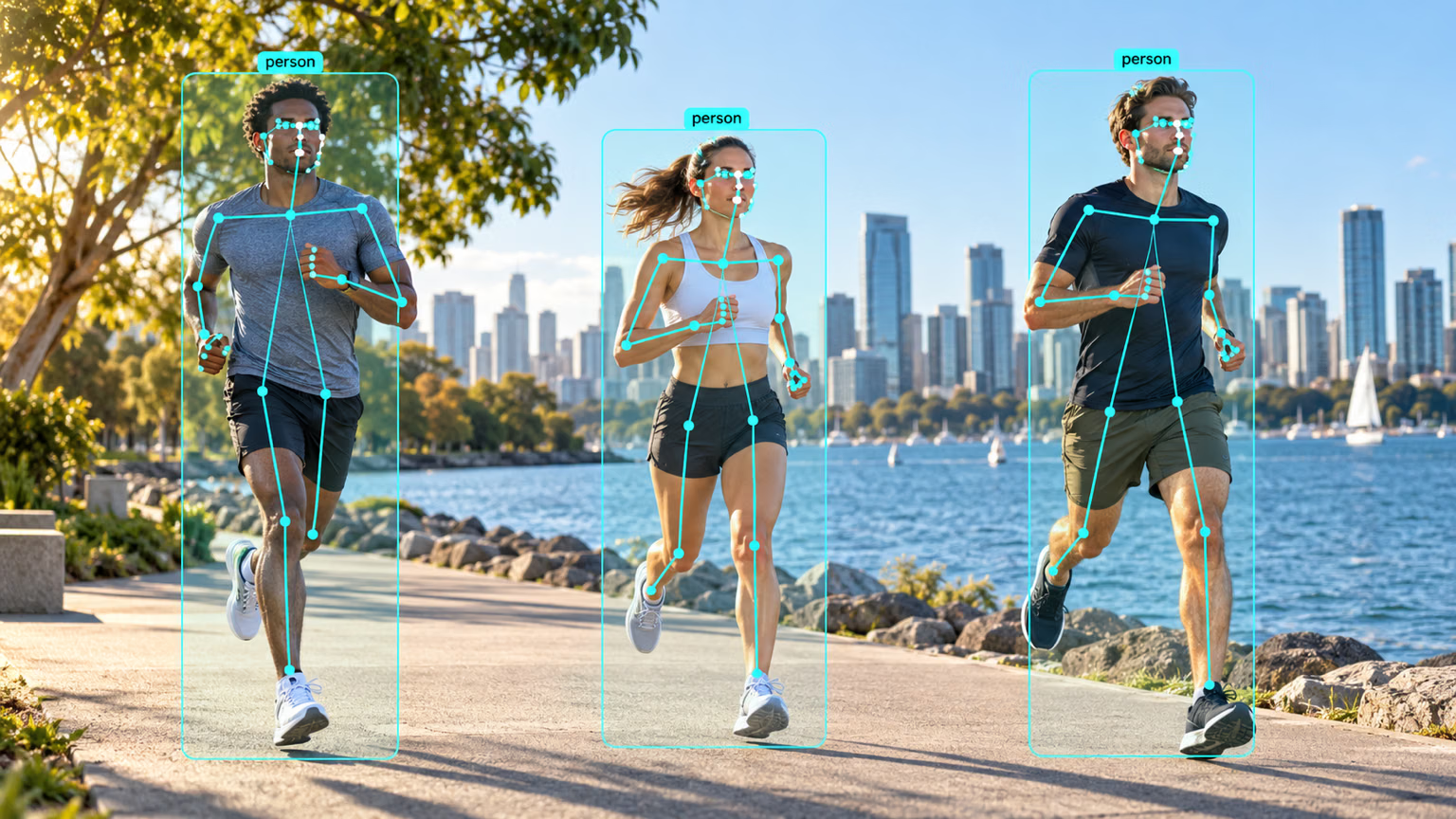
A pose label row is a detection row with keypoints appended. Every coordinate is normalized to 0–1, and keypoints appear in the same fixed order on every row. A real COCO8-pose row, trimmed after four keypoints:
0 0.671279 0.617945 0.645759 0.726859 0.519751 0.381250 2.000000 0.550936 0.348438 2.000000 0.488565 0.367188 2.000000 0.642412 0.354687 2.000000 ...| Values | Meaning |
|---|---|
0 | class index (person) |
0.671279 0.617945 0.645759 0.726859 | box center x, center y, width, height |
0.519751 0.381250 2 | keypoint 0 (nose): x, y, visibility |
| … | 16 more keypoints, same pattern: 5 + 17 × 3 = 56 values per row |
The visibility flag follows the COCO convention: 2 visible, 1 labeled but occluded, 0 not labeled. Ultralytics masks out keypoints with v = 0 in the loss, so a missing wrist does not teach the model to predict wrists at (0, 0).
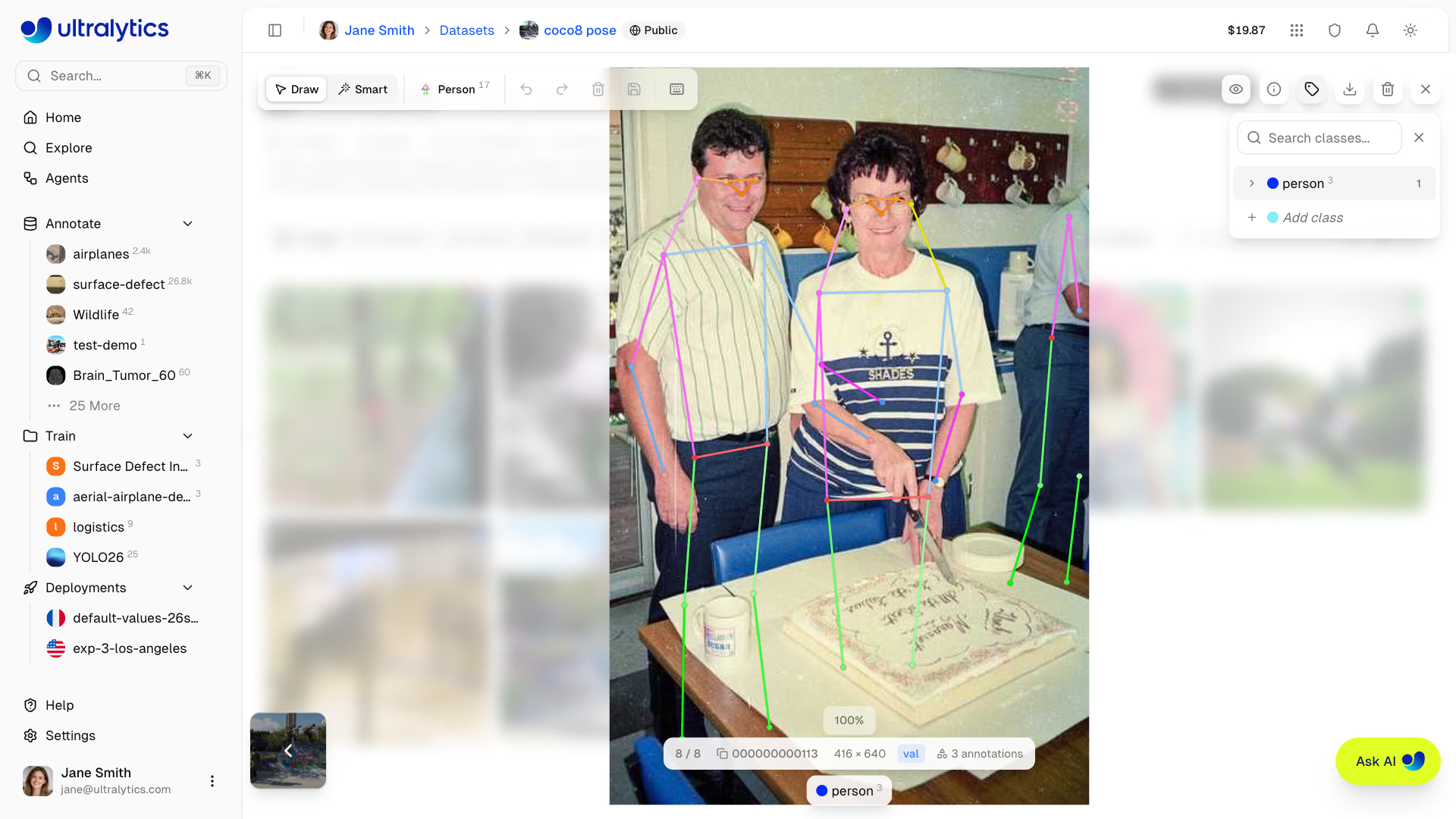
Use 1 for an occluded joint you can place confidently — a hip behind a table, a wrist behind a back; it still trains. Reserve 0 for joints nobody could locate. Labeling every hidden joint 0 throws away exactly the hard cases the model needs.
The pose dataset guide also covers the two-value variant (x y only, kpt_shape: [K, 2]) for datasets without visibility.
kpt_shape and flip_idx#
The dataset YAML adds two keys to the usual path, train, val, and names:
kpt_shape: [17, 3] # 17 keypoints, each x, y, visibility
flip_idx: [0, 2, 1, 4, 3, 6, 5, 8, 7, 10, 9, 12, 11, 14, 13, 16, 15]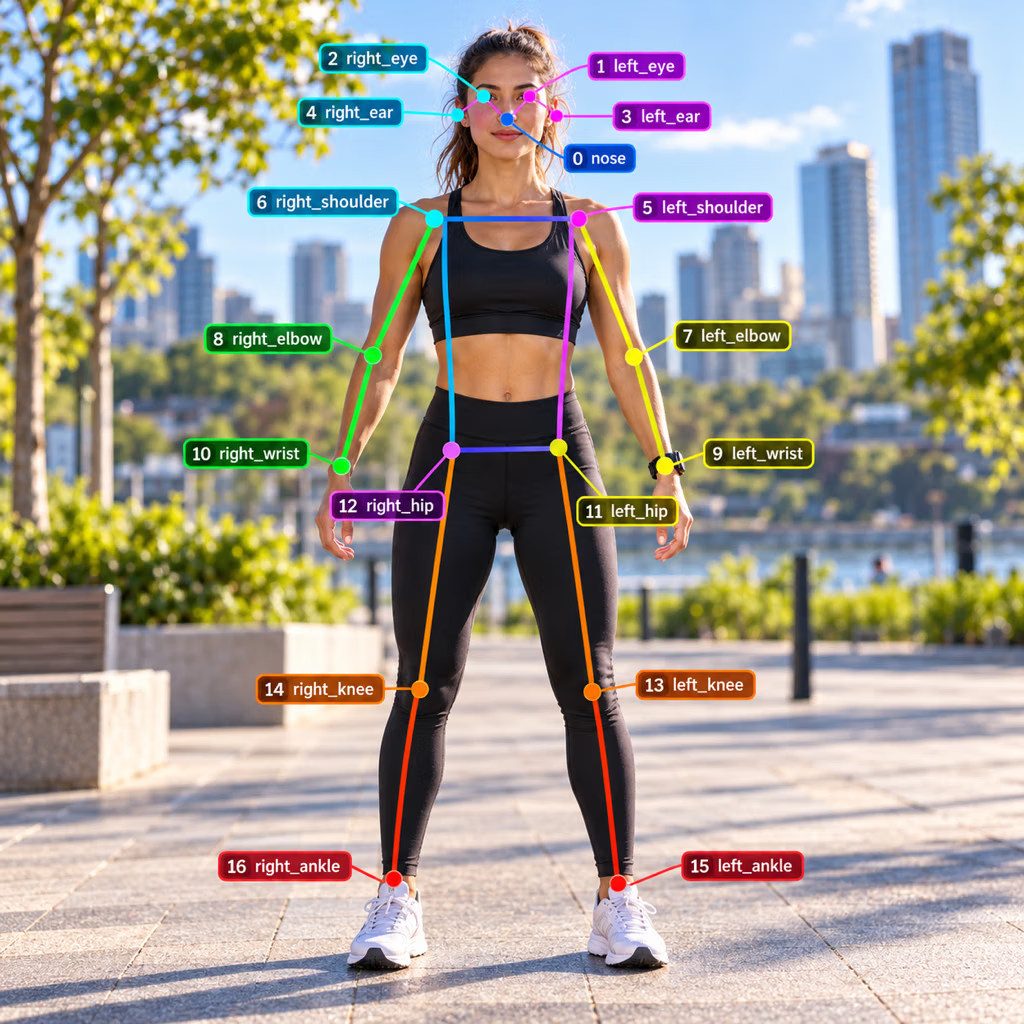
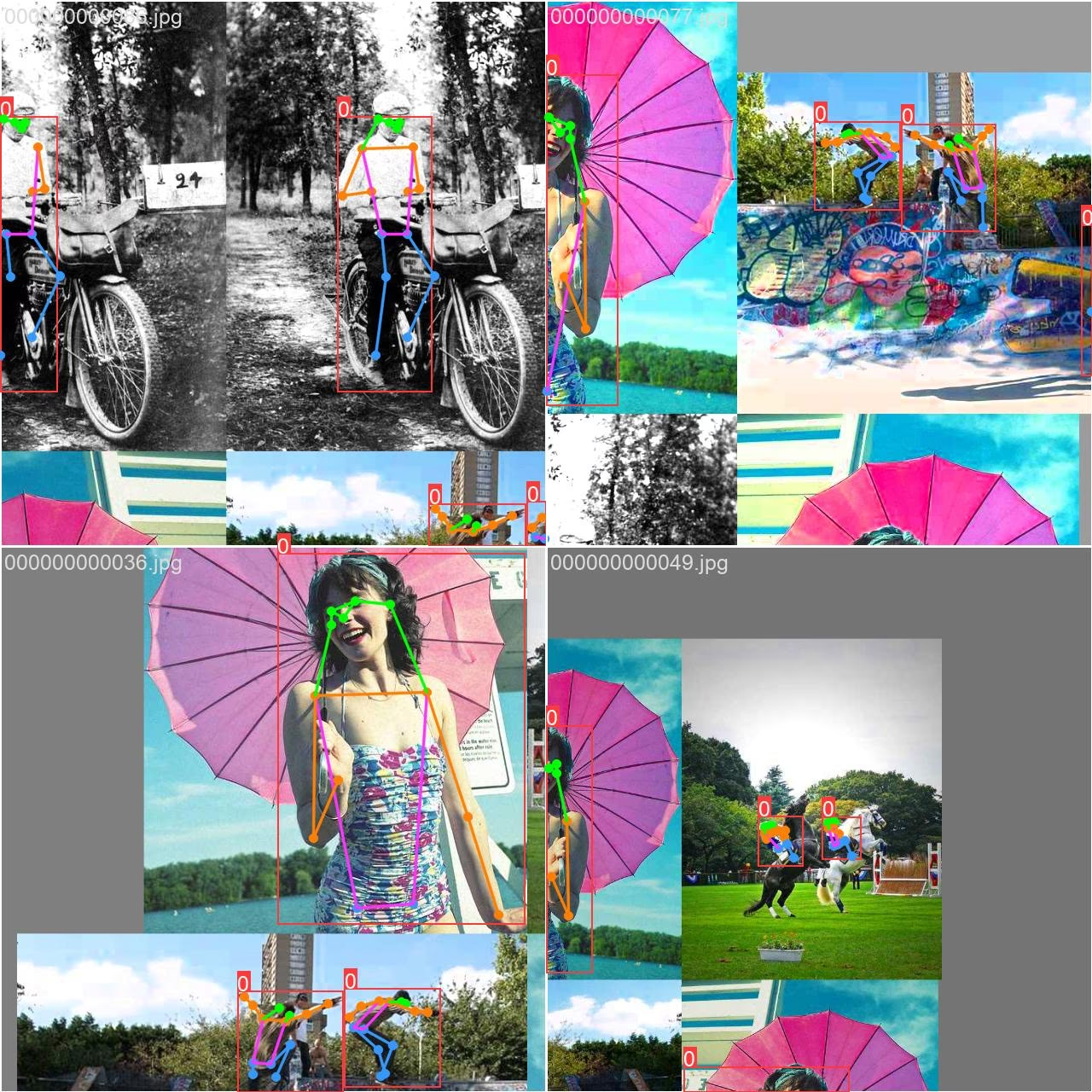
flip_idx tells horizontal-flip augmentation which keypoint each one becomes in the mirror image. Mirror a person and their left wrist (9) ends up where the right wrist (10) was, so position 9 of flip_idx holds 10 and position 10 holds 9; the nose (0) maps to itself. Every augmentation moves the skeleton with the pixels, and the flip is the only one that also needs the index map:
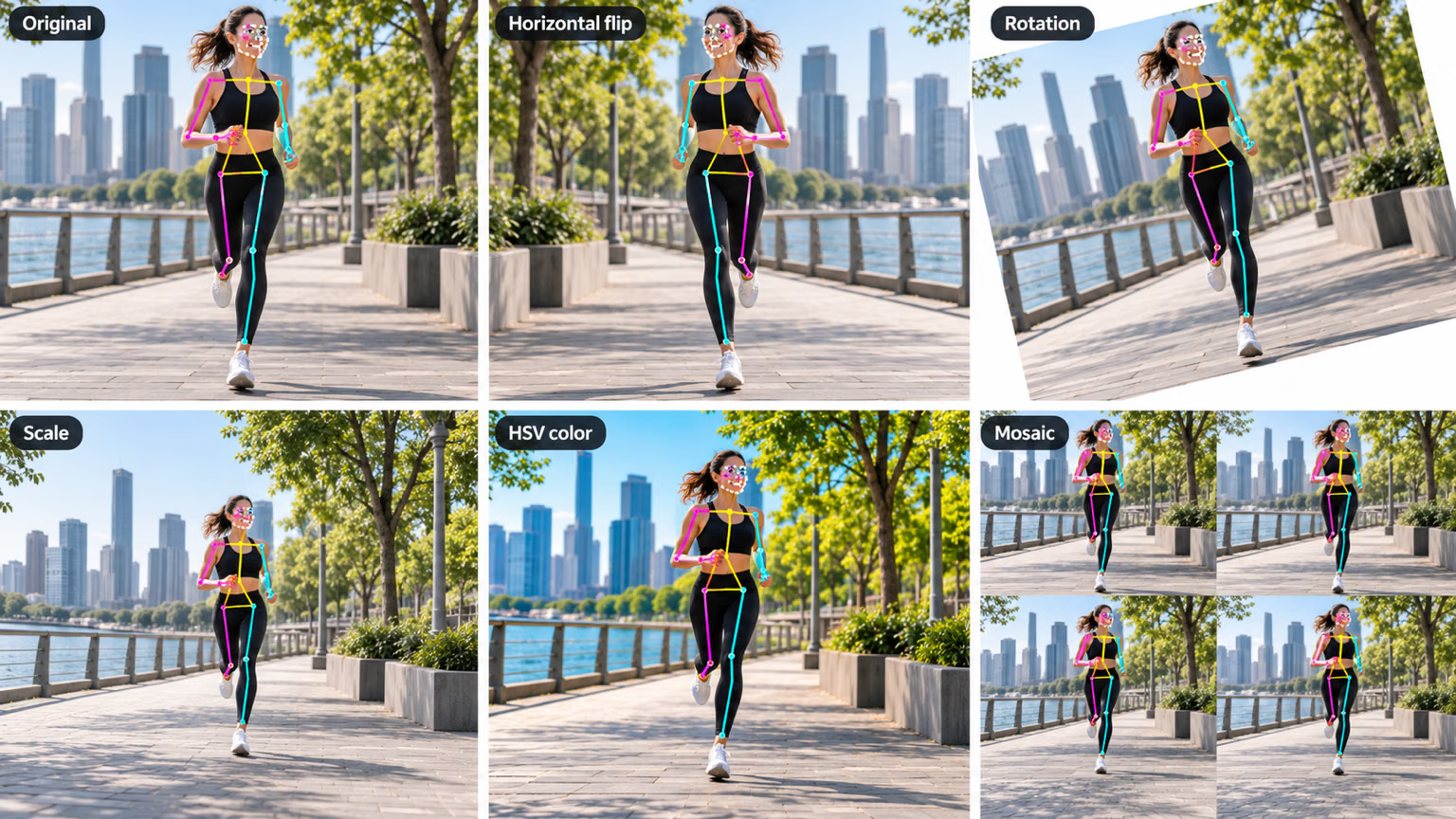
What happens when flip_idx is wrong, verified in the installed source:
- Missing: training logs a warning and sets
fliplrandflipudto 0, so you lose your cheapest augmentation. - Wrong length: training stops with a
ValueErrornaming the mismatch — the only loud failure. - Right length, wrong pairs: nothing warns you. Half the flipped samples teach the model that left is right, and validation images show left-right swaps on symmetric poses.
Train on COCO8-pose#
from ultralytics import YOLO

model = YOLO("yolo26n-pose.pt")
model.train(data="coco8-pose.yaml", epochs=1, imgsz=320, device="cpu")
metrics = model.val()
print(f"box  mAP50-95: {metrics.box.map:.3f}")
print(f"pose mAP50-95: {metrics.pose.map:.3f}")
Class Images Instances Box(P R mAP50 mAP50-95) Pose(P R mAP50 mAP50-95)
all 4 14 1 0.783 0.893 0.643 0.966 0.571 0.575 0.326
box mAP50-95: 0.643
pose mAP50-95: 0.326As with segmentation, the table has two blocks. Box scores the person boxes; Pose scores keypoint placement with Object Keypoint Similarity (OKS) inside the same mAP machinery. Pose mAP50-95 is the release gate for a pose product — the next lesson shows how OKS decides whether a keypoint is right.
From keypoints to joint angles#
result.keypoints holds xy (N × K × 2, pixels), xyn (normalized), and conf (N × K), in the COCO order shown above. An angle at a joint is the angle between the two limb vectors that meet there — a dot product:
import numpy as np

from ultralytics import YOLO

model = YOLO("yolo26n-pose.pt")
result = model("https://ultralytics.com/images/bus.jpg")[0]
kpts = result.keypoints.cpu().numpy()  # people x 17 x (x, y, conf)

SHOULDER, ELBOW, WRIST = 5, 7, 9  # left arm, COCO keypoint order
for person, (xy, conf) in enumerate(zip(kpts.xy, kpts.conf)):
    if conf[[SHOULDER, ELBOW, WRIST]].min() < 0.5:
        print(f"person {person}: left arm not visible enough")
        continue
    a, b, c = xy[SHOULDER], xy[ELBOW], xy[WRIST]
    cos = np.dot(a - b, c - b) / (np.linalg.norm(a - b) * np.linalg.norm(c - b))
    print(f"person {person}: left elbow angle {np.degrees(np.arccos(cos)):.0f} deg")
person 0: left elbow angle 71 deg
person 1: left elbow angle 96 deg
person 2: left elbow angle 59 deg
person 3: left arm not visible enough
person 4: left arm not visible enoughLine by line: kpts.xy[p] is person p's 17 points in pixels; a - b and c - b are the upper arm and forearm as vectors from the elbow; their normalized dot product is the cosine of the angle between them. A straight arm reads near 180°, a fully bent one near 30°. Persons 3 and 4 have at least one left-arm joint below 0.5 confidence, so the script refuses to measure them.
Symptom: confident-looking angles for people whose arms are out of frame. Cause: the model returns a coordinate for every keypoint, occluded or not. Fix: skip any calculation whose joints fall below a confidence floor (0.5 here), and log how often you skip — a rising skip rate is an early sign of a camera or lighting change.
Show solution
import numpy as np

from ultralytics import YOLO

ARMS = {"left": (5, 7, 9), "right": (6, 8, 10)}  # shoulder, elbow, wrist
kpts = YOLO("yolo26n-pose.pt")("https://ultralytics.com/images/bus.jpg")[0].keypoints.cpu().numpy()

for person, (xy, conf) in enumerate(zip(kpts.xy, kpts.conf)):
    for side, (s, e, w) in ARMS.items():
        if conf[[s, e, w]].min() < 0.5:
            continue
        a, b, c = xy[s], xy[e], xy[w]
        cos = np.dot(a - b, c - b) / (np.linalg.norm(a - b) * np.linalg.norm(c - b))
        print(f"person {person}: {side} elbow {np.degrees(np.arccos(cos)):.0f} deg")
person 0: left elbow 71 deg
person 0: right elbow 94 deg
person 1: left elbow 96 deg
person 2: left elbow 59 deg
person 2: right elbow 135 degPersons 0 and 2 have both arms measurable. Person 1's right arm and both arms of persons 3 and 4 fall below the 0.5 confidence floor, so the script skips them instead of guessing.
A missing flip_idx disables flip augmentation with a warning; a wrong length stops training with a ValueError; a valid-looking flip_idx with wrong pairs trains silently on mirrored labels and shows up as left-right swaps at validation.