Evaluate and Ship Every Task
Gate each task on its own metric at the deployment size, validate every task in one loop, and export every task to ONNX with a verified prediction.
Each task has its own definition of correct: pixel overlap, keypoint similarity, rotated-box IoU, a top-1 hit, or a depth ratio. Teams that reuse their detection checklist ship segmentation models gated on box mAP and pose models gated on boxes that were never the product. And a model that passes its gate can still fail after export: in this lesson, the same pose weights find 5 people at one input size and 3 at another, and the depth model's distances nearly double.
Hands-on
One gate per task#
| Task | Gate on | results_dict key | Python attribute | Scored by |
|---|---|---|---|---|
| segment | mask mAP50-95 | metrics/mAP50-95(M) | metrics.seg.map | pixel IoU per instance |
| semantic | mIoU (+ per-class IoU) | metrics/mIoU | metrics.miou | per-class pixel IoU |
| pose | pose mAP50-95 | metrics/mAP50-95(P) | metrics.pose.map | OKS |
| obb | OBB mAP50-95 | metrics/mAP50-95(B) | metrics.box.map | rotated-box IoU |
| classify | top-1 accuracy | metrics/accuracy_top1 | metrics.top1 | correct top class |
| depth | δ1 (+ AbsRel) | metrics/delta1 | metrics.delta1 | share of pixels within 1.25× of true depth |
The performance metrics guide explains each score. Segment and pose runs also report box metrics; keep them as a diagnostic — a box-versus-mask gap points at outline quality — but they are not the product. Detection-specific reading, such as threshold sweeps and the confusion matrix, carries over from Validate and Diagnose.
Validate every task in one loop#
Val mode accepts any task's weights with the matching dataset, so one loop produces the release table's numbers:
from ultralytics import YOLO

runs = {
    "yolo26n-seg.pt": ("coco8-seg.yaml", "metrics/mAP50-95(M)"),
    "yolo26n-sem.pt": ("cityscapes8.yaml", "metrics/mIoU"),
    "yolo26n-pose.pt": ("coco8-pose.yaml", "metrics/mAP50-95(P)"),
    "yolo26n-obb.pt": ("dota8.yaml", "metrics/mAP50-95(B)"),
    "yolo26n-depth.pt": ("depth8.yaml", "metrics/delta1"),
}
for weights, (data, key) in runs.items():
    metrics = YOLO(weights).val(data=data, device="cpu", plots=False, verbose=False)
    print(f"{weights:17s} {key:22s} {metrics.results_dict[key]:.3f}")
yolo26n-seg.pt metrics/mAP50-95(M) 0.538
yolo26n-sem.pt metrics/mIoU 0.610
yolo26n-pose.pt metrics/mAP50-95(P) 0.419
yolo26n-obb.pt metrics/mAP50-95(B) 0.857
yolo26n-depth.pt metrics/delta1 0.377Without an explicit imgsz, each model validates at the size it was trained at: 640 for segment and pose, 768 for depth, 1024 for semantic and OBB. These pretrained numbers are higher than the 320-pixel training runs earlier in the course — partly the training, partly the resolution. Four validation images make every number here a smoke test; the depth task page, for example, reports δ1 on the full NYU benchmark. Classification is left out on purpose: validate your fine-tuned classifier on its own folders, as in the classifier lesson.
The same weights score differently at different imgsz. Record imgsz next to every number, validate at the size you will deploy, and never compare numbers measured at different sizes.
Export every task#
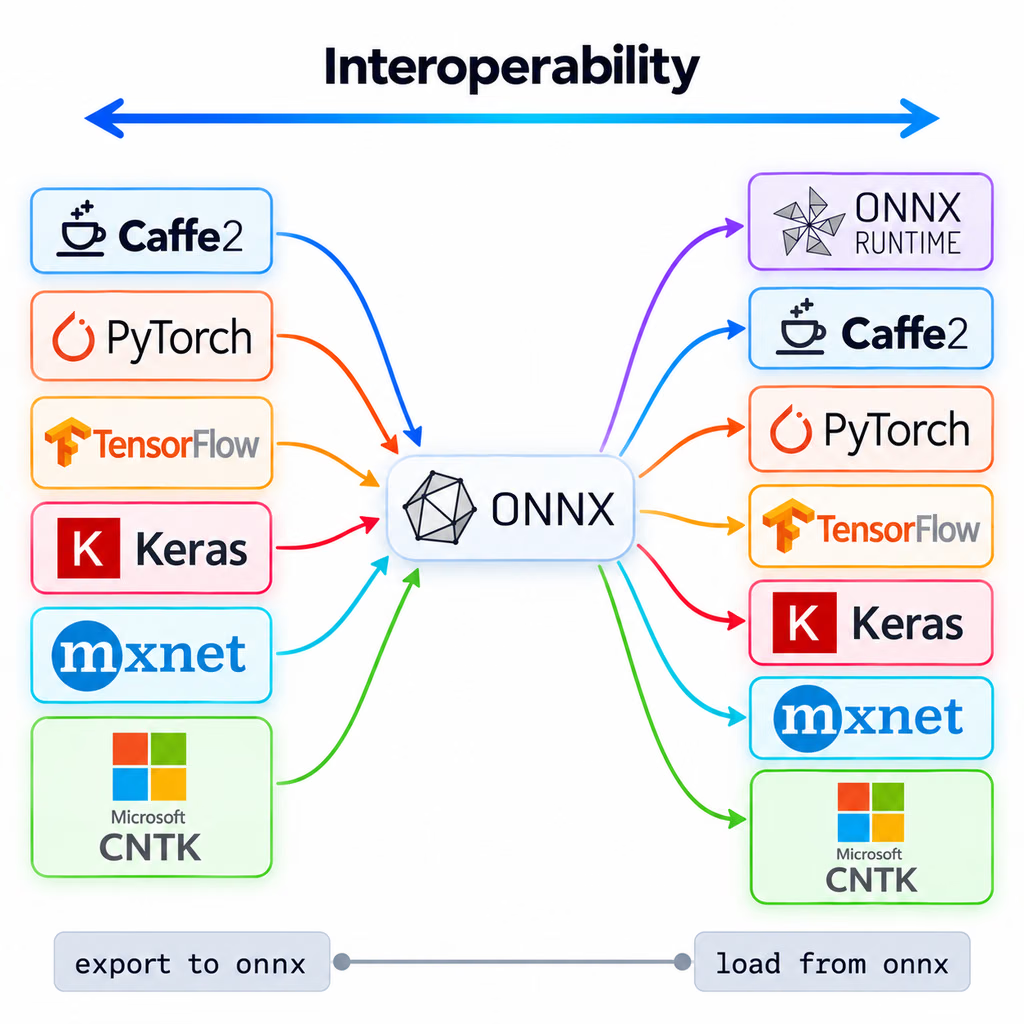
Each task exports to ONNX with the same Export mode call. The task is stored in the model metadata, so YOLO("model.onnx") applies the right postprocessing. Runtime choices, parity checks, and TensorRT or OpenVINO tuning belong to Export to ONNX (and Verify Parity); this loop checks that every task survives the round trip:
from ultralytics import YOLO

for weights in ["yolo26n-seg.pt", "yolo26n-sem.pt", "yolo26n-pose.pt", "yolo26n-obb.pt", "yolo26n-cls.pt", "yolo26n-depth.pt"]:
    onnx_path = YOLO(weights).export(format="onnx", imgsz=320)
    onnx_model = YOLO(onnx_path)  # task comes from the ONNX metadata
    result = onnx_model("https://ultralytics.com/images/bus.jpg", imgsz=320, verbose=False)[0]
    print(f"{onnx_model.task:9s} {result.verbose()}")
segment 4 persons, 1 bus,
semantic
pose 3 persons,
obb (no detections),
classify minibus 0.38, police_van 0.21, trolleybus 0.05, amphibian 0.05, bullet_train 0.03,
depth depth 4.67-26.91m,Every export reloaded with the right task. Three results deserve a second look:
- Pose found 3 people at 320 pixels, where the 640-pixel PyTorch run found 5.
- Depth read the scene as 4.7–26.9 m, where the same weights at their native 768 pixels read 2.1–14.9 m.
- OBB found nothing on a street photo — correct behavior for an aerial model, not an export bug.
PyTorch at imgsz=320 gives the same pose and depth numbers as ONNX, so neither is an export bug either: the input size changed the answer. Export at the imgsz you validated. Semantic results have no per-object summary line, so check result.semantic_mask instead.
Predict once with each exported model on an image like the ones it was trained on — street scenes for COCO models, aerial tiles for OBB, indoor or street scenes at the right scale for depth — before you call an export broken or ship it.
If you write your own postprocessing, these are the raw ONNX outputs at imgsz=320, from the export log:
| Task | ONNX output shape(s) | Contents |
|---|---|---|
| segment | (1, 116, 2100) and (1, 32, 80, 80) | boxes + 80 class scores + 32 mask coefficients; mask prototypes |
| semantic | (1, 320, 320) | class map, argmax already in the graph |
| pose | (1, 56, 2100) | boxes + 1 score + 17 × 3 keypoint values |
| obb | (1, 20, 2100) | boxes + 15 class scores + 1 angle |
| classify | (1, 1000) | class probabilities |
| depth | (1, 1, 320, 320) | depth in meters per pixel |
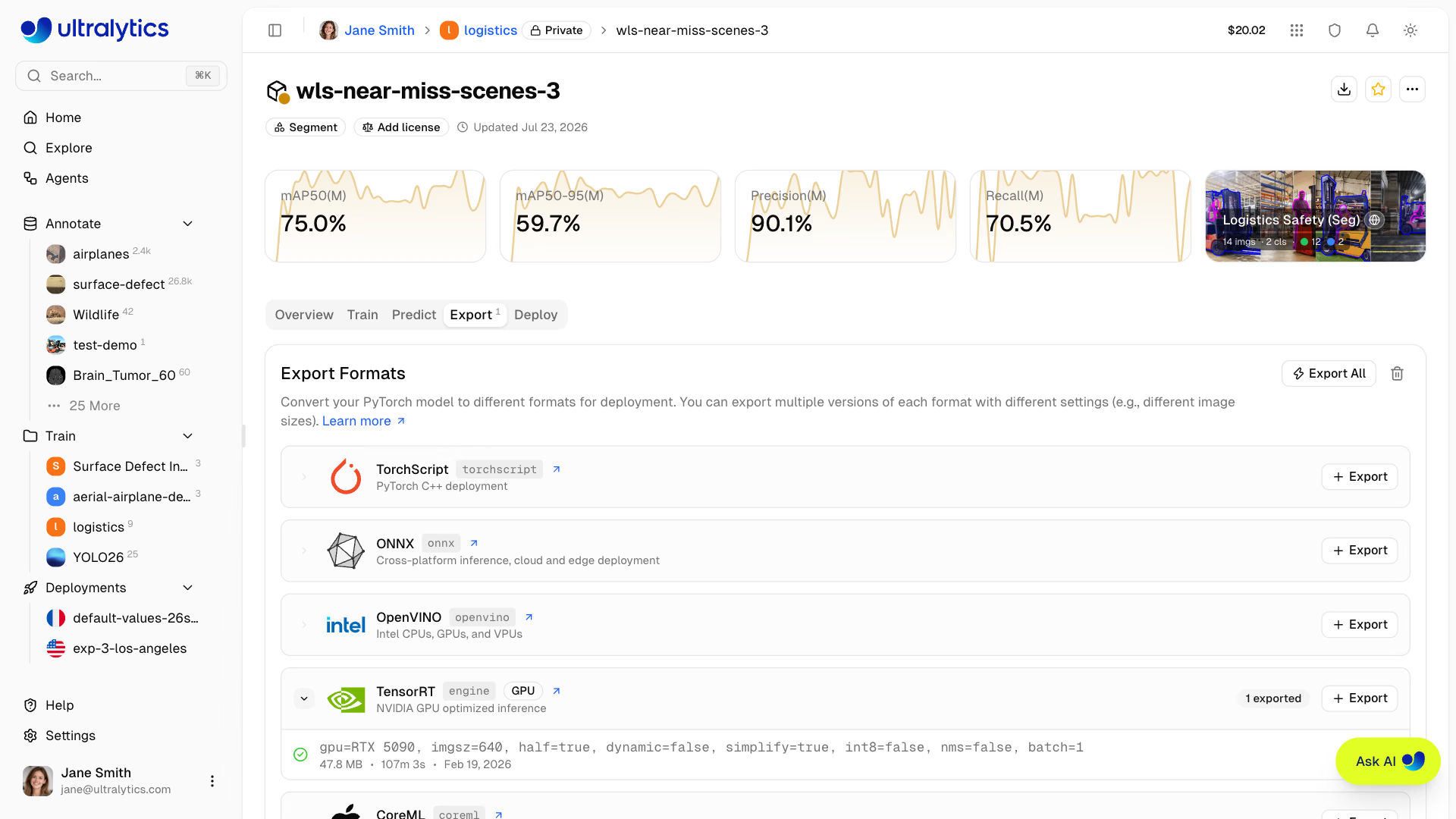
On Ultralytics Platform, the model page shows the task's own metrics (mask mAP for a segmentation model) above an Export tab that produces the same formats:
ONNX is the interchange point: one exported file runs in ONNX Runtime or converts onward to other runtimes.
Ship checklist#
- The gating metric from the table above meets its target on a held-out set, at the deployment
imgsz. - The exported model reloads with the expected
taskand matches PyTorch predictions on a fixed image set. - Per-task code paths handle empty results:
masks is None, zero keypoints, zero OBBs. - Downstream numbers (areas, angles, distances, class probabilities) are logged so you can watch them drift, as described in Observability and Drift.
When the gate is not met, "back to data" usually means one of three levers:
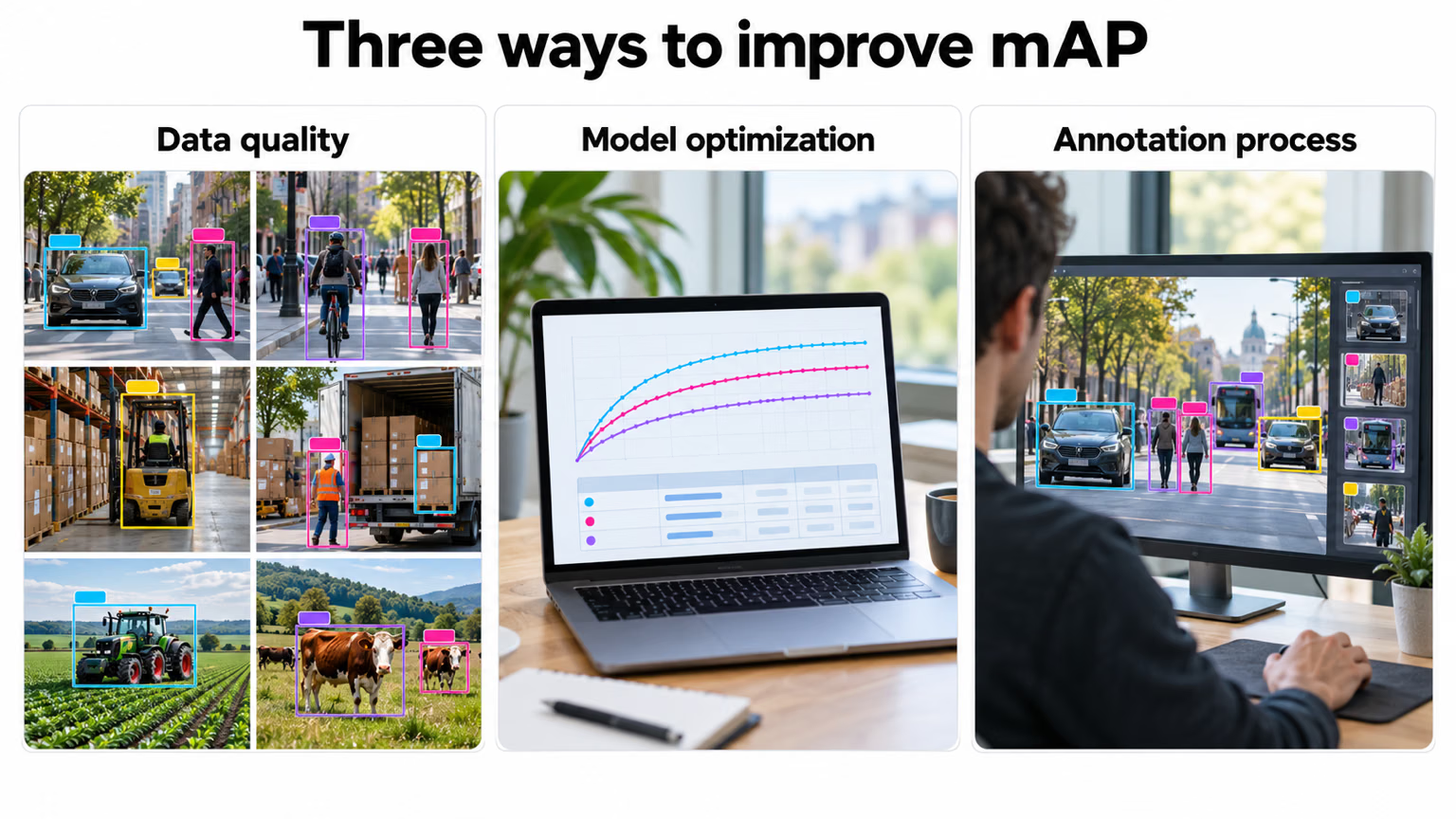
Fix data quality and the annotation process first — the label checks from lessons 2 and 6 are the cheapest place to start — and change the model only when the data is clean.
Show solution
from ultralytics import YOLO

checks = {
    "runs/segment/train/weights/best.pt": ("coco8-seg.yaml", "metrics/mAP50-95(M)", "https://ultralytics.com/images/bus.jpg"),
    "runs/obb/train/weights/best.pt": ("dota8.yaml", "metrics/mAP50-95(B)", "https://ultralytics.com/images/boats.jpg"),
}
for weights, (data, key, image) in checks.items():
    model = YOLO(weights)
    gate = model.val(data=data, imgsz=320, plots=False, verbose=False).results_dict[key]
    onnx_model = YOLO(model.export(format="onnx", imgsz=320))
    result = onnx_model(image, imgsz=320, verbose=False)[0]
    print(f"{onnx_model.task:8s} {key} @320 = {gate:.3f} | ONNX: {result.verbose()}")
Adjust the runs/... paths to the folders your training runs printed (Results saved to ...). With the one-epoch runs from lessons 2 and 7:
segment  metrics/mAP50-95(M) @320 = 0.377 | ONNX: 4 persons, 1 bus,
obb metrics/mAP50-95(B) @320 = 0.832 | ONNX: 185 ships, 3 harbors,| Model | Gating metric | Value | imgsz | ONNX |
|---|---|---|---|---|
| segment | mask mAP50-95 | 0.377 | 320 | reloads as segment, finds the bus and 4 people |
| obb | OBB mAP50-95 | 0.832 | 320 | reloads as obb, finds 185 ships and 3 harbors |
Each check uses its own domain image: the OBB model gets the aerial harbor photo, not the street scene. Both rows pass the export check; neither model is ready to ship, because one epoch on four validation images is a smoke test, not a gate.