Observability and Drift
Log the metrics that catch silent accuracy loss, test confidence distributions for drift, and alert only on actionable signals.
A vision service can be up, fast, and wrong. A camera gets bumped, the lighting changes, a new product line arrives, and the model keeps returning boxes while every infrastructure dashboard stays green. In this lesson, darkening a clip to simulate dusk moved mean confidence by only 0.01, invisible on a chart, yet a two-sample KS test flagged it at p = 0.007. You will build that check and the logging that feeds it.
Hands-on
Three Layers of Signals#
| Layer | Question | Signals |
|---|---|---|
| Infrastructure | Is the service up and keeping pace? | Latency, throughput, dropped frames, CPU and GPU use |
| Model behavior | Is the model acting like it did last week? | Detections per frame, mean confidence, class mix, box sizes |
| Model accuracy | Is the model still right? | Holdout mAP (performance metrics), sampled human review, false-alarm rate |
Most teams cover the first layer with standard tooling and stop. The second and third are where vision systems fail silently; the model monitoring guide covers the full maintenance loop.
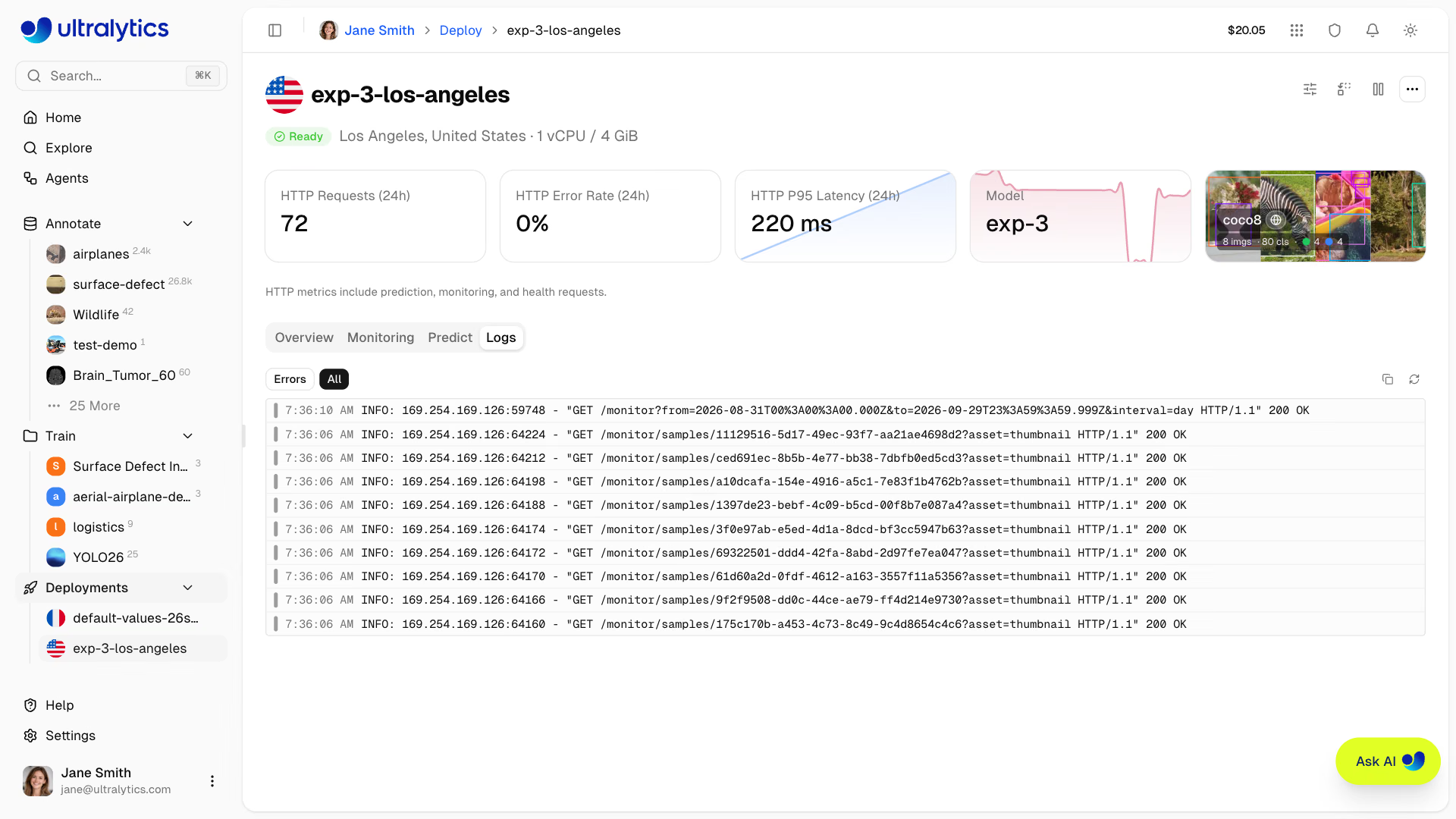
If you deploy through Ultralytics Platform, the deployment page gives you the infrastructure layer (requests, error rate, P95 latency) and request logs you can filter to errors, as above; its Monitor Health and Accuracy lesson covers them. The behavior and accuracy layers are yours to build, and the rest of this lesson builds them.
Emit Per-Frame Metrics#
Every Results object carries timings and boxes. Write one JSON line per frame and ship it to whatever metrics system you use:
import json
import time

from ultralytics import YOLO

model = YOLO("yolo26n.pt")
video = "https://github.com/ultralytics/assets/releases/download/v0.0.0/solutions_ci_demo.mp4"
with open("metrics.jsonl", "w") as log:
    for r in model.predict(video, stream=True, verbose=False):
        conf = r.boxes.conf
        record = {
            "ts": time.time(),
            "camera": "lobby-1",
            "inference_ms": round(r.speed["inference"], 1),
            "detections": len(r.boxes),
            "mean_conf": round(conf.mean().item(), 3) if len(conf) else None,
            "confs": [round(c, 3) for c in conf.tolist()],  # raw values for the drift test
        }
        log.write(json.dumps(record) + "\n")
print({k: v for k, v in record.items() if k != "confs"})
{'ts': 1792003254.33, 'camera': 'lobby-1', 'inference_ms': 34.7, 'detections': 22, 'mean_conf': 0.543}What each field is for:
- inference_ms: alert when p95 exceeds your budget.
- detections: a sudden drop to near zero usually means a blocked or broken camera; a surge means a scene change or false positives.
- mean_conf: a quick trend line, but too coarse to detect drift on its own.
- confs: the full distribution, which the drift test below needs.
Test Confidence Distributions for Drift#
Data drift shows up in confidences long before anyone labels new data. Collect confidences at launch as a baseline, collect a recent window, and compare the two distributions with a two-sample Kolmogorov-Smirnov test (pip install scipy). This script simulates dusk by darkening the same clip:
import cv2
import numpy as np
from scipy.stats import ks_2samp

from ultralytics import YOLO
from ultralytics.utils.downloads import safe_download

model = YOLO("yolo26n.pt")
video = str(safe_download("https://github.com/ultralytics/assets/releases/download/v0.0.0/solutions_ci_demo.mp4"))

def confidences(darken=1.0):
    """Collect every detection confidence from the clip, optionally darkened to simulate dusk."""
    cap, out = cv2.VideoCapture(video), []
    while True:
        ok, frame = cap.read()
        if not ok:
            break
        out += model((frame * darken).astype(np.uint8), verbose=False)[0].boxes.conf.tolist()
    return np.array(out)

baseline = confidences()  # what "normal" looked like at launch
for name, recent in (("same scene", confidences()), ("dusk (35% brightness)", confidences(darken=0.35))):
    stat, p = ks_2samp(baseline, recent)
    print(f"{name:22s} n={len(recent):4d} mean_conf={recent.mean():.3f} KS={stat:.3f} p={p:.2g}")
same scene n=1376 mean_conf=0.519 KS=0.000 p=1
dusk (35% brightness) n=1337 mean_conf=0.508 KS=0.064 p=0.0068Read it line by line:
- Same scene: identical distributions give a KS statistic of 0 and p = 1, the control.
- Dusk: 39 fewer detections and a mean only 0.011 lower, which no one would notice on a chart. The KS statistic (the largest gap between the two cumulative distributions) is 0.064, and p = 0.0068 < 0.01 says the shift is real.
A drift alert is a reason to look at sample frames, not proof of failure. When it is real, collect and label frames from the affected cameras: the data collection and annotation guide covers what to collect, and the fine-tuning guide covers the retrain. Box sizes (width × height) make a second cheap drift signal: new mounts and optics show up there first.
Validate a Holdout Set Weekly#
Behavior signals say something changed; only labels say whether accuracy dropped. Keep a holdout set of 200–500 labeled production images and validate every model version, plus every week:
yolo val model=yolo26n.pt data=coco8.yaml > weekly_metrics.txt # use your production model and holdout YAMLRecord mAP50-95 and per-class AP over time, and alert when mAP drops more than 1 point week over week. The most common cause is a model swap that was supposed to be a no-op; the second is drift. A confusion matrix on the same holdout makes per-class regressions obvious.
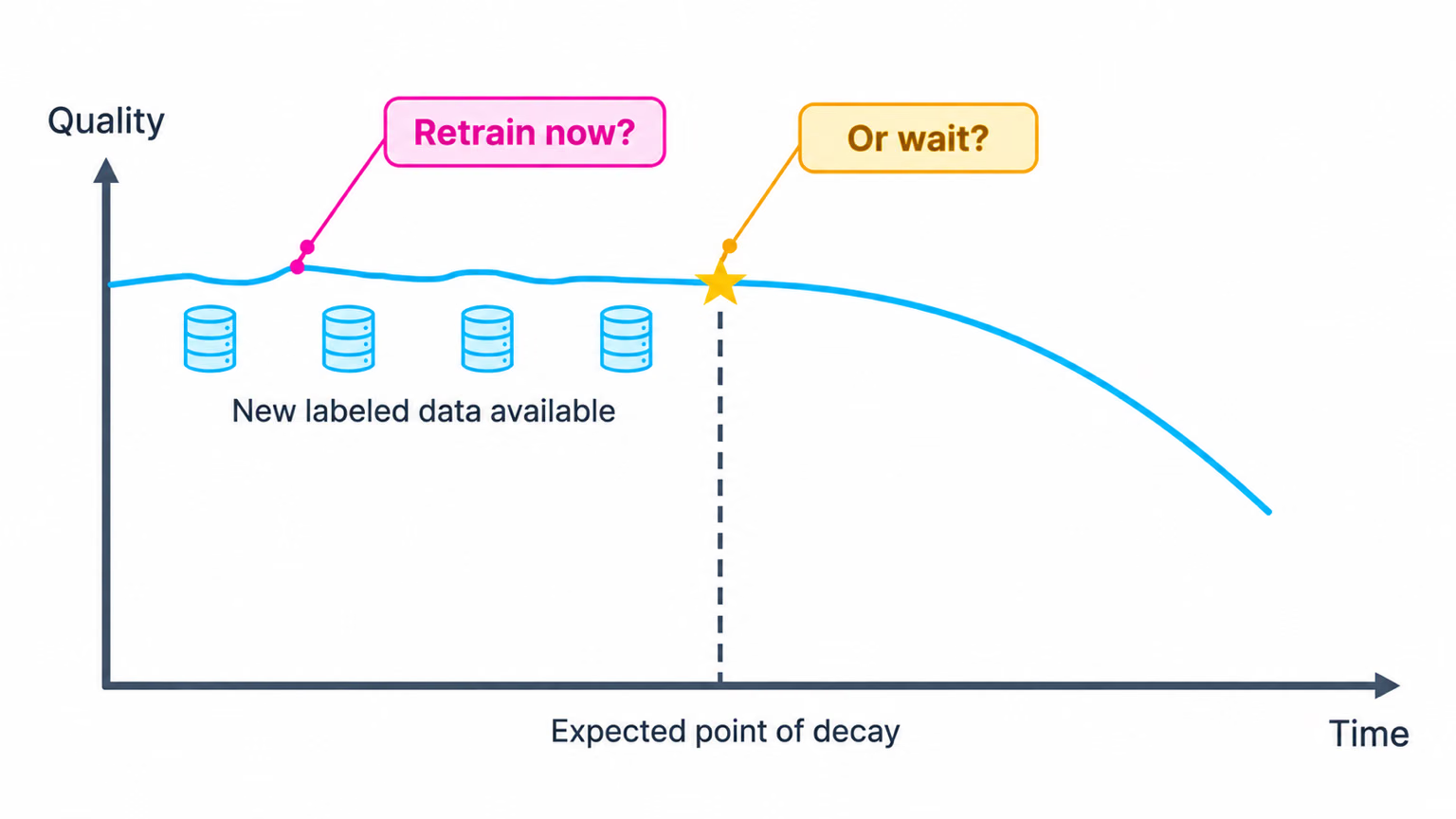
The holdout is what answers the question in this chart. Retrain when it shows quality starting to fall, or when you have enough new labeled data from the drifted conditions, not on a fixed calendar.
Alert on Actions, Not Numbers#
| Signal | Fire when | Action |
|---|---|---|
p95 inference_ms | Above budget for 3+ minutes | Scale out or switch to the optimized export |
| Detections per frame | Down 50%+ for 5 minutes | Check the camera feed, then the model version |
| Dropped frames | Above 5% for 10 minutes | Add capacity or lower per-stream FPS |
| Confidence KS test | p < 0.01 on daily windows | Review frames, then run the holdout |
| Holdout mAP50-95 | Down 1+ point week over week | Collect, label, and fine-tune |
Pitfalls#
Symptom: the KS test fires every evening and every Monday. Fix: daily and weekly cycles are real distribution changes. Compare like with like (same cameras, same hours, same weekday), and use windows of thousands of detections.
Symptom: holdout mAP looks fine while users report misses. Fix: the holdout must look like current production. Refresh it every quarter with newly labeled frames from the cameras that matter.
Every alert needs a written next action. A signal you only want to watch belongs on a dashboard, not in the pager.
Show solution
Keep the first healthy window of monitor.py output as baseline.jsonl, then compare each new window to it:
import json

import numpy as np
from scipy.stats import ks_2samp

def load(path):
    """Flatten the per-frame 'confs' lists written by monitor.py."""
    with open(path) as f:
        return np.array([c for line in f for c in json.loads(line)["confs"]])

baseline, recent = load("baseline.jsonl"), load("metrics.jsonl")
stat, p = ks_2samp(baseline, recent)
print(f"KS={stat:.3f} p={p:.2g} -> {'review frames' if p < 0.01 else 'ok'}")
KS=0.000 p=1 -> okThat is the expected result when both files come from the same footage. Run it daily from a scheduler, send the statistic and p-value to the same metrics system as the per-frame logs, and route review frames to a person, not a pager.