Combine Tasks in One Pipeline
Build a detect-then-classify cascade, classify each tracked object once instead of every frame, and turn pose keypoints into per-person time series.
The most useful systems beyond detection are usually two models, not one. A detector finds every worker and a classifier decides whether each helmet is the right type; a pose model finds joints and a tracker turns them into a timeline you can count repetitions from. The code is short. What breaks these systems is a second-stage dataset that does not match the first stage's crops, and a cost that multiplies with every object in every frame — run naively, a 30 FPS stream with ten people costs 300 classifications a second.
Hands-on
Two patterns that cover most products#
Both start from the same frame and the same Ultralytics API; they differ in what the second stage consumes. Tracker selection, tuning, and stream handling for object tracking belong to Track Objects with ByteTrack, BoT-SORT, and TrackTrack; here we focus on joining the tasks.
Detect, then classify the crops#
from ultralytics import YOLO

detector = YOLO("yolo26n.pt")
classifier = YOLO("yolo26n-cls.pt")  # swap in your own fine-tuned classifier

result = detector("https://ultralytics.com/images/bus.jpg", conf=0.5)[0]
crops, labels = [], []
for box in result.boxes:
    x1, y1, x2, y2 = box.xyxy[0].int().tolist()
    crops.append(result.orig_img[y1:y2, x1:x2])  # BGR numpy crop, same as the detector saw
    labels.append(result.names[int(box.cls)])

for label, crop_result in zip(labels, classifier(crops, verbose=False)):  # one batched call for all crops
    probs = crop_result.probs
    print(f"{label:6s} -> {crop_result.names[probs.top1]} ({float(probs.top1conf):.2f})")
bus -> bullet_train (0.31)
person -> sweatshirt (0.24)
person -> abaya (0.50)
person -> loudspeaker (0.49)
person -> frilled_lizard (0.24)The plumbing is right: crops come from orig_img at full resolution, in the detector's own pixel coordinates, and the classifier sees all of them in one batched call. The labels are nonsense on purpose.
The ImageNet classifier was never trained on tight, partly cropped street figures, so it guesses — note that no confidence is above 0.50. The same thing happens to a classifier trained on clean product photos and fed blurry detector crops.
Build the second-stage dataset from your own crops#
The reliable way to get matching data is to let the detector produce it:
- Run the detector over representative footage with
save_crop=True, for exampleyolo predict model=best.pt source=footage/ save_crop=True. Crops land inruns/detect/predict/crops/<class>/. - Sort each class's crops into your fine-grained folders (
helmet_ok/,helmet_missing/) — that is already the classification layout from the previous lesson. - Train the classifier on those folders and validate on crops from a different day or camera.
Because the detector cut the crops, they carry its real framing, blur, and occlusion — exactly what the classifier will see in production — and fine-tuning on them is ordinary transfer learning.
Classify once per track ID#
A helmet does not change between frames, so classifying every box in every frame is wasted work. Track the detections and classify each new track ID once:
from ultralytics import YOLO

detector = YOLO("yolo26n.pt")
classifier = YOLO("yolo26n-cls.pt")  # swap in your own fine-tuned classifier
source = "https://github.com/ultralytics/assets/releases/download/v0.0.0/decelera_portrait_min.mov"

labels = {}  # track id -> (label, confidence), filled once per person
frames = boxes_seen = 0
for result in detector.track(source, classes=[0], stream=True, persist=True, verbose=False):  # people only
    frames += 1
    if result.boxes.id is None:
        continue
    for track_id, (x1, y1, x2, y2) in zip(result.boxes.id.int().tolist(), result.boxes.xyxy.int().tolist()):
        boxes_seen += 1
        if track_id not in labels:  # first sighting: classify once, then reuse
            probs = classifier(result.orig_img[y1:y2, x1:x2], verbose=False)[0].probs
            labels[track_id] = (classifier.names[probs.top1], round(float(probs.top1conf), 2))

print(f"{frames} frames, {boxes_seen} person boxes, {len(labels)} classifier calls")
print(labels)
11 frames, 33 person boxes, 3 classifier calls
{1: ('basketball', 0.51), 2: ('maillot_(tights)', 0.14), 3: ('bulletproof_vest', 0.23)}Three classifier calls instead of 33 on an 11-frame clip; on a long stream the saving grows with every frame a person stays in view. The labels are still ImageNet guesses — swap in your fine-tuned classifier and they become the per-person answer.
Classify once per track when the attribute cannot change while the object is in view (helmet type, vehicle make, product SKU). Reclassify every N frames when it can (door open, hand raised). When first sightings tend to be small and blurry, classify on the frame where the track's box is largest instead.
Pose plus tracking#
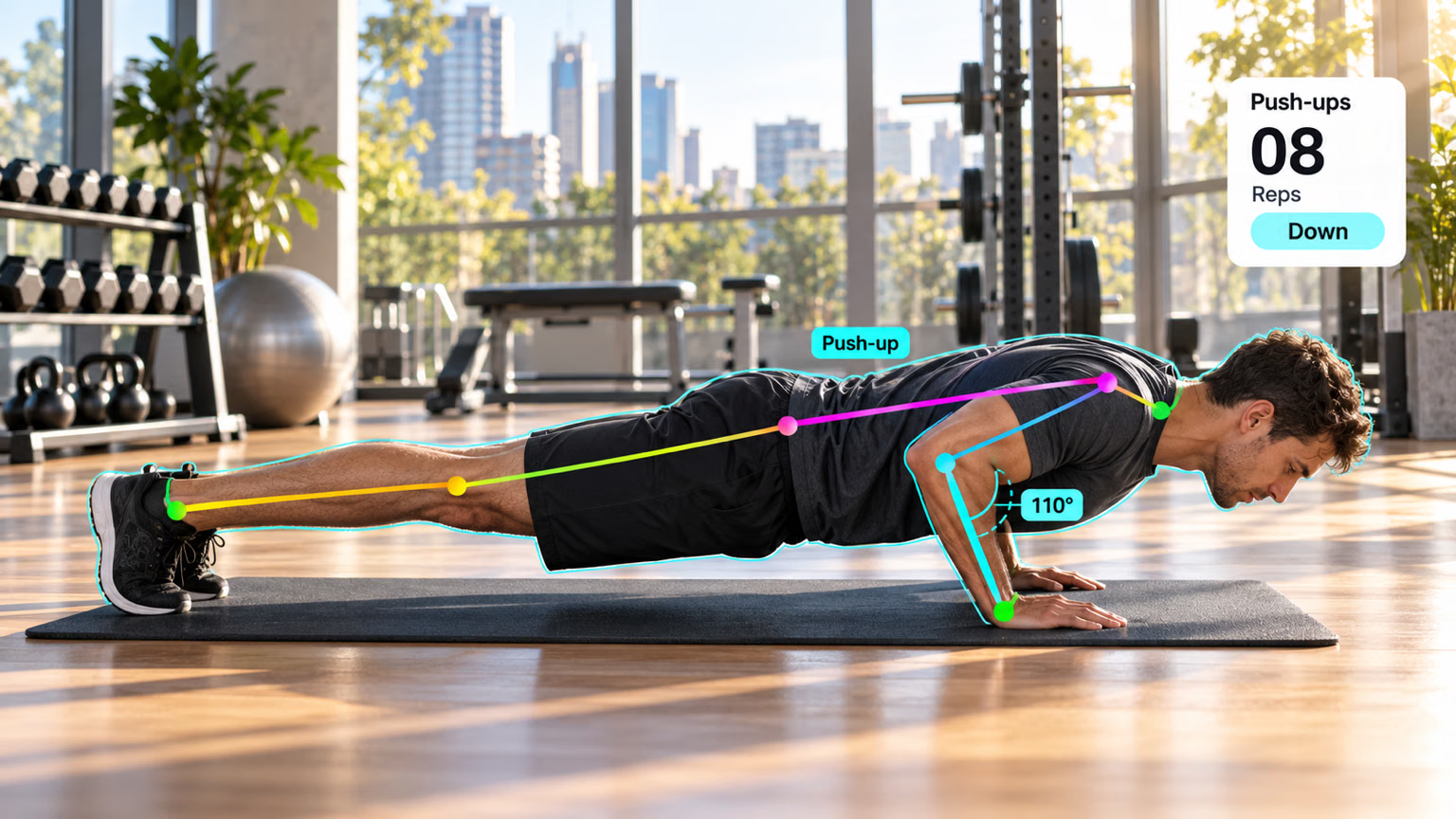
Track mode adds a persistent result.boxes.id per person, so keypoints become a time series. This script records each person's left-knee angle across the same short video:
from collections import defaultdict

import numpy as np

from ultralytics import YOLO

def angle(a, b, c):
    """Angle at b, in degrees, formed by points a-b-c."""
    ba, bc = a - b, c - b
    return np.degrees(np.arccos(np.dot(ba, bc) / (np.linalg.norm(ba) * np.linalg.norm(bc))))

model = YOLO("yolo26n-pose.pt")
source = "https://github.com/ultralytics/assets/releases/download/v0.0.0/decelera_portrait_min.mov"
HIP, KNEE, ANKLE = 11, 13, 15  # left leg, COCO keypoint order
knee_angles = defaultdict(list)  # track id -> knee angle per frame

for result in model.track(source, stream=True, persist=True, verbose=False):
    if result.boxes.id is None:  # no confirmed tracks in this frame
        continue
    kpts = result.keypoints.cpu().numpy()
    for track_id, xy, conf in zip(result.boxes.id.int().tolist(), kpts.xy, kpts.conf):
        if conf[[HIP, KNEE, ANKLE]].min() > 0.5:  # skip occluded legs
            knee_angles[track_id].append(angle(xy[HIP], xy[KNEE], xy[ANKLE]))

for track_id, angles in sorted(knee_angles.items()):
    print(f"id {track_id}: {len(angles)} frames, left knee {min(angles):.0f}-{max(angles):.0f} deg")
id 1: 11 frames, left knee 170-176 deg
id 2: 11 frames, left knee 96-118 deg
id 3: 11 frames, left knee 177-180 degID 2's bent knee matches the seated person in the clip; the other two stand with straight legs near 180°. From here, a repetition counter is a threshold crossing on each ID's series — down below one angle, back up above another — which is what the workouts monitoring solution packages for you.
Budget the chain#
| Cost driver | Detect then classify | Pose plus tracking |
|---|---|---|
| Scales with | objects per frame | frames |
| Main lever | batch crops; classify once per track ID and cache | lower imgsz or vid_stride when motion is slow |
| Failure mode | classifier sees crops unlike its training data | ID switches split one person's history in two |
Symptom: a repetition counter resets mid-set, or one person shows up as two IDs. Cause: the tracker lost the person (occlusion, a fast turn) and assigned a new ID. Fix: tune the tracker as in the production course, and make per-ID logic tolerate short gaps — a cached classifier label simply gets recomputed for the new ID.
Show solution
Add save_crop=True to the detector call:
result = detector("https://ultralytics.com/images/bus.jpg", conf=0.5, save_crop=True)[0]Crops appear under runs/detect/predict*/crops/person/ and crops/bus/ (the run folder name increments with each prediction run). Per-track caching made 3 classifier calls for 33 person boxes, a saving of 30 calls on an 11-frame clip.
For the knee count, replace the final loop of pose_track.py:
for track_id, angles in sorted(knee_angles.items()):
    bent = sum(a < 120 for a in angles)
    print(f"id {track_id}: {len(angles)} frames, {bent} with knee below 120 deg")
id 1: 11 frames, 0 with knee below 120 deg
id 2: 11 frames, 11 with knee below 120 deg
id 3: 11 frames, 0 with knee below 120 degID 2, the seated person, is below 120° in all 11 frames; IDs 1 and 3 never are.