Deploy and Call an Endpoint
Create a dedicated endpoint in one of 42 regions, size it for your traffic, and call it with a client that handles cold starts, 429s, and bad keys.
A free endpoint that scales to zero can take up to a minute to answer its first request, and a naive client turns that into a user-facing timeout. A leaked key keeps working even after you delete it. This lesson deploys your winning model, sizes the endpoint deliberately, and writes the small client that every production integration needs.
Hands-on
Shared Inference or a Dedicated Endpoint#
Every model can already be called through Platform's shared inference API, which suits testing. Production traffic belongs on a dedicated endpoint:
| Shared inference | Dedicated endpoint | |
|---|---|---|
| Service | Shared across Platform users | One model, single tenant |
| Regions | Your data region (US, EU, or AP) | Any of 42 regions |
| Rate limit | 20 requests per minute per key | No Platform limit on direct calls |
| Request size | About 4.5 MB | 32 MB, up to 1 hour per request (video works) |
| Auth | Any workspace API key | Only the key bound to the deployment |
Create and Size the Endpoint#
Open the model's Deploy tab. Your browser measures latency to all 42 regions (14 in the Americas, 13 in Europe, 12 in Asia-Pacific, 3 in the Middle East and Africa) and sorts the table by it:
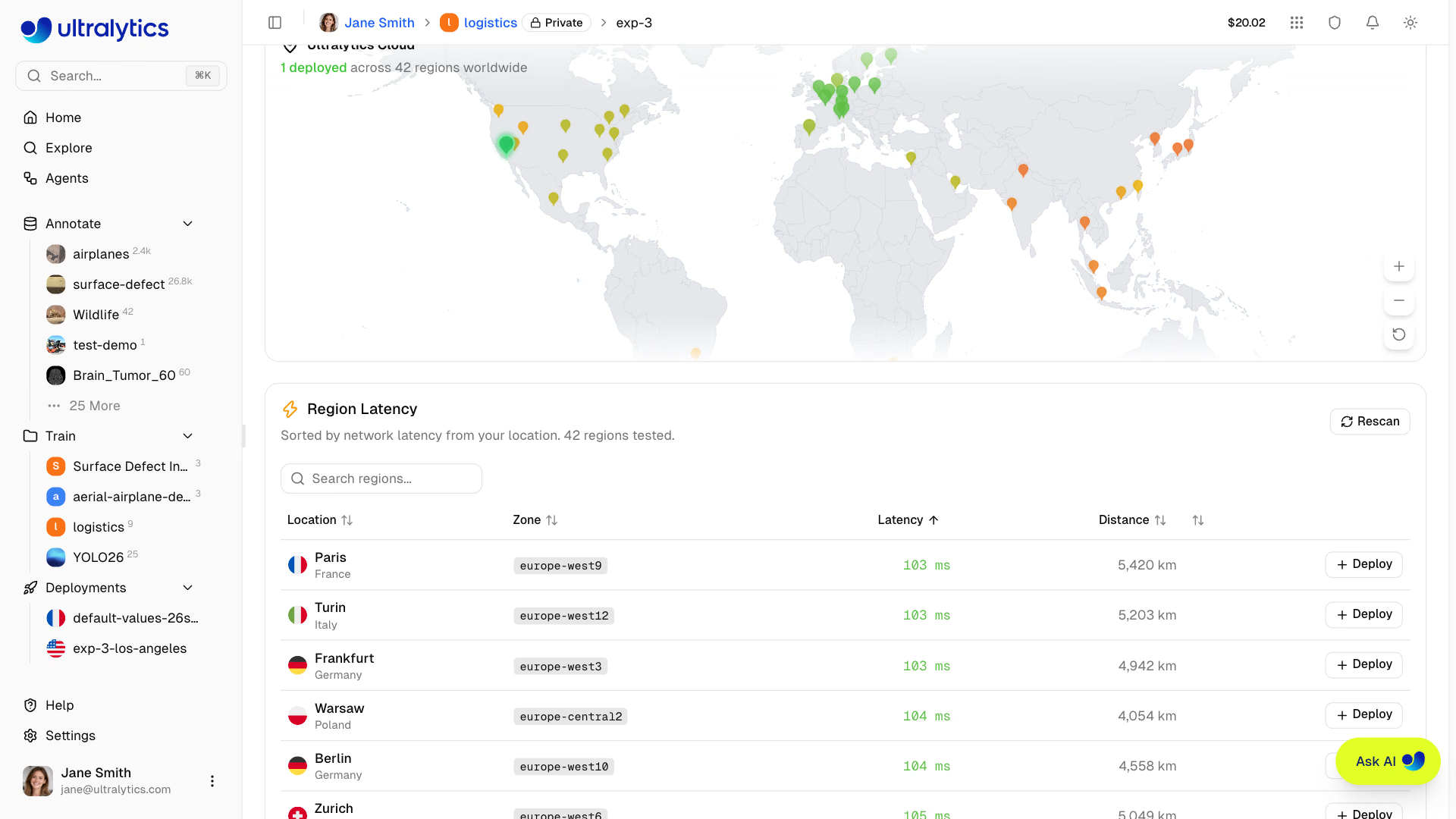
Click Deploy on the row closest to your callers, review CPU, memory, price, and the generated name (such as yolo26n-iowa), and click Create Deployment. You can also start from New Deployment on your profile's Deployments tab:
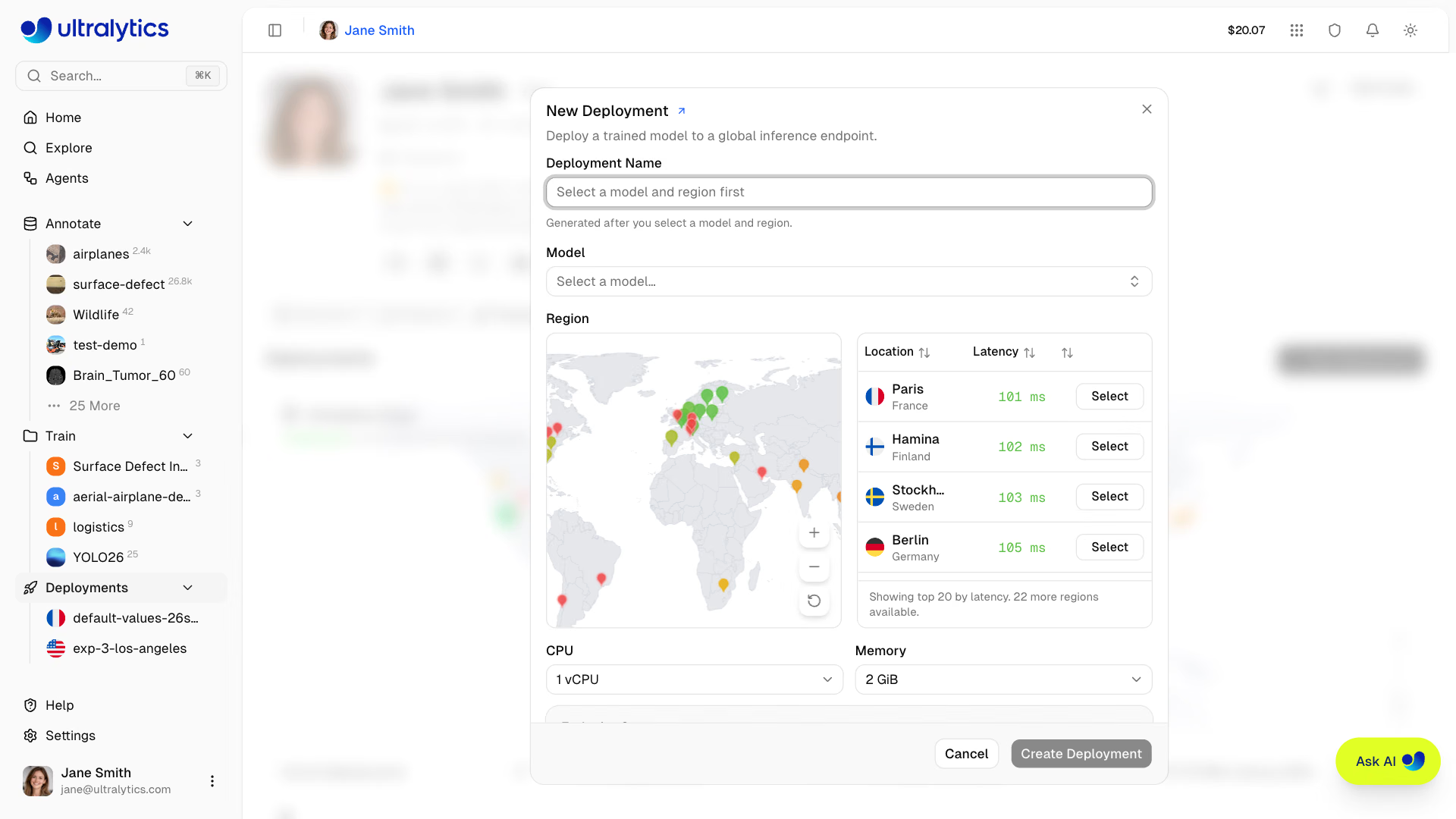
Size by traffic pattern:
| Traffic | Size | Cost |
|---|---|---|
| Batch jobs, internal tools, bursty demos | Default 1 vCPU, 2 GiB; scales to zero | Free on every plan |
| Steady real-time traffic that can't wait for a cold start | Custom size (1–8 vCPU, 2–32 GiB) with one warm instance | Billed hourly from ready until stopped, idle included: about $0.12/h for 1 vCPU, 4 GiB in Iowa |
| Users on several continents | One endpoint per region behind your own router | Each endpoint billed by its size |
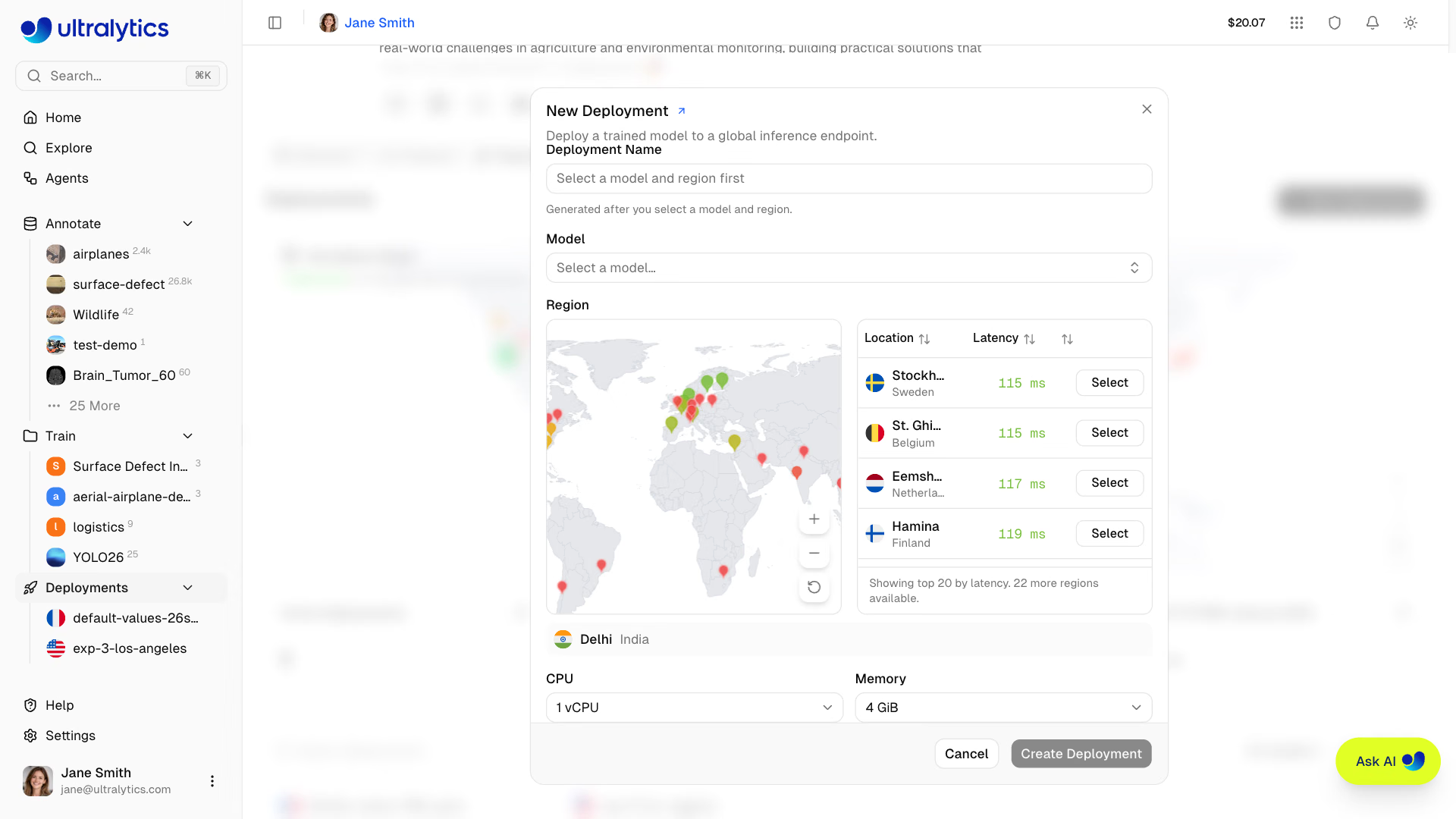
Plans allow 3 (Free), 10 (Pro), or unlimited (Enterprise) deployments, and stopped endpoints still count. The endpoint accepts traffic once its badge reads Ready:
Worked Example: A Client That Survives Production#
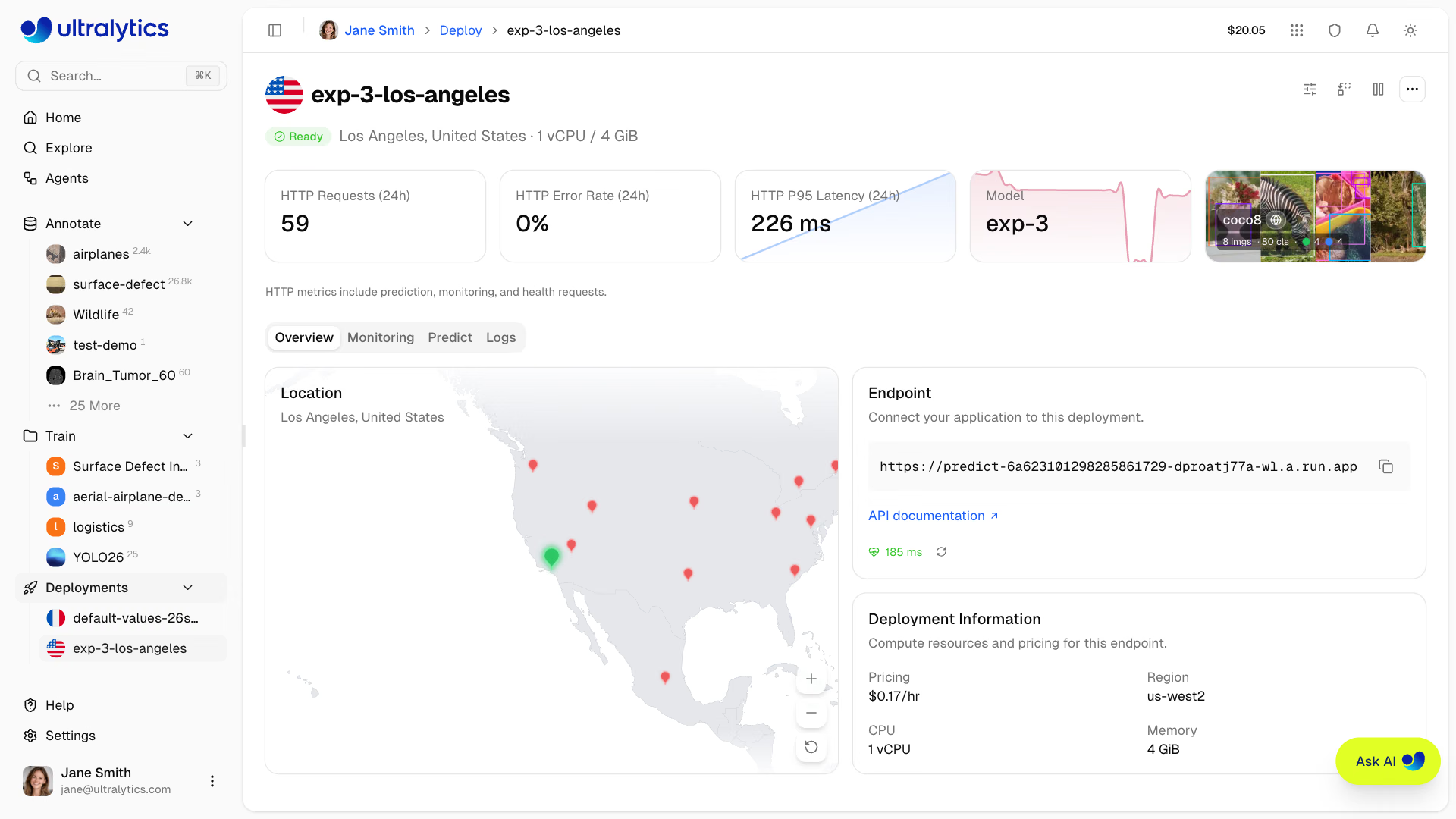
Each endpoint has a URL like https://predict-<id>-<hash>-<region>.a.run.app serving /predict (POST), /health, and an interactive /docs page. It accepts only the API key bound at creation; workspace owners see that key pre-filled in the deployment's Predict tab under Docs, next to Python, JavaScript, and cURL snippets. The snippets make one request; production code must also survive a cold start and a busy instance:
import os
import time
from collections import Counter

import httpx

URL = "https://YOUR_DEPLOYMENT_URL.run.app/predict"
HEADERS = {"Authorization": f"Bearer {os.environ['ULTRALYTICS_API_KEY']}"}  # the deployment's bound key, server-side only

def predict(client, path, conf=0.25, attempts=4):
    """POST one image; retry timeouts, 429, and 5xx with backoff; fail fast on other errors."""
    for attempt in range(attempts):
        try:
            with open(path, "rb") as f:
                r = client.post(URL, headers=HEADERS, data={"conf": conf}, files={"file": f}, timeout=90)
            if r.status_code < 400:
                return r.json()
            if r.status_code != 429 and r.status_code < 500:
                r.raise_for_status()  # 401 wrong key, 413 too large: retrying won't help
            wait, reason = float(r.headers.get("Retry-After", 2**attempt)), r.status_code
        except httpx.TimeoutException:  # a scaled-to-zero endpoint can take up to a minute to wake
            wait, reason = 2**attempt, "timeout"
        print(f"attempt {attempt + 1}: {reason}, retrying in {wait:.0f} s")
        time.sleep(wait)
    raise RuntimeError(f"endpoint still unavailable after {attempts} attempts")

with httpx.Client() as client:
    response = predict(client, "bus.jpg")
for image in response["images"]:
    counts = Counter(d["name"] for d in image["results"])
    print(f"{sum(counts.values())} objects {dict(counts)} in {image['speed']['inference']:.1f} ms")
We tested it against a local stub that answers 429 once and then returns a real YOLO26n result for bus.jpg in the endpoint's response format:
attempt 1: 429, retrying in 2 s
5 objects {'bus': 1, 'person': 4} in 34.9 ms
Line by line, the decisions that matter:
timeout=90covers a cold start of up to about a minute; the default timeouts of most HTTP clients are far shorter.- 429 and 5xx are retried, honoring
Retry-Afterwhen the endpoint sends it. Each endpoint serves from a single instance and sheds load with429when busy. - Other 4xx errors fail fast:
401means the wrong key and413a body over 32 MB, and neither fixes itself. - The response holds one entry per image (or per video frame) in
images, each withresults(class,name,confidence,boxwithx1,y1,x2,y2) andspeedin milliseconds.
Optional form fields are conf (default 0.25), iou (0.7), imgsz (the model's training size), vid_stride for video, and normalize=true for 0–1 coordinates. The cURL equivalent is one line per field:
curl -X POST "https://YOUR_DEPLOYMENT_URL.run.app/predict" \
  -H "Authorization: Bearer $ULTRALYTICS_API_KEY" \
  -F "file=@bus.jpg" -F "conf=0.25" -F "iou=0.7" -F "imgsz=640"
Ship New Versions Without Changing the URL#
Replace model on the deployment page swaps in another completed model from the same workspace. The old model keeps serving until the new one is ready, the URL, region, and key stay the same, and if the rollout fails the previous model stays live. Rolling back is the same action pointed at the previous model, so keep it in the project. Update configuration resizes in place, and Stop pauses billing and keeps the URL.
Some changes need a new endpoint: regions are fixed (moving means delete and recreate, with a new URL), and custom domains aren't supported, so put your own gateway in front if callers need a stable branded hostname. To run outside Platform, export the model (Export for Deployment) or self-host it behind Triton Inference Server.
Pitfalls#
Symptom: your endpoint gets traffic you can't account for. Fix: never put the key in a web or mobile app; call the endpoint from your backend. Deleting or deactivating the bound key does not lock the endpoint, because it still accepts that key string. To revoke access, stop or delete the deployment, and create a new one bound to a fresh key.
Symptom: the first morning request fails, and the retry succeeds. Fix: default-size endpoints scale to zero. Use a timeout of at least 90 seconds, warm the endpoint with a /health call before expected traffic, or switch to a custom size if every request must be fast.
Symptom: uploads fail with 413. Fix: dedicated endpoints accept request bodies up to 32 MB. Split long videos into shorter clips or send sampled frames, and pass vid_stride to skip frames server-side.
Show solution
Example answer for the pill line camera: deploy v2-finetune to europe-west1 (St. Ghislain, the lowest latency from the German plant) at the default size. Cold request after an idle hour: 38 s, which the 90-second timeout absorbs; warm request: 0.3 s. Decision: the line PLC sends a frame every 30 seconds during shifts, so the endpoint stays warm all shift and only the first frame pays a cold start. A /health call from the line controller 2 minutes before each shift removes that too, so the free default size stays, saving about $90 a month over a custom 1 vCPU, 4 GiB instance. Replace model back to v1-baseline returns v1's results from the same URL; replace again with v2 to finish.