Plan and Budget a Platform Project
Map each lifecycle stage of your project to Platform or your own stack, and estimate its monthly cost before you spend a credit.
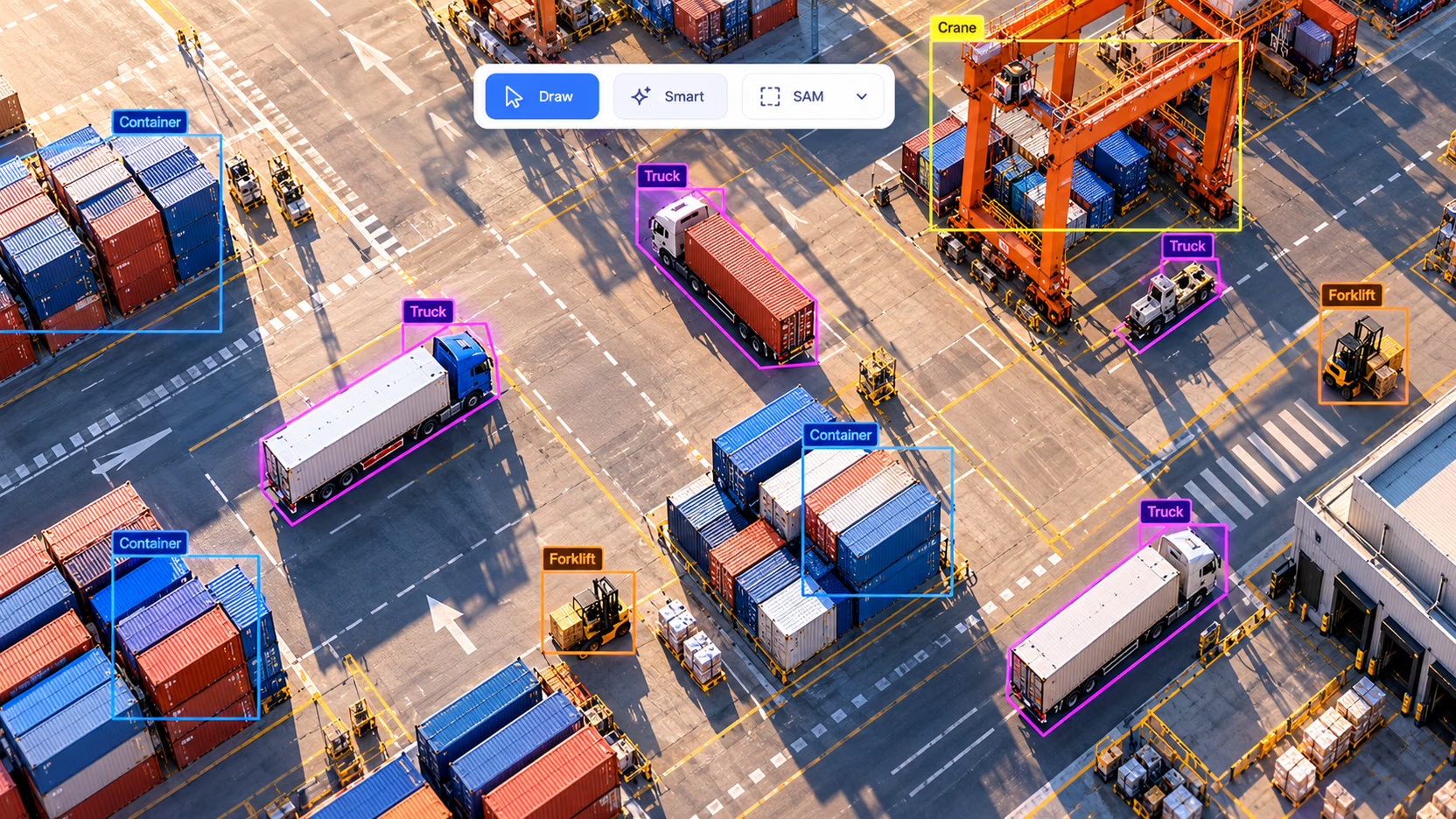
Vision projects rarely fail on the model. They fail at the handoffs: a label fix that never reaches the training copy, a checkpoint nobody can trace to its data, an always-on endpoint that quietly burns $150 a month. Ultralytics Platform connects those handoffs in one workspace, and this lesson has you decide, before uploading anything, which stages it will own for your project and what they will cost.
Hands-on
The Loop Platform Connects#
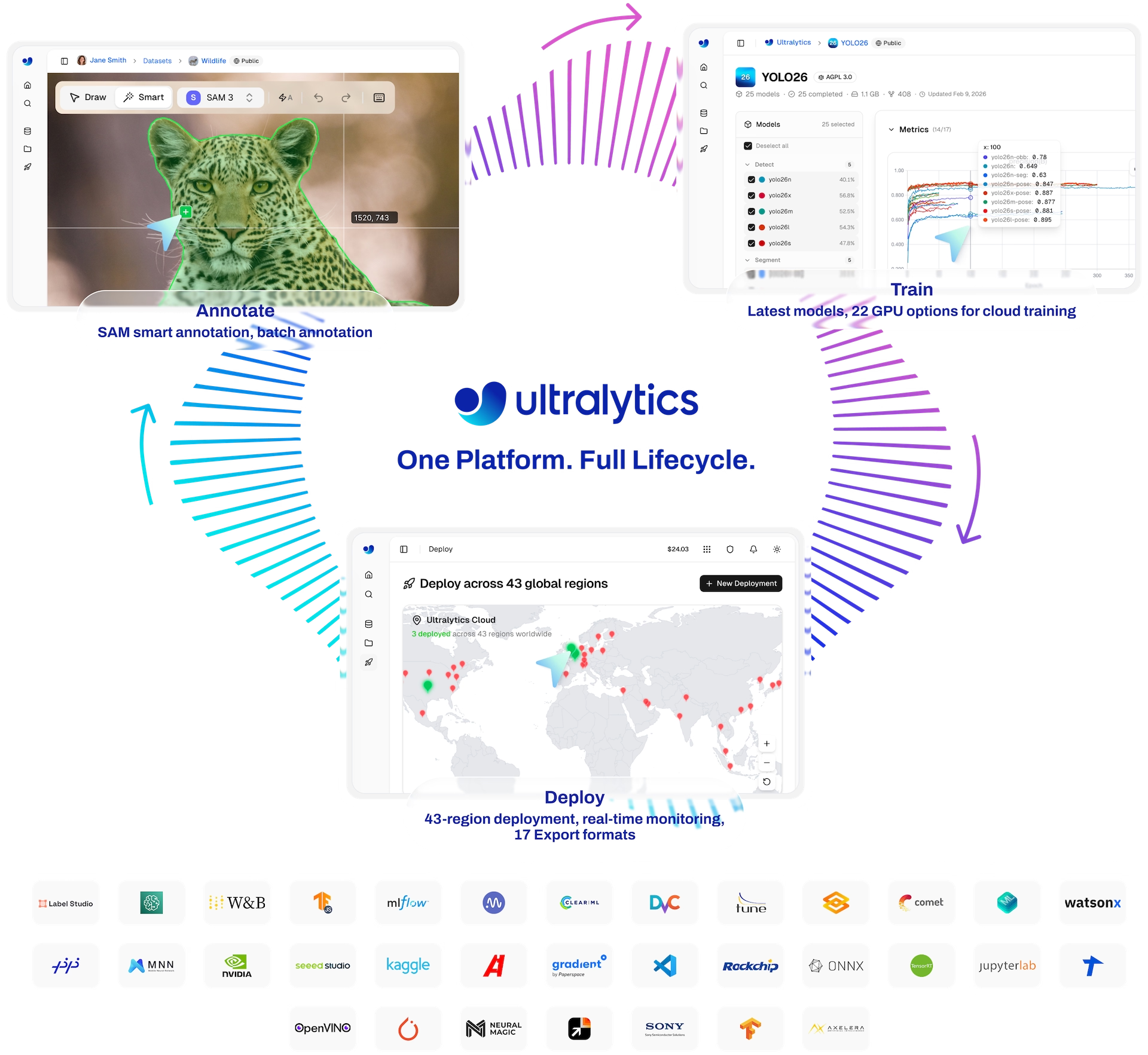
Every production vision system runs the same loop, and the expensive part is the arrow between two boxes, not the box itself:
Platform's value is that each stage records what the next one needs. Use this table as your map; the last column is the lesson that teaches the stage:
| Stage | On Ultralytics Platform | What it hands the next stage | Lesson |
|---|---|---|---|
| Data | Upload images, video, archives (YOLO, COCO, NDJSON); import a URL; read Google Cloud Storage, Amazon S3, or Azure Blob Storage in place (Pro); On Premise (Enterprise) | A dataset with a task type and splits | 2 |
| Annotate | Manual tools for every YOLO task except depth (imported as paired maps), SAM, YOLO and class-prompted smart annotation, Batch Annotation | Labels, plus a version saved before each batch run | 3 |
| Curate | Clustering, Find similar images, class merge, split tools, numbered versions | An immutable dataset version | 4 |
| Train | 26 cloud GPU types with a cost estimate, or local runs streamed to a project | A model linked to its dataset version, cost, and command | 5 |
| Compare | Project charts, Table view with Diff, Validation insights | The run worth shipping | 6 |
| Deploy | Dedicated endpoints in 42 regions; Replace model on the same URL | An endpoint URL linked to its model | 7 |
| Monitor | Request, error, and P95 latency metrics, logs, prediction statistics, Save to dataset | Production images back in a dataset | 8 |
Two tools span the loop. Agents builds visual workflows, such as collecting uncertain detections into a review dataset, and Ask AI can train, compare, annotate, export, and deploy from a conversation using the same ul cloud commands you can run yourself.
Decide What You Still Own#
Platform stops at a few deliberate boundaries. Give each one a named owner in your plan:
- Getting frames out of proprietary systems (DICOM archives, OEM cameras, plant historians): your code lands them in a bucket or an upload.
- Paging. Platform shows endpoint metrics and posts job events to Slack, but it doesn't alert on latency or error thresholds. You'll build that check in lesson 8.
- Accuracy over time. A labeled holdout and its history are yours (lesson 8).
- Application logic. Counting, tracking, and zone rules live in your service; Ultralytics Solutions and the Ultralytics YOLO in Production course cover them.
- Traffic routing. Endpoints have generated URLs and no custom domains, so canaries, multi-region routing, and branded hostnames need your own gateway.
Platform is not a separate framework. A Platform model downloads as a normal best.pt that YOLO("best.pt") loads, validates, and exports, and a local model.train(..., project="username/my-project") streams into Platform with an API key set. Moving between the two never means converting anything.
Worked Example: Budget the Project Before You Start#
Three things cost credits: cloud training (GPU rate × time used), Batch Annotation and whole-dataset face blurring ($1.00 per 1,000 images), and custom-size endpoints (billed per hour of uptime). Everything else in this course is free. This calculator uses Platform's real rates for a small detection project:
# Monthly Platform budget for a small detection project (rates from the billing and deployment docs)
TRAIN_RUNS = 8  # experiments per month
COST_PER_RUN = 0.23  # dialog estimate: ~1,000 images, YOLO26n, 100 epochs, RTX PRO 6000 ($2.09/h)
BATCH_ANNOTATION_IMAGES = 3_000  # $1.00 per 1,000 images
HOURS_PER_MONTH = 730

# Custom endpoint sizes keep one warm instance; us-central1 rates are $0.000024/vCPU-s and $0.0000025/GiB-s
warm_endpoint_hourly = (2 * 0.000024 + 4 * 0.0000025) * 3600  # 2 vCPU, 4 GiB

lines = {
    "cloud training": TRAIN_RUNS * COST_PER_RUN,
    "batch annotation": BATCH_ANNOTATION_IMAGES / 1000 * 1.00,
    "default endpoint (1 vCPU, 2 GiB, scales to zero)": 0.0,
    "warm endpoint (2 vCPU, 4 GiB, always on)": warm_endpoint_hourly * HOURS_PER_MONTH,
}
for item, usd in lines.items():
    print(f"{item:<50} ${usd:>7.2f}")
print(f"{'total with a warm endpoint':<50} ${sum(lines.values()):>7.2f}")
cloud training $ 1.84
batch annotation $ 3.00
default endpoint (1 vCPU, 2 GiB, scales to zero) $ 0.00
warm endpoint (2 vCPU, 4 GiB, always on) $ 152.42
total with a warm endpoint $ 157.26How to read it:
COST_PER_RUNcomes from the training dialog's estimate, which accounts for dataset size, model, epochs, image size, and GPU. Replace it with the estimate for your own dataset (lesson 5); 5,000 images × YOLO26s × 100 epochs on an H100 SXM is about $1.56.- The endpoint line dominates. Training and labeling a small project costs a few dollars; keeping an instance warm 730 hours a month costs about $150 in Iowa (rates vary by region, and the deployment dialog shows the exact hourly price).
- Decision rule: start every endpoint at the free default size. Move to a custom size only when users can't tolerate a cold start of up to a minute and traffic is steady enough to justify the uptime bill.
Plans#
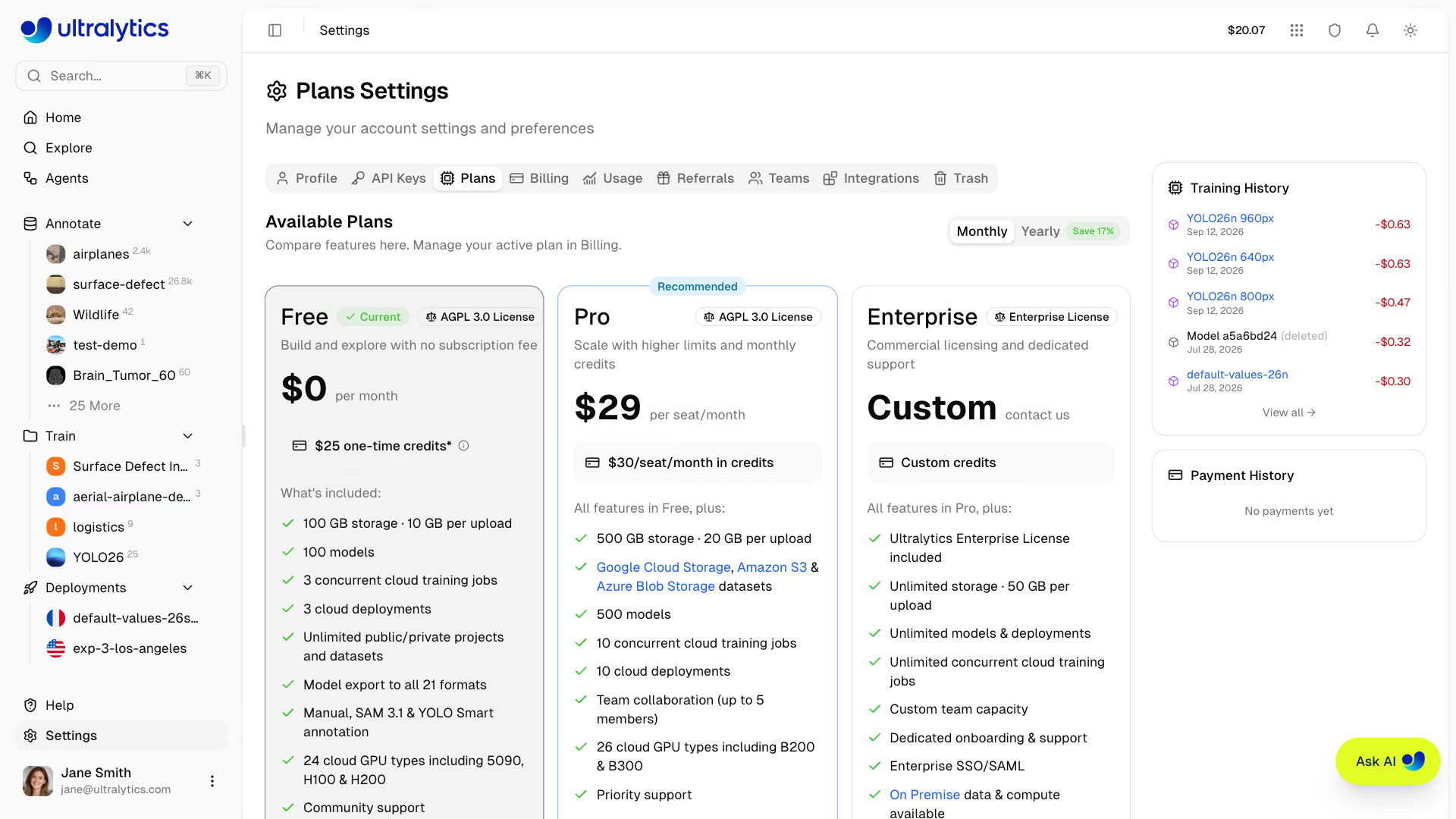
| Free | Pro ($29/seat/month) | Enterprise | |
|---|---|---|---|
| Credits | $5 signup, $25 with a verified company email | $30/seat/month, no rollover | Custom |
| Storage / single upload | 100 GB / 10 GB | 500 GB / 20 GB | Unlimited / 50 GB |
| Models / concurrent trainings | 100 / 3 | 500 / 10 | Unlimited |
| Dedicated deployments | 3 | 10 | Unlimited |
| Cloud GPU types | 24 | 26 (adds B200, B300) | 26 |
| Cloud storage datasets, teams | — | Yes, up to 5 members | Yes, custom size |
| On Premise, SSO, Enterprise License | — | — | Yes |
Decision rule: stay on Free while you learn; move to Pro when you need connected cloud storage, a team, more than three endpoints, or more than three concurrent trainings. Pro's $30 monthly credit covers the training and labeling lines of the budget above. The billing docs list every rate.
Pitfalls#
Symptom: a dataset with customer images shows up on Explore, and strangers can clone it. Fix: on Free and Pro, new datasets and projects default to Public. Flip the visibility switch in the New Dataset and New Project dialogs every time; making a dataset private later doesn't remove clones that already exist.
Symptom: an EU customer asks for EU data residency and your workspace stores data in the US. Fix: the data region (US, EU, or AP) is chosen at onboarding and only support can change it. Decide from your contracts before you sign up (lesson 9).
Symptom: credits drain by about $5 a day with no traffic. Fix: custom sizes bill for uptime, idle or not. Stop endpoints you aren't using, or return them to the default size, which scales to zero for free.
Show solution
Worked plan for a pill-inspection line camera. Data: Platform upload of nightly frame dumps (owner: Ana). Annotate: Batch Annotation with the latest fine-tune, then review (Ana). Curate, Train, Compare: Platform (Ravi). Deploy: one default-size endpoint in europe-west1, because the line PLC calls it every 30 seconds, so it rarely sits idle long enough to scale to zero (Ravi). Monitor: Platform dashboards plus a cron health check and weekly holdout job in the team's CI (on-call). Budget: 10 runs × $0.23 + 2,000 images × $0.001 = about $4.30 a month on a free endpoint, covered by Pro's $30 credit. Data region EU, because the plant is in Germany; every dataset Private.