Smart Annotation and Batch Labeling
Choose a labeling model and confidence threshold by measuring review work, then run Batch Annotation and verify it with an edit rate.
Drawing boxes by hand runs at maybe 100 images an hour; reviewing good pre-labels can be several times faster. But a labeling model at the wrong confidence threshold can create more work than it saves, and one left unreviewed teaches your next model its own mistakes. This lesson measures review work at each threshold on real labeled data, so you pick the threshold with numbers instead of a guess.
Hands-on
Three Ways to Pre-Label#
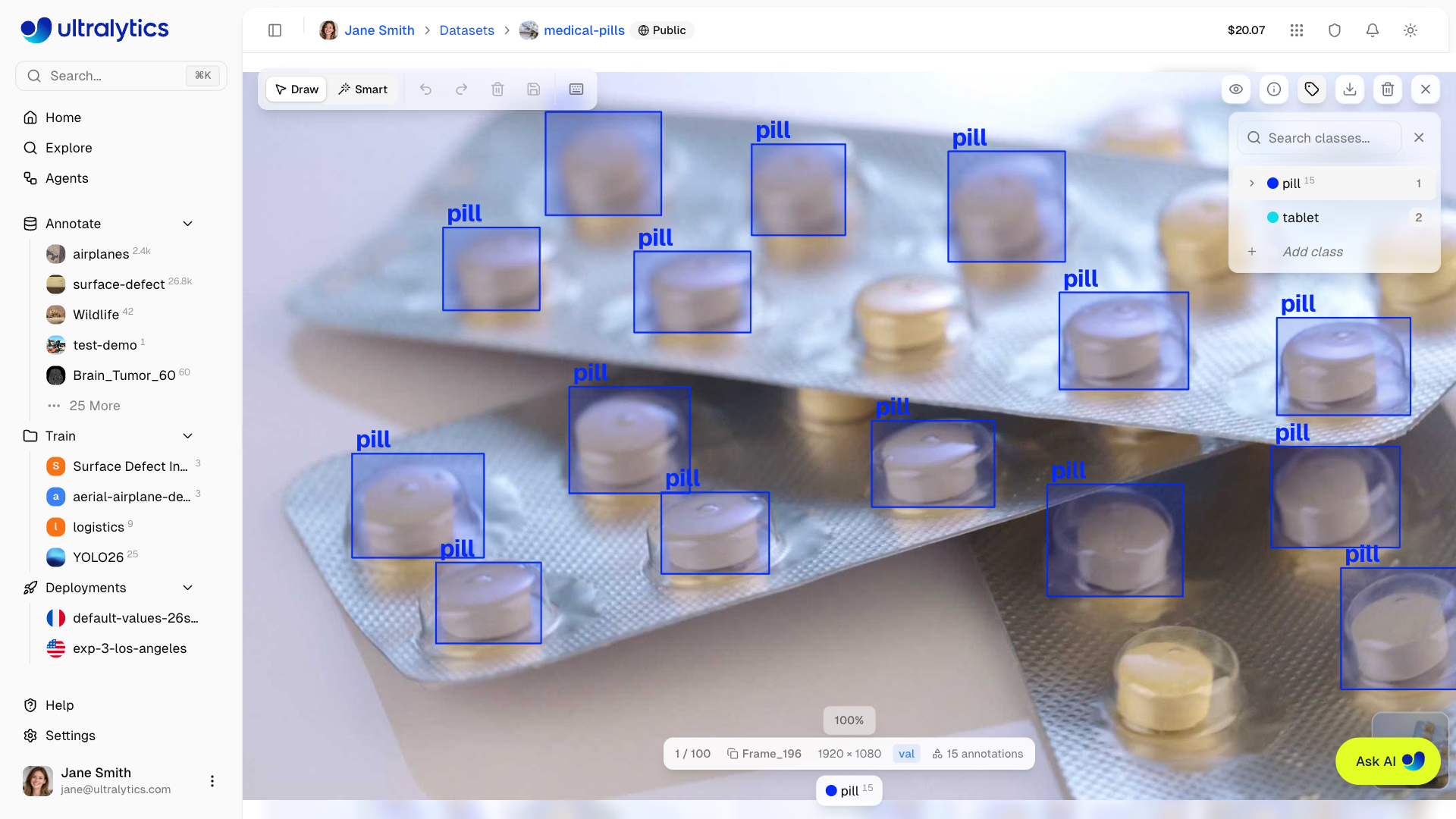
In the annotation editor, Draw mode (V) is manual and Smart mode (S) lets a model propose labels:
| Family | How it works | Tasks | Cost |
|---|---|---|---|
| SAM (SAM 2.1 Tiny to Large, SAM 3, SAM 3.1 default) | Click an object for a mask; click outside to add, inside to subtract; A toggles auto-apply | Detect, segment, semantic, OBB | Free |
| YOLO (official or your own models) | Predict adds the model's detections; Map classes aligns model and dataset classes; duplicates at IoU 0.7+ are skipped | Detect, segment, semantic, OBB, pose | Free in the editor |
| Class-prompted (Moondream 3.1 default, YOLOE-26x, SAM 3 Text, and others) | Finds the dataset's class names in the image; paid provider models run on your own API key | Detection datasets with 1–200 classes | Hosted models free |
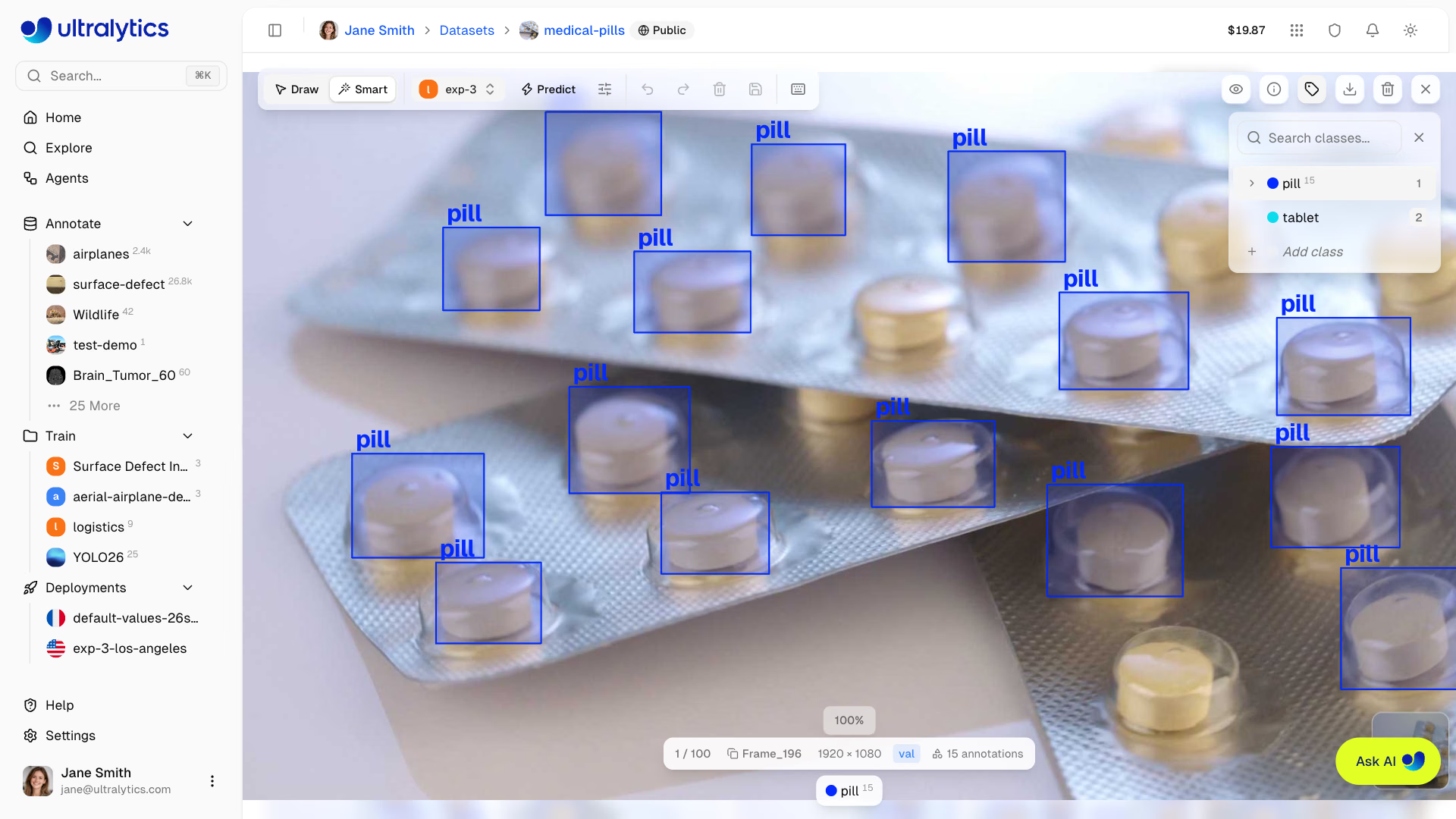
SAM costs a click per object and gives the tightest shapes. Model predictions cost one click per image and are only as good as the model, so the rest of this lesson is about choosing and tuning that model.
Choose the Labeling Model#
A weak v0 trained on 100–200 hand labels still beats drawing from scratch, and by v1 it's usually a useful active learning partner. Class-prompted models vary sharply by domain: some that find nearly everything in everyday photos miss most objects in PCB, X-ray, or retail images, so check ten predictions before trusting one.
Worked Example: Measure Review Work per Threshold#
The confidence threshold decides what reviewers spend their time on: too low and they delete false boxes, too high and they draw the boxes the model skipped. Measure it on images that already have correct labels, here the 128 labeled images of COCO128 with a pretrained YOLO26n as the labeling model:
from pathlib import Path

import torch

from ultralytics import YOLO
from ultralytics.data.utils import check_det_dataset
from ultralytics.utils.metrics import box_iou
from ultralytics.utils.ops import xywhn2xyxy

data = check_det_dataset("coco128.yaml")  # 128 labeled images, downloaded on first use
images = sorted(Path(data["train"]).glob("*.jpg"))
results = YOLO("yolo26n.pt").predict(images, conf=0.05, verbose=False)  # your labeling model

def review_work(result, image, conf):
    """Return (kept, delete, draw): correct pre-labels, false positives to delete, missed objects to draw."""
    label = Path(str(image).replace("images", "labels")).with_suffix(".txt")
    lines = label.read_text().splitlines() if label.exists() else []  # no label file = background image
    gt = torch.tensor([[float(x) for x in line.split()] for line in lines]).reshape(-1, 5)
    h, w = result.orig_shape
    gt_boxes, gt_cls = xywhn2xyxy(gt[:, 1:], w=w, h=h), gt[:, 0]
    boxes = result.boxes[result.boxes.conf >= conf]
    iou = box_iou(boxes.xyxy, gt_boxes) * (boxes.cls[:, None] == gt_cls[None])  # IoU with same-class boxes only
    matched = set()
    for row in iou:  # greedily match each prediction to its best unmatched ground-truth box
        for j in row.argsort(descending=True).tolist():
            if row[j] >= 0.5 and j not in matched:
                matched.add(j)
                break
    return len(matched), len(boxes) - len(matched), len(gt) - len(matched)

print("conf  kept  delete  draw  edits/image")
for conf in (0.1, 0.25, 0.4, 0.5, 0.7):
    kept, delete, draw = (sum(t) for t in zip(*(review_work(r, i, conf) for r, i in zip(results, images))))
    print(f"{conf:<5} {kept:>4} {delete:>7} {draw:>5} {(delete + draw) / len(images):>12.1f}")
conf kept delete draw edits/image
0.1 590 490 339 6.5
0.25 468 138 461 4.7
0.4 386 58 543 4.7
0.5 328 35 601 5.0
0.7 230 6 699 5.5How it works and what it says:
- The model predicts once at a low
conf=0.05; each threshold then filters the same predictions, so the sweep is fast. review_workmatches each prediction to a ground-truth box of the same class at IoU 0.5 or more. Unmatched predictions are boxes a reviewer deletes; unmatched ground truth are objects a reviewer draws.- Edits per image bottom out at 0.25–0.4 (4.7). Below that, deletions explode; above it, misses do.
- Even at the best threshold, reviewers draw about 3.6 boxes per image, because COCO's long tail of small objects is hard for a nano model.
Decision rules: pick the threshold with the fewest edits per image. If draw dominates at every threshold, the labeling model is too weak for the data, so use a larger model or your fine-tune. If delete dominates even at 0.5, the model confuses look-alike classes, so check the confusion matrix before labeling more. On your own project, run the sweep with your fine-tune on 50–100 images you've already labeled.
Run Batch Annotation#
Batch Annotation runs one YOLO or class-prompted model over the whole dataset. Open it from More actions > Batch Annotation, or Annotate all on the toast after an editor prediction:

- Pick the model. Detection datasets open with Moondream 3.1 selected; switch to your fine-tune or YOLO model.
- For a YOLO model, set confidence to the threshold your sweep chose (the default is
0.25) and IoU (0.7), and check the sample previews. - Leave Include annotated images off to label only unlabeled images.
- Check Estimated Cost ($1.00 per 1,000 images, minimum $0.01) and click Start.
Starting a run saves a dataset version first, so you can restore the pre-run state. Stop keeps and bills the images processed so far.
Review, Then Measure the Edit Rate#
Predictions land as ordinary annotations, so nothing marks them as unreviewed. Filter by class to check rare classes first, and sort by Annotations ascending (likely misses) and descending (crowded scenes where boxes merge). Then create a version, open Compare versions in the Versions tab, and pick v_auto as the From version:
| Count | Meaning |
|---|---|
| Added | Objects the model missed, plus the corrected copy of each fixed box |
| Removed | False positives, plus the original of each fixed box |
| Edit rate | (added + removed) ÷ annotations in v_auto, an upper bound because a fixed box counts twice |
Track the edit rate per batch. A rising rate is the early warning that new images have drifted from what the labeling model knows. The annotation best practices lesson covers labeling guides and reviewer agreement.
Pitfalls#
Symptom: each retrain scores about the same, and the same objects are always missed. Fix: unreviewed pre-labels bake the labeling model's systematic errors into the dataset as truth: a look-alike class, a habitually loose box edge, objects it never detects. Review every image before it reaches a training version.
Symptom: Batch Annotation finishes, and most objects are still unlabeled. Fix: run the model in the editor on ten representative images first. If it misses more than a few objects, hand-label a seed set and train a v0 instead.
Symptom: predicted boxes carry the wrong class names. Fix: when the model's classes differ from the dataset's, the Map classes step maps each model class to a dataset class or skips it. Map deliberately; a wrong mapping relabels every box of that class.
Show solution
Worked example: the sweep picks 0.35 for a pill-inspection fine-tune. Batch Annotation saves v4 holding 1,240 annotations. After review, Compare versions v4 → v5 shows 96 added and 152 removed, so the edit rate is (96 + 152) ÷ 1,240 = 20%. Removed outnumbering added means over-prediction: inspecting the removed boxes shows the model marks blister-pack reflections as pills. Two actions follow: raise confidence one step (0.35 → 0.45) for the next batch and confirm the rate falls, and add 30 reviewed images of glossy packs to the next training version so the fine-tune learns the difference.