Add and Prepare Data
Check a dataset locally before upload, sample video deliberately, and get a Platform dataset to Ready on the first try.
The cheapest dataset bug is the one you catch before uploading. Pascal VOC labels are silently skipped, images under 28 pixels are rejected, and a 30-minute video becomes just 100 frames, most of them showing an empty scene. This lesson runs a two-minute pre-upload check, samples video on purpose, and reads Platform's processing signals so your training data arrives complete.
Hands-on
Create the Dataset#
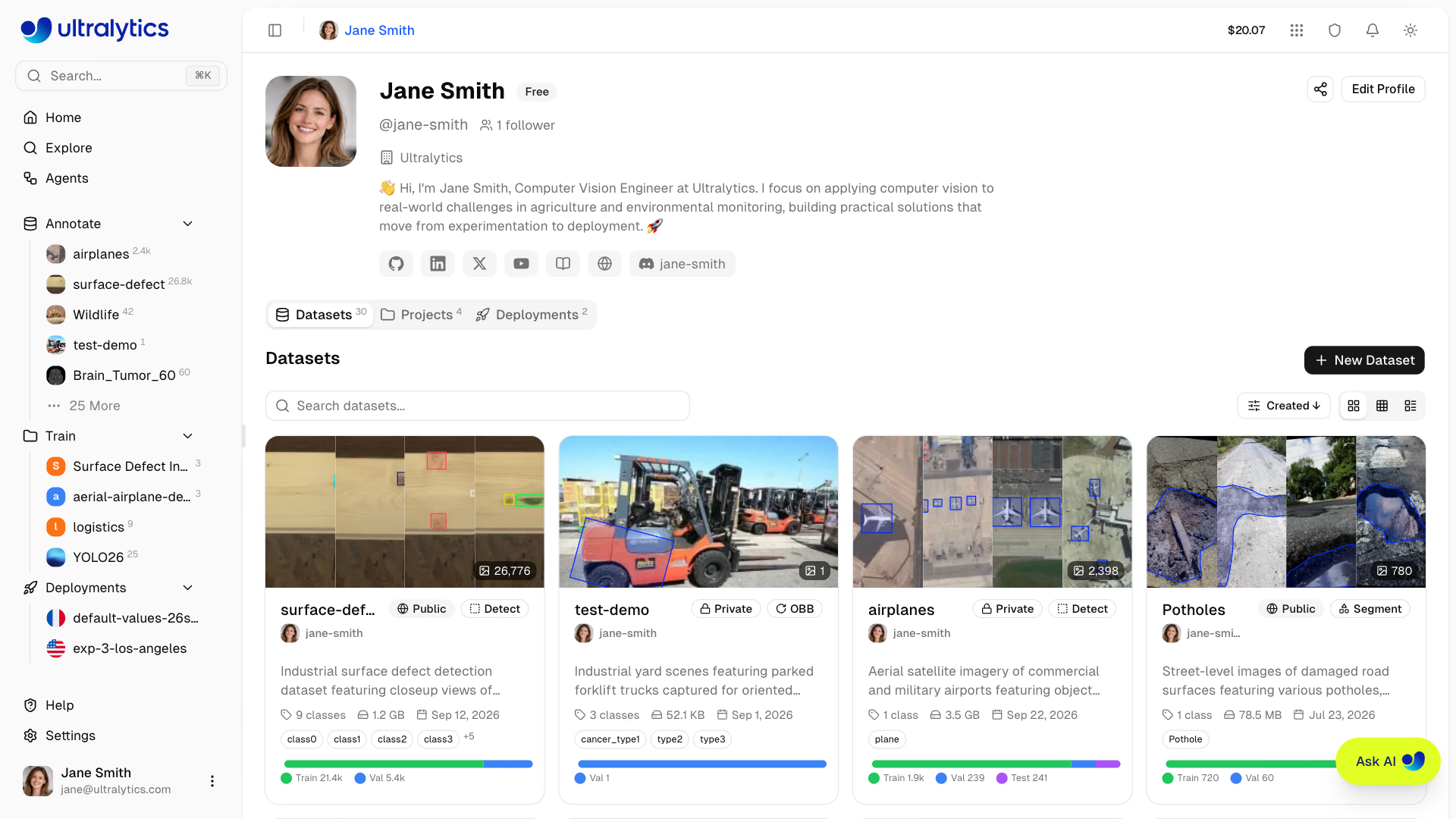
Open Annotate in the sidebar and click New Dataset. The dialog asks for a source, a name, the task type, an optional license, face blurring, and visibility:
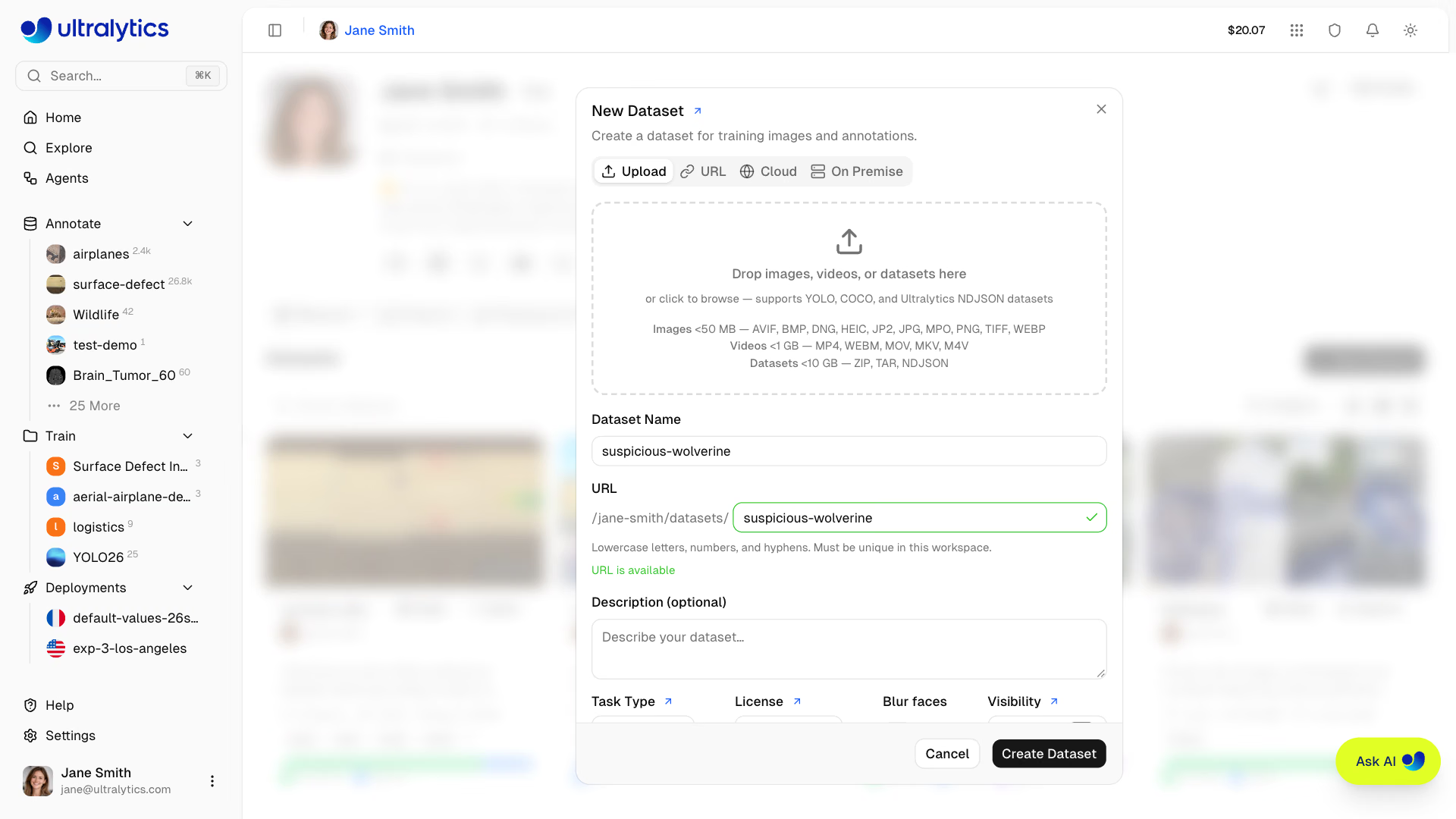
| Source | Use it when | Plan |
|---|---|---|
| Upload | Files are on your machine: images, videos, archives, or NDJSON exports | All |
| URL | A public .zip, .tar, .tar.gz, .tgz, or .ndjson link exists; Platform downloads it server-side | All |
| Cloud | Data already lives in Google Cloud Storage, Amazon S3, or Azure Blob Storage and should stay there | Pro, Enterprise |
| On Premise | Pixels must never leave your machines | Enterprise |
Decision rule: upload a copy for this course. Cloud and On Premise datasets keep pixels outside Platform, so smart annotation, Clustering, cloning, and version snapshots are unavailable for them.
The task type decides which tools and models appear. Platform supports all seven Ultralytics YOLO tasks:
| Task | How you label it |
|---|---|
| Detect | Rectangle, or SAM and YOLO smart annotation |
| Segment | Polygon, or SAM and YOLO smart annotation |
| Semantic | Polygon, or SAM and YOLO smart annotation; PNG masks import directly |
| Pose | Keypoints on built-in or custom skeletons; YOLO pose models for smart annotation |
| OBB | Oriented box, or SAM and YOLO smart annotation |
| Classify | Class selector in the sidebar |
| Depth | No drawing: upload images with paired depth maps (Upload or URL only) |
Worked Example: Check the Dataset Before Upload#
Platform accepts JPEG, PNG, WebP, BMP, TIFF, HEIC, AVIF, JP2, DNG, and MPO images up to 50 MB and at least 28 px on the short side, and reads YOLO, COCO, LabelMe, Ultralytics or Labelbox NDJSON, and semantic PNG mask labels. Pascal VOC XML is detected but not imported. This script checks a local YOLO dataset against those rules, here the public medical pills dataset:
from collections import Counter
from pathlib import Path

from PIL import Image

from ultralytics.data.utils import check_det_dataset

ACCEPTED = {".jpg", ".jpeg", ".png", ".webp", ".bmp", ".tif", ".tiff", ".heic", ".avif", ".jp2", ".dng", ".mpo"}
data = check_det_dataset("medical-pills.yaml")  # your local dataset YAML
root = Path(data["path"])

problems = Counter()
for split in ("train", "val", "test"):
    if not data.get(split):
        continue
    files = [p for p in Path(data[split]).rglob("*") if p.is_file()]
    images = [p for p in files if p.suffix.lower() in ACCEPTED]
    labeled = 0
    for img in images:
        label = Path(str(img).replace("images", "labels")).with_suffix(".txt")
        labeled += label.exists() and label.stat().st_size > 0
        if min(Image.open(img).size) < 28:
            problems["under 28 px (rejected)"] += 1
        if img.stat().st_size > 50 * 1024**2:
            problems["over 50 MB (rejected)"] += 1
    problems["unsupported files (skipped)"] += len(files) - len(images)
    print(f"{split:<5} {len(images):>4} images, {labeled:>4} labeled, {len(images) - labeled:>3} background")
problems["Pascal VOC .xml labels (not imported)"] += len(list(root.rglob("*.xml")))
print("classes:", data["names"])
print("problems:", {k: v for k, v in problems.items() if v} or "none")
train 92 images, 92 labeled, 0 background
val 23 images, 23 labeled, 0 background
classes: {0: 'pill'}
problems: noneWhat the output tells you:
- Per-split counts. Images inside
train/,val/, andtest/folders keep that split on upload, so these numbers are what Platform will show. A missingvalline means Platform will invent a random validation split for you (see the pitfall below). - Background images (no label file) are fine in moderation; they teach the model what "nothing here" looks like. Hundreds of them usually mean labels failed to export.
problems: nonemeans every image will process. Any count here is a file that will land in theErrorstab or never arrive at all.
Zip the dataset folder with its data.yaml and drag the archive onto the gallery. Platform detects the format automatically, stores identical images once, and asks whether to Skip, Keep Both, or Replace when an upload collides with images already in the dataset.
Worked Example: Sample Video Before Platform Does#
Platform samples each video at 1 frame per second and keeps at most 100 frames, widening the interval for clips longer than 100 seconds:
| Clip length | Frames kept | Spacing |
|---|---|---|
| 60 seconds | 60 | 1 second |
| 100 seconds | 100 | 1 second |
| 30 minutes (54,000 frames at 30 fps) | 100 | 18 seconds |
That suits a quick look and fails most real projects: a 30-minute shift recording becomes 100 frames, mostly of an empty aisle. Sample long footage yourself and upload the frames:
For uniform sampling, FFmpeg is enough:
mkdir -p frames
ffmpeg -i source.mp4 -vf fps=1 frames/%06d.jpg
For event-driven sampling, let a pretrained Ultralytics YOLO model keep only frames that contain your object:
from pathlib import Path

import cv2

from ultralytics import YOLO

model = YOLO("yolo26n.pt")  # or your latest fine-tune
out = Path("frames")
out.mkdir(exist_ok=True)

source = "https://github.com/ultralytics/assets/releases/download/v0.0.0/solutions_ci_demo.mp4"
seen = kept = 0
for i, result in enumerate(model.predict(source, stream=True, vid_stride=5, classes=[0], conf=0.5, verbose=False)):
    seen += 1
    if len(result.boxes):  # keep only frames where a person was detected
        cv2.imwrite(str(out / f"frame_{i:05d}.jpg"), result.orig_img)
        kept += 1
print(f"Kept {kept} of {seen} sampled frames")
Kept 12 of 12 sampled framesvid_stride=5 looks at every fifth frame, classes=[0] restricts detection to people, and conf=0.5 ignores weak guesses. This busy demo clip has people in every sampled frame; on a recording of a mostly empty scene the kept fraction drops sharply, and so does your labeling bill. Raise vid_stride until neighboring kept frames stop looking identical.
Read Platform's Processing Signals#
After upload, Platform validates, normalizes (images over 4,096 px are resized), thumbnails, parses labels, and computes statistics. Check three places:
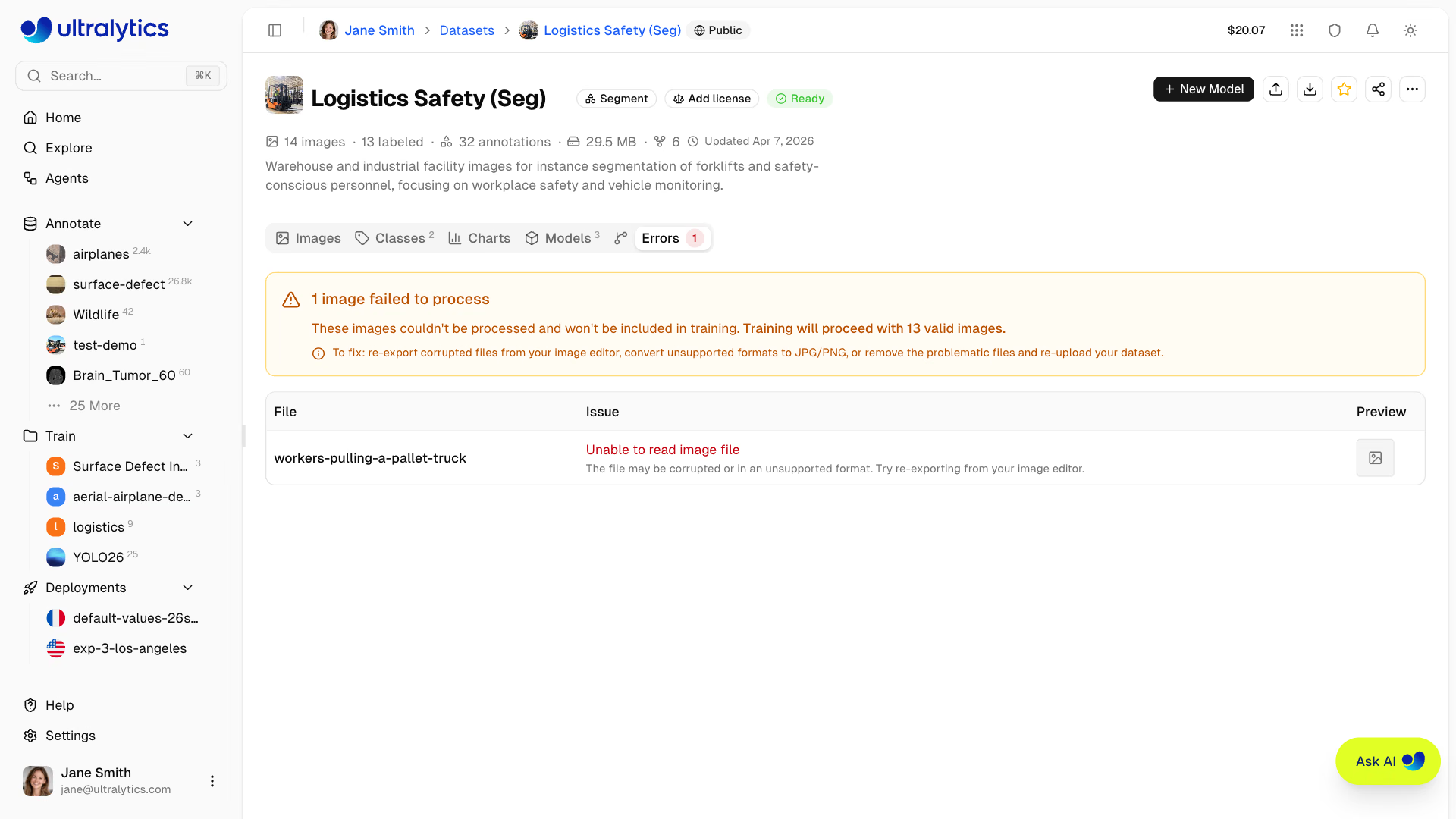
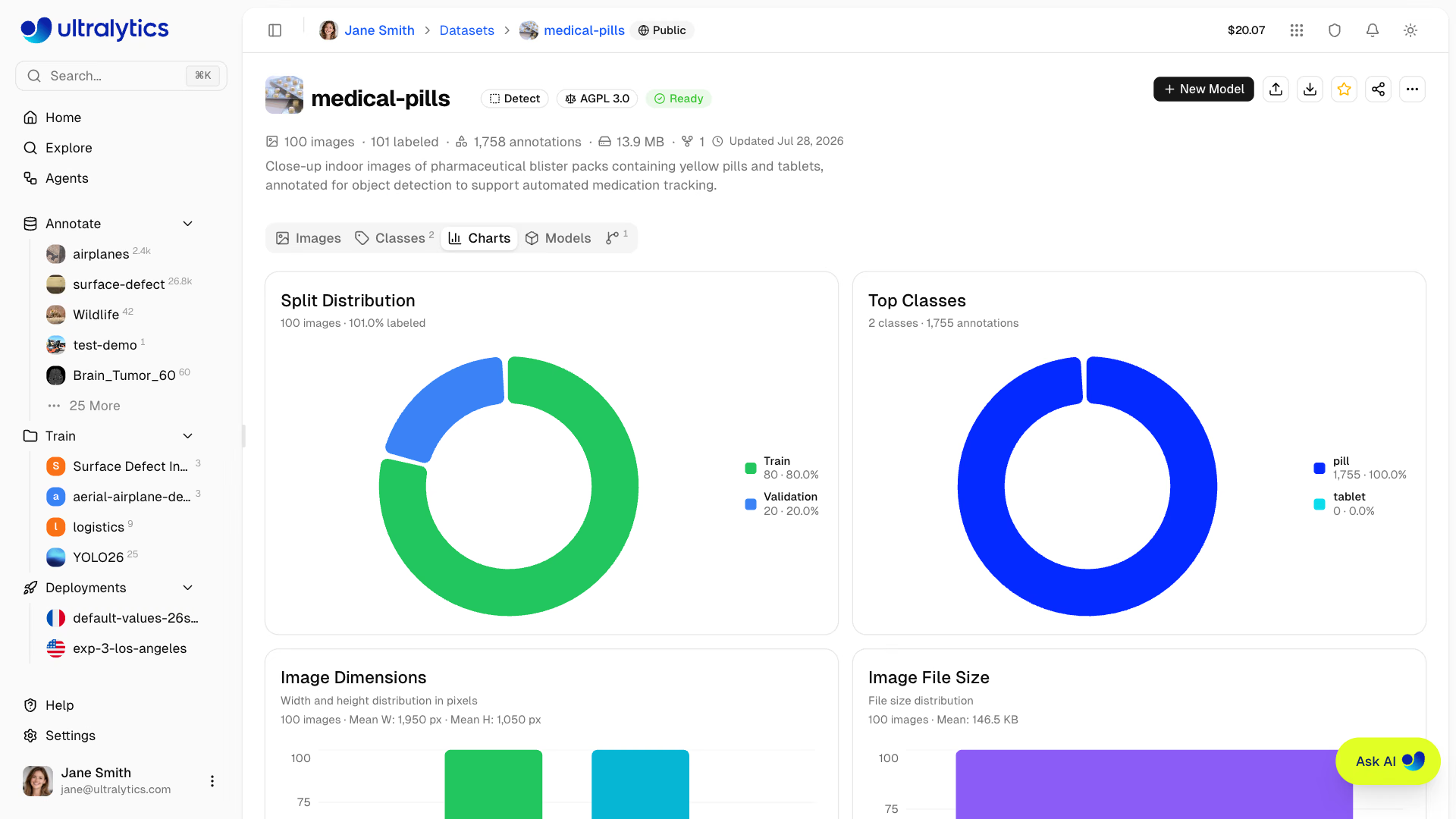
Errorstab appears only when files fail: corrupted files, unsupported formats, images under 28 px, or CMYK and indexed color modes, each with a fix hint. Re-export or re-upload them.Chartstab shows split distribution, top classes, image dimensions, file sizes, annotation locations, box sizes, and objects per image. Look for a class that barely appears, tiny images, or boxes clustered in one corner.- The badge in the dataset header reads
Readyonce processing has finished and the dataset has at least onetrainimage, onevalortestimage, and one labeled image. ClickNot Readyto see which condition is missing.
Start From a Public Dataset#
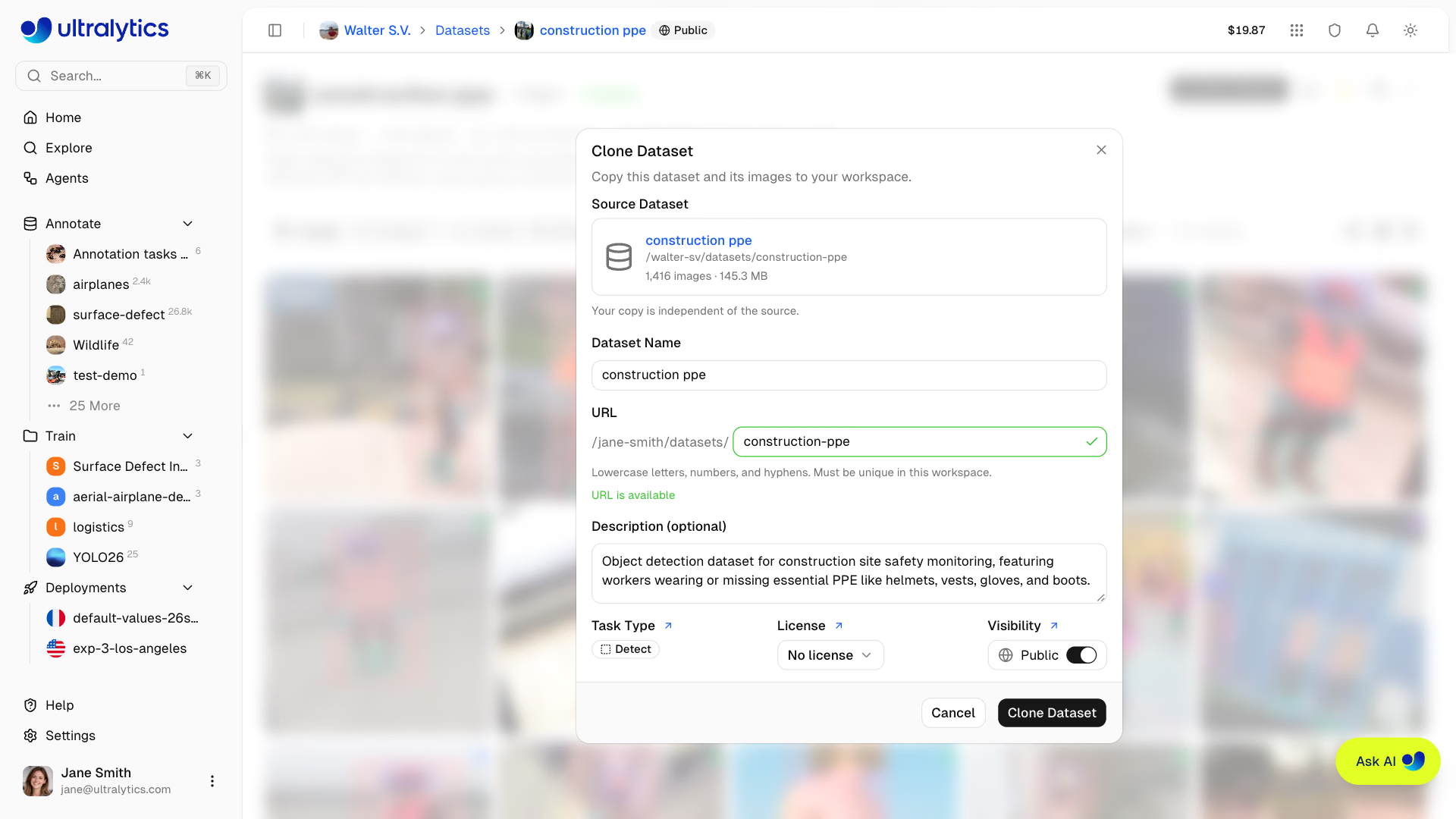
No data yet? The Explore page lists official and community datasets. Clone Dataset copies images, annotations, and classes into your workspace, counts against your storage, and keeps the source's public visibility by default, so flip the switch in the dialog if you'll add anything sensitive.
Pitfalls#
Symptom: the upload succeeds, but every image arrives unlabeled. Fix: Platform detects Pascal VOC XML and doesn't import it. Convert to YOLO .txt labels or COCO JSON first; the pre-upload check counts .xml files so you catch this before uploading.
Symptom: validation mAP is excellent, and the deployed model is not. Fix: if an upload with no split selected leaves val empty, Platform moves about 20% of the train images to val at random. For video frames that puts near-identical neighbors in both splits. Upload with train/ and val/ folders split by video or camera instead (lesson 4).
Symptom: you can't find the polygon tool, or keypoints. Fix: the task type decides the tools. Change it from the dataset header; each image stores labels for every task, so switching hides the other tasks' labels rather than deleting them.
Show solution
Worked answer for medical pills plus a 4-minute line-camera video. Pre-upload check: 92 train and 23 val images, all labeled, no problems. Video: 240 seconds exceeds 100, so the interval widens to ceil(240 / 100) = 3 seconds and Platform keeps 80 frames (one at 0 s, 3 s, …, 237 s). Expected gallery count: 92 + 23 + 80 = 195 images. The video frames arrive unlabeled in the split selected in the gallery filter, so select Train before dropping the video to keep them out of val. The badge reads Ready because train, val, and labeled images all exist. If you had uploaded only the video, the badge would read Not Ready: no labeled image yet.