Predict on an Image
Run a pretrained YOLO26 model from Python, read classes, confidences, and pixel boxes from the results, and tune the arguments that fix most misses.
Every real use of a detector — counting stock on a shelf, cropping faces for blurring, sending boxes to a JSON API — starts with reading the result object correctly. Get one detail wrong, like indexing class names with a tensor, and your app crashes on the first image.
A pretrained YOLO26 detect model already knows the 80 COCO classes. In this lesson you'll run Predict mode from Python, pull every useful field out of the results, and learn which argument to change for misses, duplicates, and small objects. The same results object comes back from your own trained model later.
Hands-on
Predict and Print Every Detection#
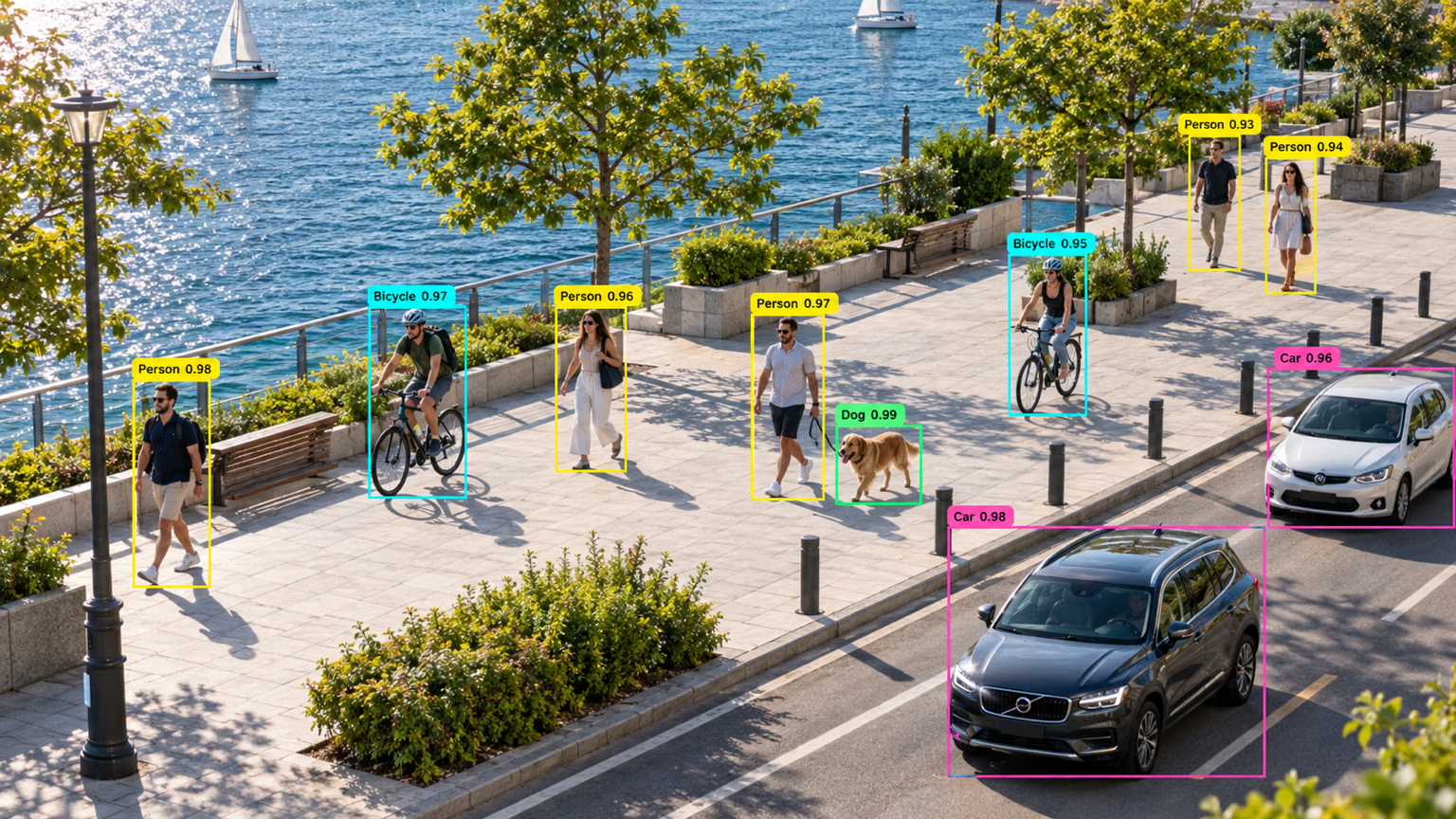
Calling the model on a source runs Predict mode and returns a list with one Results object per image. With one image, read results[0].
from ultralytics import YOLO

model = YOLO("yolo26n.pt")
results = model("https://ultralytics.com/images/bus.jpg")

result = results[0]
for box in result.boxes:
    name = result.names[int(box.cls)]
    conf = float(box.conf)
    x1, y1, x2, y2 = box.xyxy[0].tolist()
    print(f"{name:>8} {conf:.2f}  ({x1:.0f}, {y1:.0f}) -> ({x2:.0f}, {y2:.0f})")

result.save("bus_annotated.jpg")
Real output from predict.py, after the usual log line:
     bus 0.88  (0, 230) -> (803, 751)
  person 0.87  (49, 398) -> (240, 902)
  person 0.86  (223, 405) -> (345, 861)
  person 0.85  (670, 395) -> (810, 880)
  person 0.65  (0, 553) -> (60, 871)
Reading it:
bus 0.88: class name and confidence. Boxes come sorted by confidence, highest first.(0, 230) -> (803, 751): top-left and bottom-right corners in pixels of the original 810×1080 image, origin at the top-left. You can crop or draw with these directly.person 0.65at(0, 553): a fifth person, cut off by the left edge, gets a lower score. Partial objects usually do.
result.save() writes the annotated image; result.show() opens it in a window.
Know What's in a Result#
Every task returns the same Results type; only the populated fields change. The full surface is in the Python usage guide.
| Attribute | Holds |
|---|---|
boxes | Detections: xyxy pixels, xywhn normalized center format, conf, cls, and id when tracking |
masks, keypoints, obb, probs | Outputs of segment, pose, OBB, and classify models (None for a detect model) |
names | Dict of class index → class name |
orig_img, orig_shape | The input image as a NumPy array, and its height × width |
speed | Preprocess, inference, and postprocess time in ms |
path, save_dir | Where the input came from and where outputs were written |
For object detection you mostly need boxes, the bounding boxes. result.summary() returns the same detections as a list of plain dicts, ready for a JSON API.
Tune the Prediction#
Defaults suit most images. When they don't, change one argument at a time:
| Problem you see | Argument | Default | Change |
|---|---|---|---|
| Misses: an object you can see isn't boxed | conf | 0.25 | Lower, e.g. 0.1 |
| False positives: boxes on nothing | conf | 0.25 | Raise, e.g. 0.5 |
| Two boxes on one object | iou | 0.7 | Lower: the NMS overlap (IoU) threshold for merging duplicates |
| Small, distant objects missed | imgsz | 640 | Raise, e.g. 1280 (rounded to a multiple of 32) |
| Only some classes matter | classes | all | e.g. classes=[0] for people |
| Wrong hardware | device | auto | cpu, mps, or a GPU index like 0 |
Confidence changes the answer, not just the count. On the same bus image:
from ultralytics import YOLO

model = YOLO("yolo26n.pt")
model("https://ultralytics.com/images/bus.jpg", conf=0.5, classes=[0])  # 4 persons
model("https://ultralytics.com/images/bus.jpg", conf=0.1)  # 5 persons, 1 bus, 1 stop sign
At conf=0.1 the model also reports a stop sign it was unsure about. Lowering conf is the fastest way to see what a model almost found. Every other argument is in the configuration reference.
When a prediction comes back empty, work down this path:
Run Many Images#
Pass a list, a folder, or a glob such as "photos/*.jpg". Predict defaults to batch=1; set batch to push several images through the model at once, which is much faster on a GPU:
from ultralytics import YOLO

model = YOLO("yolo26n.pt")
images = ["https://ultralytics.com/images/bus.jpg", "https://ultralytics.com/images/zidane.jpg"]
for result in model(images, batch=2):
    print(result.path, len(result.boxes), result.verbose())
image0.jpg 5 4 persons, 1 bus,
image1.jpg 3 2 persons, 1 tie,Avoid These Mistakes#
Symptom: KeyError: tensor([5.]). Cause: box.cls and box.conf are PyTorch tensors, and result.names is a dict keyed by int. Fix: convert first: result.names[int(box.cls)], float(box.conf), box.xyxy[0].tolist().
Symptom: a helper that calls YOLO("yolo26n.pt") inside the function runs slowly. On a laptop CPU, reloading per image took 71 ms versus 25 ms with the model loaded once. Fix: create the model once at startup and reuse it for every image.
model(list_or_folder) collects every Results object in memory before returning. For large folders and all video, pass stream=True and loop: results arrive one at a time. The video lesson covers this in depth.
Show solution
from ultralytics import YOLO

model = YOLO("yolo26n.pt")  # load once
images = ["https://ultralytics.com/images/bus.jpg", "https://ultralytics.com/images/zidane.jpg"]

for result in model(images, verbose=False):
    top3 = sorted(result.summary(), key=lambda d: d["confidence"], reverse=True)[:3]
    print(f"{result.path}: {len(result.boxes)} detections")
    for d in top3:
        print(f"  {d['name']:>8} {d['confidence']:.2f}")
image0.jpg: 5 detections
bus 0.90
person 0.85
person 0.85
image1.jpg: 3 detections
person 0.89
person 0.79
tie 0.59summary() already returns plain names and floats, so there are no tensors to convert. Confidences differ slightly from predict.py because a list of images is padded to one shared shape. At conf=0.1, bus.jpg adds a stop sign.