Prepare a Custom Dataset
Lay out images and labels in the Ultralytics YOLO format, convert pixel boxes to normalized label lines, and catch broken labels before training.
A single misnamed folder or un-normalized label doesn't crash training. Ultralytics skips the broken images and keeps going, so you train on part of your data, get a mediocre model, and lose an afternoon looking for the cause in the wrong place.
This lesson covers the mechanical part of a detection dataset: folders, label lines, conversion, and checks. You'll work with the real 115-image medical pills dataset that the rest of this course trains on. Deciding what to collect and how to label it is covered in Annotation Best Practices.
Hands-on
Get the Practice Dataset#
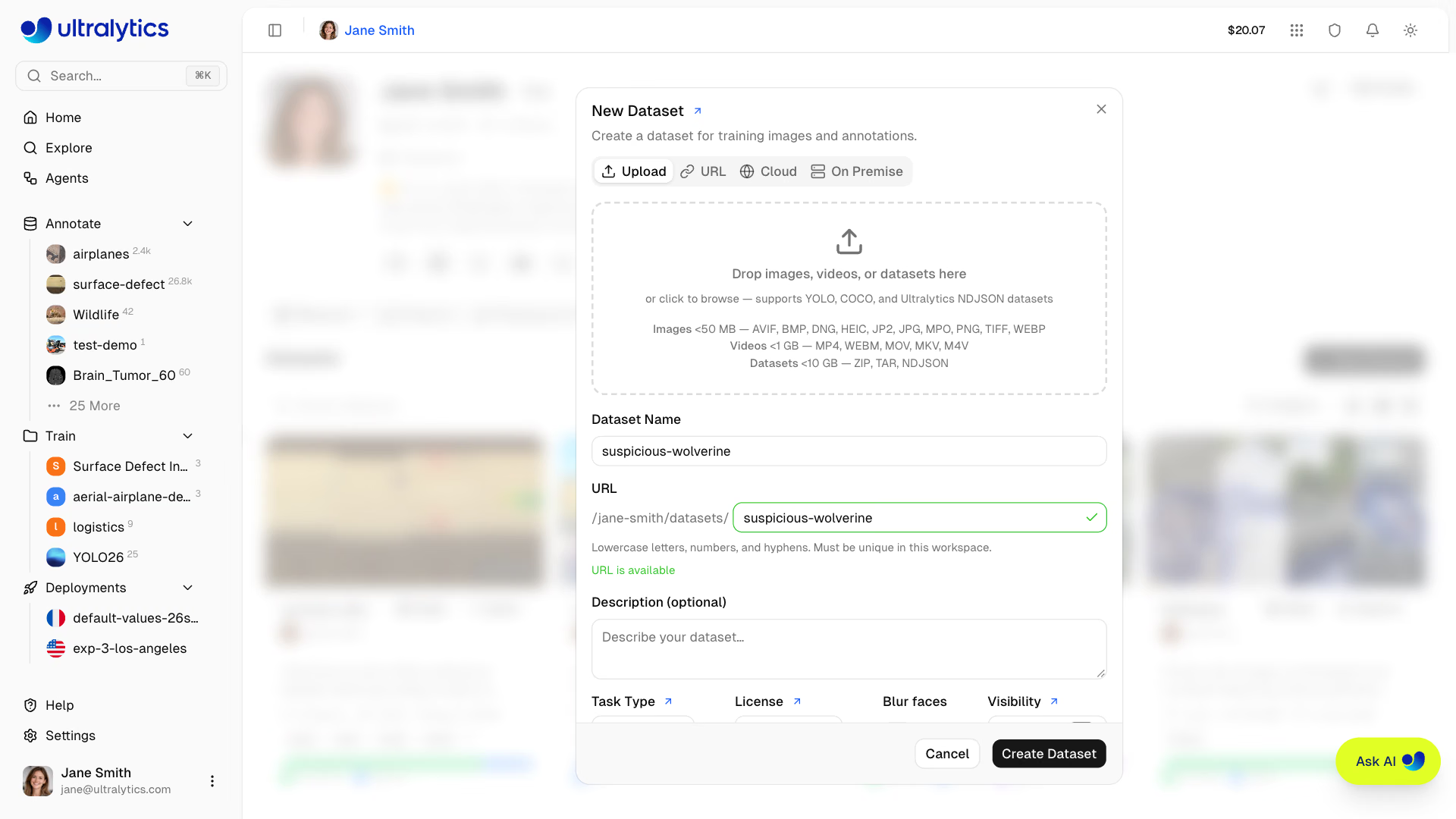
The layout below is also what Ultralytics Platform's New Dataset dialog accepts as a zip, so a dataset you prepare here uploads unchanged. Download 92 training and 23 validation frames of pills in blister packs, and unpack them into my_dataset:
curl -L -o medical-pills.zip https://github.com/ultralytics/assets/releases/download/v0.0.0/medical-pills.zip
unzip -q medical-pills.zip -d my_dataset
my_dataset/
├── images/
│ ├── train/ Frame_0.jpg, Frame_100.jpg, ... (92 images)
│ └── val/ Frame_144.jpg, ... (23 images)
└── labels/
├── train/ Frame_0.txt, Frame_100.txt, ... (92 files)
└── val/ Frame_144.txt, ... (23 files)There's no manifest. Ultralytics finds each label by replacing /images/ with /labels/ in the image path and the extension with .txt, so images/val/Frame_144.jpg reads labels/val/Frame_144.txt. Two consequences:
- The folders must be named exactly
imagesandlabels, side by side. - An image with an empty or missing label file is a background image: valid, and useful for teaching the model what not to detect, but only when you meant it.
Read a Label Line#
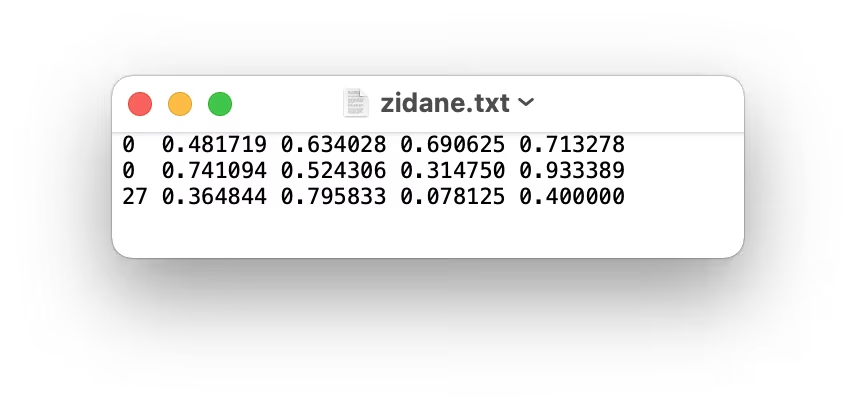
Each line is one object: an integer class index, then the bounding box center and size as fractions of the image width and height. A real line from labels/train/Frame_0.txt:
0 0.330729 0.816204 0.103125 0.1212960: class index 0, which the YAML will namepill.0.330729 0.816204: the box center sits 33% of the way across and 82% of the way down.0.103125 0.121296: the box is about 10% of the image wide and 12% tall.
Worked Example: Convert a Pixel Box#
Labeling tools often export corners in pixels (x1, y1, x2, y2). Divide by the image size. The leftmost person in the 810×1080 bus.jpg from the last lesson spans (49, 398) to (240, 902):
| Field | Formula | Value |
|---|---|---|
x_center | (x1 + x2) / 2 / width | (49 + 240) / 2 / 810 = 0.178395 |
y_center | (y1 + y2) / 2 / height | (398 + 902) / 2 / 1080 = 0.601852 |
width | (x2 − x1) / width | 191 / 810 = 0.235802 |
height | (y2 − y1) / height | 504 / 1080 = 0.466667 |
Most labeling tools, and tools like Roboflow, can export YOLO format directly. For COCO JSON, follow the COCO JSON training guide; the JSON2YOLO repository covers other formats. For Pascal VOC XML, the formula above fits in a short script:
import xml.etree.ElementTree as ET
from pathlib import Path

CLASSES = ["person", "bus"]  # index = class id; must match names in data.yaml

def voc_to_yolo(xml_file: Path, out_dir: Path) -> None:
    root = ET.parse(xml_file).getroot()
    w, h = int(root.find("size/width").text), int(root.find("size/height").text)
    lines = []
    for obj in root.iter("object"):
        name = obj.find("name").text
        if name not in CLASSES:
            continue
        box = obj.find("bndbox")
        x1, y1, x2, y2 = (float(box.find(k).text) for k in ("xmin", "ymin", "xmax", "ymax"))
        xc, yc, bw, bh = (x1 + x2) / 2 / w, (y1 + y2) / 2 / h, (x2 - x1) / w, (y2 - y1) / h
        lines.append(f"{CLASSES.index(name)} {xc:.6f} {yc:.6f} {bw:.6f} {bh:.6f}")
    out_dir.mkdir(parents=True, exist_ok=True)
    (out_dir / f"{xml_file.stem}.txt").write_text("\n".join(lines) + "\n")

voc_to_yolo(Path("bus.xml"), Path("labels"))
print(Path("labels/bus.txt").read_text())
Run on a bus.xml holding the person and bus boxes from the previous lesson, it prints the worked example and the bus:
0 0.178395 0.601852 0.235802 0.466667
1 0.495679 0.454167 0.991358 0.482407
Check Before You Train#
Draw a few label files on their images. A shifted class, swapped x and y, or boxes around shadows are obvious to the eye and invisible in metrics:
from ultralytics.data.utils import visualize_image_annotations

visualize_image_annotations(
    "my_dataset/images/train/Frame_0.jpg",
    "my_dataset/labels/train/Frame_0.txt",
    {0: "pill"},
)
Then let Ultralytics check every file. It scans labels the first time it reads a dataset and decides, line by line, whether each image is usable:
The scan line reports the result: 23 images, 0 backgrounds, 0 corrupt is what a healthy dataset looks like. Anything else is one of the mistakes below.
Avoid These Mistakes#
Symptom: ignoring corrupt image/label: non-normalized or out of bounds coordinates [634. 881. 198. 163.] and a nonzero corrupt count. Cause: pixel values instead of fractions. Fix: divide by the image width and height. Any label value above 1 means the box was never normalized.
Symptom: yolo val scans 0 images, 23 backgrounds and warns No labels found, and training stops with ValueError: train: No labels found — here because the label folder was called annotations. Fix: name the folders images and labels exactly, with matching file names.
Symptom: Label class 1 exceeds dataset class count 1. Possible class labels are 0-0. Cause: the export tool numbered classes from 1. Fix: YOLO classes start at 0; subtract 1 in the conversion script or fix the export setting.
If boxes draw shifted half a box down and to the right, you wrote x1 y1 w h instead of x_center y_center w h. Drawing one file catches this in seconds; no scan check can.
For systematic checks across a whole dataset, see Dataset Quality Control. Built-in sets such as coco8, coco128, and african-wildlife are good layouts to copy; the datasets overview lists them all. The trainer adds data augmentation on top of your labels, so a quick pass of data cleaning here pays off in every epoch.
Show solution
for s in train val; do
  echo "$s: $(ls my_dataset/images/$s | wc -l) images, $(ls my_dataset/labels/$s | wc -l) labels"
done
# train: 92 images, 92 labels
# val:   23 images, 23 labels
from pathlib import Path
for txt in Path("my_dataset/labels").rglob("*.txt"):
for line in txt.read_text().splitlines():
values = [float(v) for v in line.split()[1:]]
if any(v < 0 or v > 1 for v in values):
print(txt, line)No output from the script means every coordinate is normalized. Equal counts per split mean every image has a label file; the next lesson's scan line confirms there are no corrupt ones.