Frame the Problem
Turn a fuzzy product idea into a three-line task spec, and keep the business rule in code where you can change it without retraining.
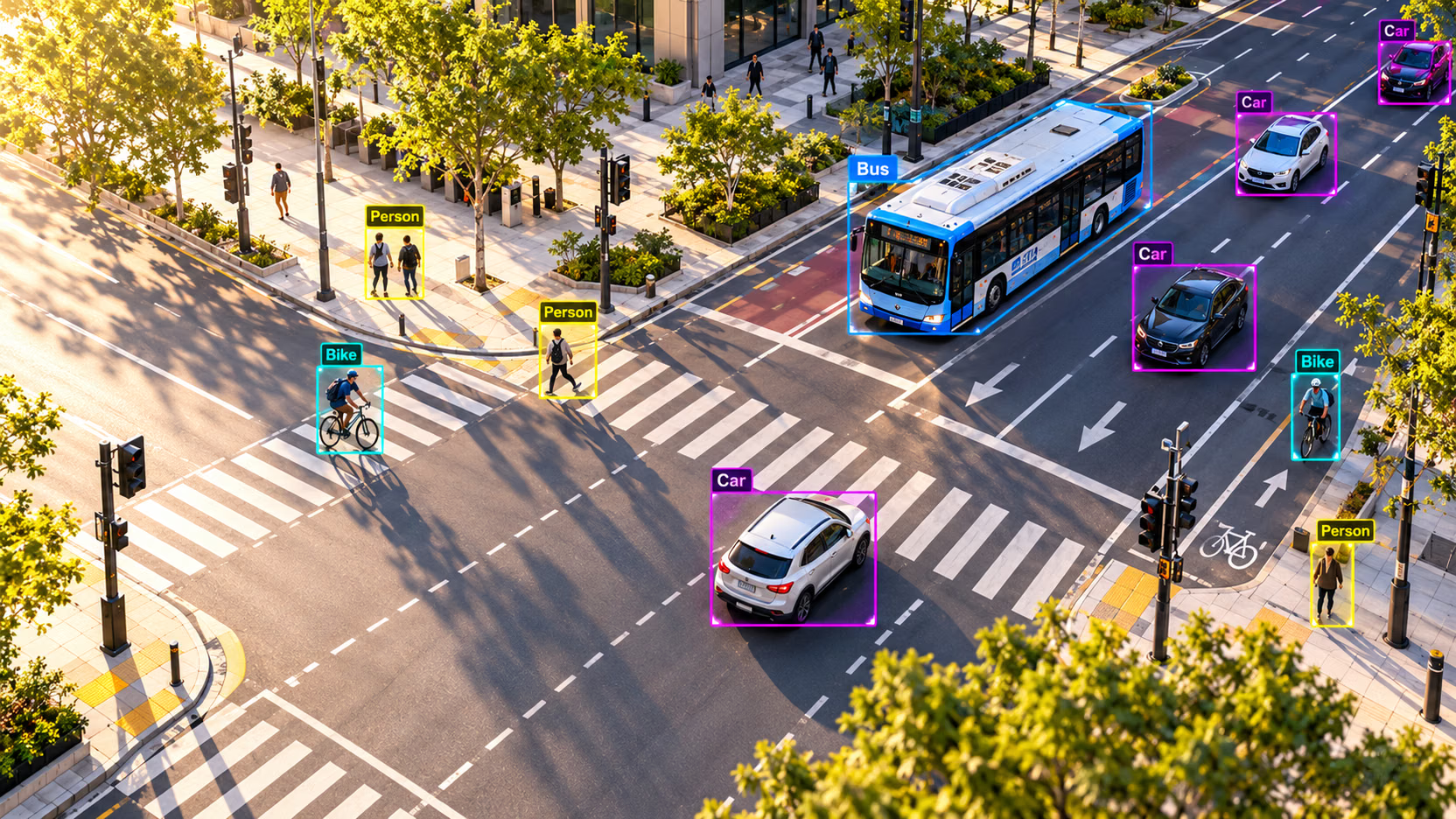
Most computer vision projects that stall never had a clear question. "Detect unsafe behavior" sounds like a requirement, but an annotator can't label it, a model can't learn it, and nobody can tell when it works. A three-line spec fixes that in an afternoon — and decides which task you train, what you label, and which metric you report.
Hands-on
Why the spec comes first#
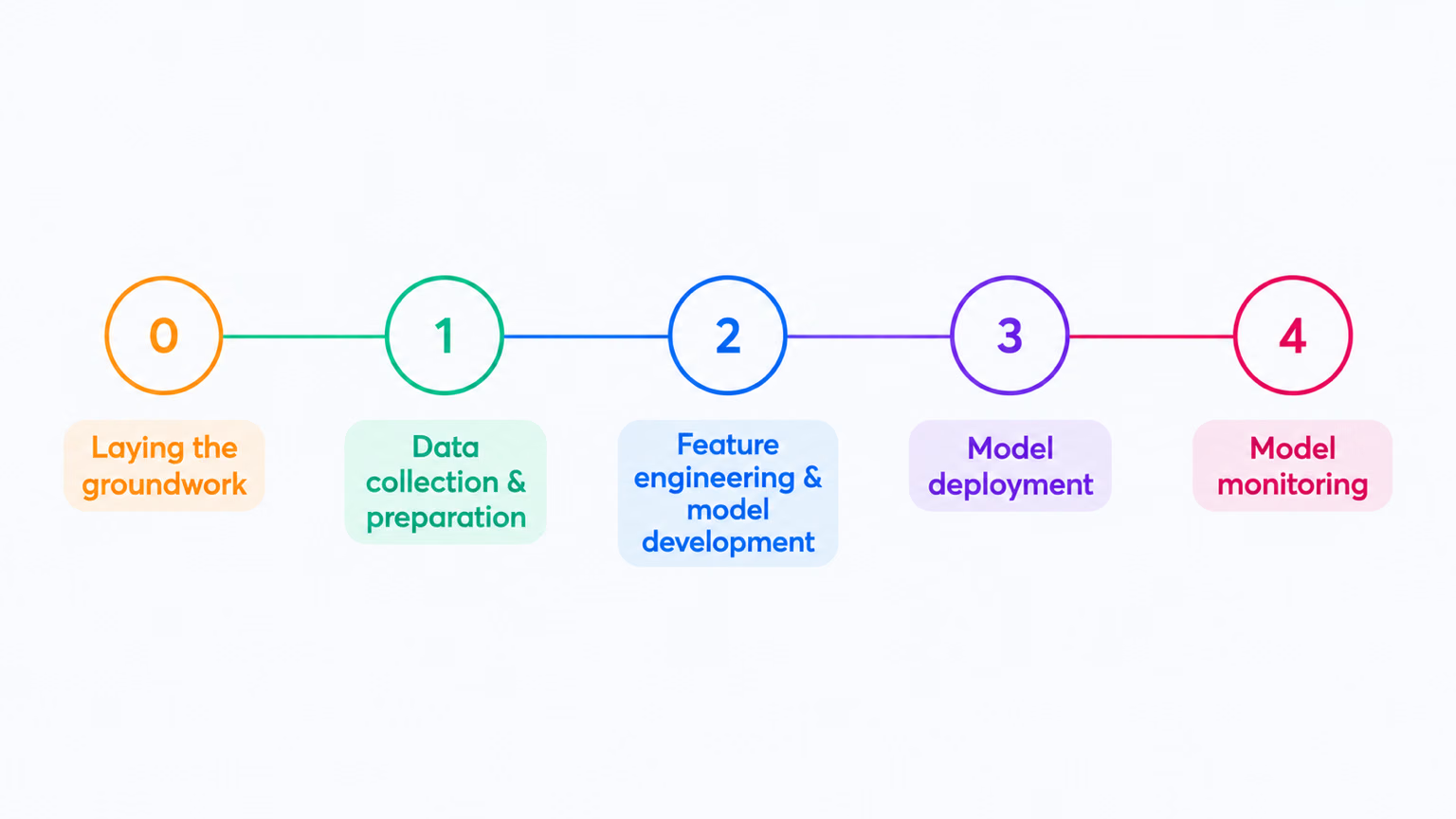
Every step of a computer vision project inherits its target from step 0. A vague question produces a vague dataset, annotators who disagree, and a metric that measures the wrong thing — and no amount of training at step 2 repairs it.
The three lines#
A task spec is three sentences, one per line. Each answers a question a different person on the project will ask:
| Line | Question it answers | Weak | Strong |
|---|---|---|---|
| Input | What does the model see? | "Camera footage" | "1920×1080 frames at 5 fps from 12 ceiling cameras" |
| Output | What data comes back? | "Detect safety issues" | "Boxes for forklift and person, each with a confidence score" |
| Decision | Who acts, and when? | "Improve safety" | "Page the shift supervisor when a forklift and a person are within 2 m for 2 s" |
The output line deserves the most care, because its data type picks the task:
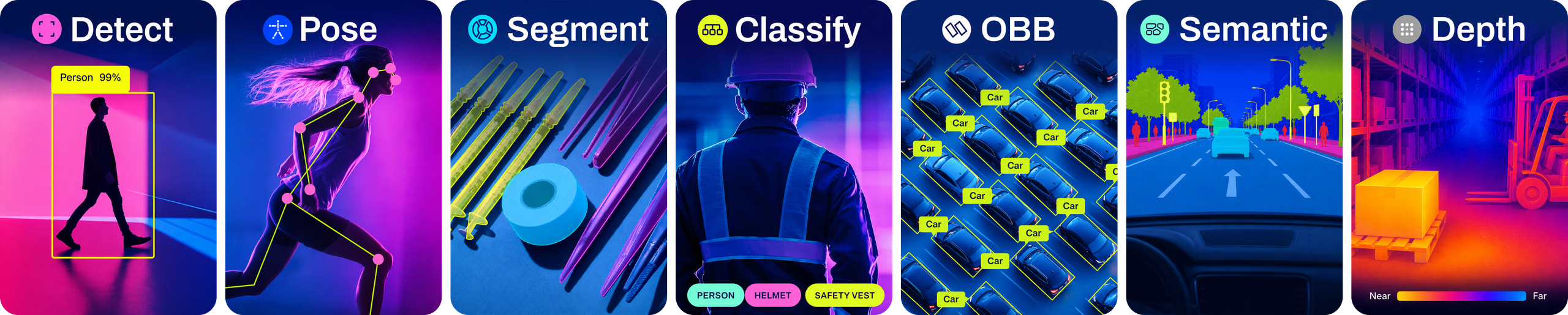
A label for the whole image means classification; boxes mean detection; outlines mean segmentation; joints mean pose; rotated boxes mean OBB; a class or a distance per pixel means semantic segmentation or depth. The next lesson walks through all seven.
Worked example: keep the model and the rule apart#
"We want to know when forklifts are doing something dangerous on the warehouse floor."
That sentence is a project, not a task. It blends two jobs: finding forklifts and people, which is about pixels, and deciding what counts as dangerous, which is policy. Split them:
Only the detector is the model. The diamond is plain code. You can try this split right now: bus.jpg has no forklift, but a bus and four people make the same test. A first rule says "alert when more than 30% of a person's box overlaps a vehicle's box":
from ultralytics import YOLO

model = YOLO("yolo26n.pt")
result = model("https://ultralytics.com/images/bus.jpg", verbose=False)[0]

# The model's job ends here: a class, a box, and a confidence per object.
people = [b.xyxy[0].tolist() for b in result.boxes if result.names[int(b.cls)] == "person"]
vehicles = [b.xyxy[0].tolist() for b in result.boxes if result.names[int(b.cls)] == "bus"]

def share_inside(a, b):
    """Fraction of box a's area that lies inside box b."""
    w = max(0, min(a[2], b[2]) - max(a[0], b[0]))
    h = max(0, min(a[3], b[3]) - max(a[1], b[1]))
    return w * h / ((a[2] - a[0]) * (a[3] - a[1]))

# The decision rule is plain code: change the policy without retraining.
ALERT_SHARE = 0.30
for person in people:
    share = max(share_inside(person, v) for v in vehicles)
    print(f"person at x={person[0]:3.0f}: {share:4.0%} inside the bus box -> {'ALERT' if share > ALERT_SHARE else 'ok'}")
person at x= 49: 70% inside the bus box -> ALERT
person at x=223: 76% inside the bus box -> ALERT
person at x=670: 70% inside the bus box -> ALERT
person at x= 0: 62% inside the bus box -> ALERTFour alerts, all false: the people are on the sidewalk in front of a parked bus. The detector is right about every box; the rule is wrong, because overlap in a 2D image doesn't mean two things are close in the world. Since the rule is code, the fix is code. Compare where each person's feet touch the ground with the bus's wheel line:
from ultralytics import YOLO

model = YOLO("yolo26n.pt")
result = model("https://ultralytics.com/images/bus.jpg", verbose=False)[0]
people = [b.xyxy[0].tolist() for b in result.boxes if result.names[int(b.cls)] == "person"]
vehicles = [b.xyxy[0].tolist() for b in result.boxes if result.names[int(b.cls)] == "bus"]

def same_ground_line(person, vehicle, tolerance=40):
    """True when the person's feet are level with the vehicle's wheels and inside its width."""
    feet_x, feet_y = (person[0] + person[2]) / 2, person[3]
    return vehicle[0] < feet_x < vehicle[2] and abs(feet_y - vehicle[3]) < tolerance

for person in people:
    alert = any(same_ground_line(person, v) for v in vehicles)
    print(f"person at x={person[0]:3.0f}: feet y={person[3]:.0f}, bus wheels y={vehicles[0][3]:.0f} -> {'ALERT' if alert else 'ok'}")
person at x= 49: feet y=902, bus wheels y=751 -> ok
person at x=223: feet y=861, bus wheels y=751 -> ok
person at x=670: feet y=880, bus wheels y=751 -> ok
person at x= 0: feet y=871, bus wheels y=751 -> okEvery person's feet are 110–150 pixels below the wheel line, so they stand closer to the camera than the bus does. No retraining, no relabeling: the safety team iterates on the rule while the detector stays fixed. A production version would map feet to floor coordinates with a calibrated camera and add the 2-second persistence through object tracking — still code on top of the same boxes.
Subjective words — "unsafe", "defective", "suspicious", "VIP" — belong in code that reads model output. A model answers questions about pixels. If two experts would argue about a label, the argument belongs in a rule you can version, test, and change.
Pitfalls#
Symptom: the spec says "detect safety issues" or "understand the scene", and annotators ask what to draw. Fix: rewrite the output as a data type with named classes: "boxes for forklift and person".
Symptom: a class like suspicious_behavior or dangerous that two annotators label differently on the same frame. Fix: replace it with visible evidence — a person inside a restricted zone, a door held open — and move the judgment into the decision line.
Symptom: "describe what is happening" (captioning) or "predict whether the forklift will hit someone" (forecasting). Fix: locate the objects first, then add tracking and motion rules on top. Build the detector before the prediction.
From spec to success criteria#
The spec says what the model does, not how good is good enough or what a miss costs compared with a false alarm. Start With the Business Objective in Building High-Performance YOLO Datasets turns the spec into measurable targets. Every later lesson in this course refers back to your three lines.
Show solution
A spec for the shelf camera:
- Input: a 1920×1080 still every 60 seconds from a fixed camera facing one aisle.
- Output: bounding boxes for
productandempty_facing(a shelf slot with no product), each with a confidence score. - Decision: create a restock task when three or more
empty_facingboxes on the same shelf persist across five consecutive stills during store hours.
The words the model can't see are restock task, same shelf, persist across five stills, and store hours. As a rule:
if count(empty_facing on shelf S) >= 3 in each of the last 5 stills and store_is_open(now):
    create_restock_task(shelf=S)
The store can change "3", "5", or the opening hours without relabeling a single image.