Splits that Tell the Truth
Find near-duplicate images that leak across train and validation, and split by the unit that will be new at deployment.
If a model scores 95% in validation and 60% in production, the split usually lied. Near-identical images — neighboring video frames, the same camera on the same day — landed on both sides, so validation tested memory instead of generalization. You'll find exactly that leak in a real dataset, then fix it with a group split.
Hands-on
Three splits, three jobs#
| Split | Who learns from it | When you look at it |
|---|---|---|
| Train | The model: weights are fitted here | Every epoch |
| Validation | You: hyperparameters, epochs, model size, thresholds | After every experiment |
| Test | Nobody: it reports the final number | Once, after every decision is made |
Every decision you make by looking at a split leaks a little of it into the model. That's the validation set's job. Tune on the test set and its number stops being an honest estimate — you've overfit to your own choices. In Ultralytics, model.val(split="test") scores the test split from your dataset YAML.
Find the leak in a real dataset#
The medical-pills images are named Frame_0.jpg, Frame_4.jpg, Frame_8.jpg — frames from a video. That's a warning sign: neighboring frames are near-identical, and a random split puts them on both sides. Check by comparing tiny grayscale fingerprints of every validation image with every training image:
from pathlib import Path

import numpy as np
from PIL import Image
from ultralytics.data.utils import check_det_dataset

data = check_det_dataset("medical-pills.yaml")

def thumbnail(path):
    """A 32x18 grayscale fingerprint: enough to spot near-identical frames."""
    return np.asarray(Image.open(path).convert("L").resize((32, 18)), dtype=float)

train = {p.name: thumbnail(p) for p in sorted(Path(data["train"]).glob("*.jpg"))}
pairs = []
for p in sorted(Path(data["val"]).glob("*.jpg")):
    v = thumbnail(p)
    name, diff = min(((n, np.abs(v - t).mean()) for n, t in train.items()), key=lambda x: x[1])
    pairs.append((diff, p.name, name))

pairs.sort()
print(f"{sum(d < 5 for d, _, _ in pairs)} of {len(pairs)} val images have a near-twin in train (difference < 5)")
for diff, val_name, train_name in pairs[:3]:
    print(f"  {val_name} ~ {train_name}  difference {diff:.1f}")
17 of 23 val images have a near-twin in train (difference < 5)
Frame_344.jpg ~ Frame_56.jpg difference 0.3
Frame_28.jpg ~ Frame_312.jpg difference 0.5
Frame_24.jpg ~ Frame_308.jpg difference 1.8A difference of 0.3 on a 0–255 scale means the two images are practically the same picture. Open val/Frame_24.jpg and train/Frame_308.jpg side by side and you'll see the same blister packs from the same angle. 17 of the 23 validation images have a twin in training, so the validation score here mostly measures how well the model remembers images it has already seen. That's fine for a quick demo dataset — and exactly what you must not ship with.
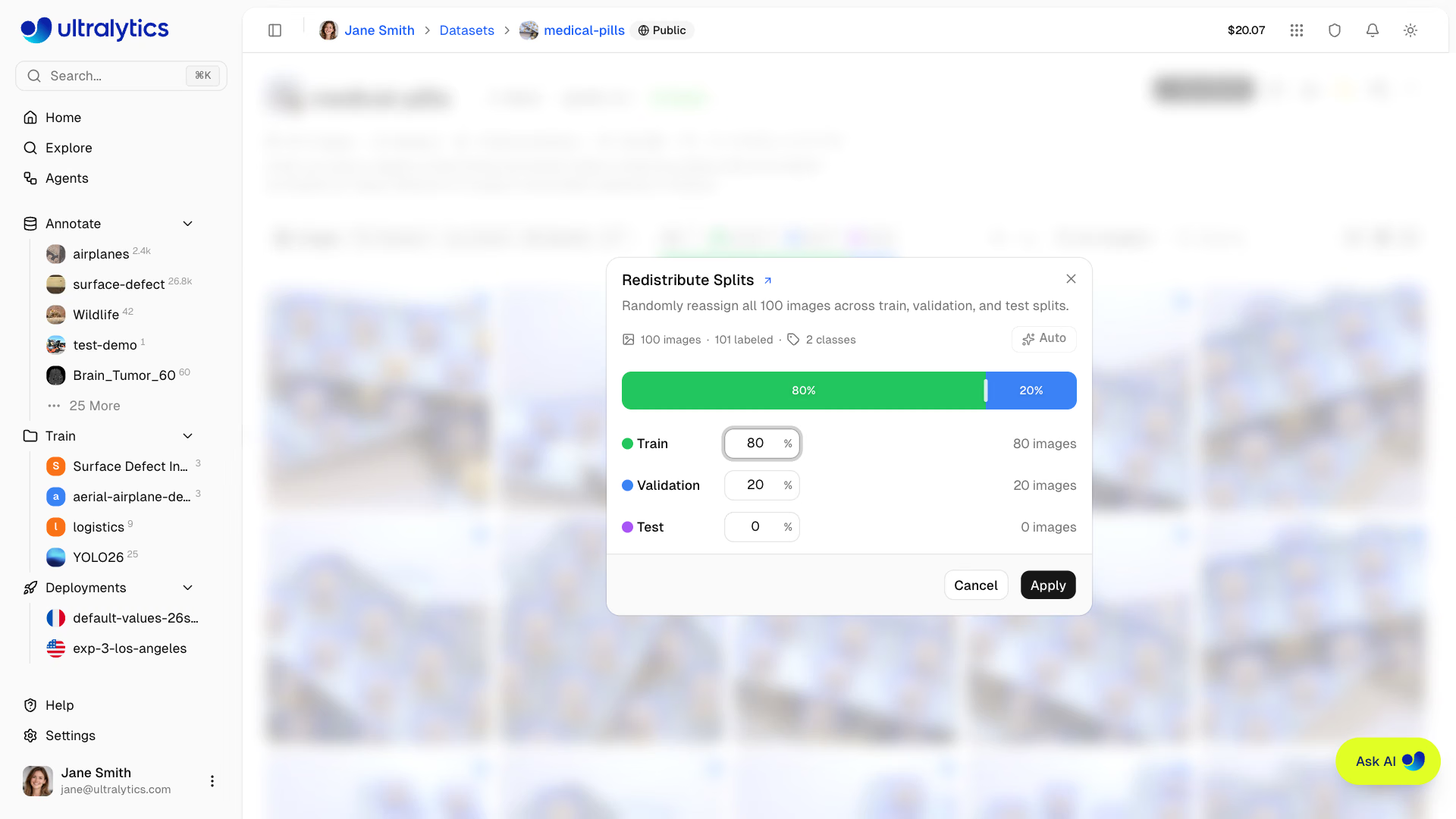
The same trap exists in any tool. This dialog's own description says it randomly reassigns every image, so it's ideal when images are independent photos — and it leaks when they're video frames. Run a near-duplicate check first, and keep a test share above 0% if you want a final number nobody tuned on.
Split by group#
The rule: splits must be independent on the unit that will be new at deployment.
| Data | Split by |
|---|---|
| Video | Clip or recording session |
| Fixed camera fleet | Camera or site |
| Scenes that change over time | Day or week |
| Medical, sports, or people data | Patient, athlete, or subject |
| Photo bursts | Capture event |
File names often carry the group key. This example builds 900 images from 6 cameras and compares the two strategies:
import random
from collections import defaultdict

# File names carry the unit that must never straddle splits: camera_day_frame.jpg
images = [f"cam{c:02d}_day{d}_{f:04d}.jpg" for c in range(1, 7) for d in range(1, 4) for f in range(50)]

# WRONG: shuffle individual frames, so near-identical neighbors land in both splits
random.seed(0)
shuffled = random.sample(images, len(images))
train, val = shuffled[: int(0.8 * len(images))], shuffled[int(0.8 * len(images)) :]
shared = {i.split("_")[0] for i in train} & {i.split("_")[0] for i in val}
print(f"per-image split: {len(shared)} of 6 cameras appear in both train and val")

# RIGHT: shuffle whole cameras, then expand them back into images
groups = defaultdict(list)
for image in images:
    groups[image.split("_")[0]].append(image)
cameras = random.sample(sorted(groups), len(groups))
train = [i for cam in cameras[:5] for i in groups[cam]]
val = [i for cam in cameras[5:] for i in groups[cam]]
print(f"per-camera split: train {len(train)} images, val {len(val)} images, val cameras {cameras[5:]}")
per-image split: 6 of 6 cameras appear in both train and val
per-camera split: train 750 images, val 150 images, val cameras ['cam05']With the per-image split, validation never sees a new camera. With the per-camera split, the score estimates what happens on a camera the model has never seen — the number you need.
Pitfalls#
Symptom: validation far better than the first field test. Fix: find the group key — often hidden in file names or capture metadata — split on it, and run the near-duplicate check to confirm.
Symptom: a rare class with no AP, or AP from two instances. Fix: after the group split, count each class per split and swap whole groups until every class shows up in similar proportions. sklearn.model_selection.StratifiedGroupKFold automates this.
Symptom: the test number creeps up across experiments. Fix: freeze the test set, draw it from production-like conditions, and report it once per finished experiment. On small datasets, average over several splits with k-fold cross-validation instead of reusing one.
Split the Dataset Correctly covers ratios and enforcing all of this on a full dataset.
Show solution
A leak check that works on any list of file names, given a function that extracts the group key:
def leaked_groups(splits, key):
    """Return every group key that appears in more than one split."""
    owner, leaks = {}, set()
    for split, files in splits.items():
        for name in files:
            group = key(name)
            if owner.setdefault(group, split) != split:
                leaks.add(group)
    return sorted(leaks)

# Replace these lists with your file names, e.g. [p.name for p in Path("images/train").glob("*.jpg")]
splits = {
    "train": ["cam01_day1_0001.jpg", "cam01_day1_0002.jpg", "cam02_day1_0001.jpg"],
    "val": ["cam03_day2_0001.jpg", "cam01_day1_0003.jpg"],
    "test": ["cam04_day3_0001.jpg"],
}
print(leaked_groups(splits, key=lambda name: name.split("_")[0])) # group by camera['cam01']cam01 appears in both train and val, so this split leaks. Move every cam01 image into one split and rerun until it prints []. For medical-pills, where frames from one video revisit the same view, there's no clean group key in the file names: either record new validation videos of different packs, or cluster images by the near-duplicate fingerprint and assign whole clusters to one split.