Reading Detection Metrics Honestly
Run validation, read precision, recall, mAP50-95, per-class AP, and the confusion matrix together, and pick a shipping threshold from a target.
A single number is comforting: mAP 0.83, done. But the same mAP can hide a class that fails half the time, boxes that are consistently loose, or a threshold that pages someone every minute. You'll run a real validation and read it line by line until it tells you what to fix and where to set the threshold.
Hands-on
How each prediction is scored#
Validation matches every predicted box against the ground truth. A prediction is a true positive (TP) when it has the right class and its IoU with a not-yet-matched ground-truth box clears a threshold; otherwise it's a false positive (FP). Every ground-truth object left unmatched is a false negative (FN).
| Metric | Formula | Question it answers |
|---|---|---|
| Precision | TP / (TP + FP) | When the model draws a box, how often is it right? |
| Recall | TP / (TP + FN) | Of the real objects, how many did it find? |
| F1 | 2 × P × R / (P + R) | One number that balances both |
Lowering the confidence threshold adds boxes: recall rises and precision falls. The precision-recall curve traces that trade-off across all thresholds, and the area under it is the average precision (AP) for one class. mAP50 averages AP across classes at IoU 0.5, where a noticeably loose box still counts. mAP50-95 averages over ten IoU thresholds from 0.5 to 0.95, so it rewards tight boxes; it's the headline number in Ultralytics model tables.
Run a validation#
from ultralytics import YOLO

model = YOLO("yolo26n.pt")
metrics = model.val(data="coco8.yaml")

print(f"precision={metrics.box.mp:.3f} recall={metrics.box.mr:.3f}")
print(f"mAP50={metrics.box.map50:.3f} mAP50-95={metrics.box.map:.3f}")
Class Images Instances Box(P R mAP50 mAP50-95)
all 4 17 0.551 0.962 0.943 0.669
person 3 10 0.551 0.8 0.848 0.387
dog 1 1 0.36 1 0.995 0.597
horse 1 2 0.36 1 0.995 0.696
elephant 1 2 0.656 0.969 0.828 0.545
umbrella 1 1 0.543 1 0.995 0.895
potted plant 1 1 0.833 1 0.995 0.895Read it top to bottom:
- Instances 17, Images 4. COCO8 is a smoke test. Four images can't support a ship decision; treat every number as an illustration.
- mAP50 0.943 vs mAP50-95 0.669. Most objects are found, but many boxes are loose. A large gap means localization, not detection, is the weakness.
personAP50-95 0.387. The most common class is the weakest. That's your bottleneck.- P 0.551, R 0.962. These columns are read at the single confidence that maximizes F1 across classes — a low threshold here — not at the 0.25 you predict with. Don't quote them as "the model's precision".
Per-class AP and the shipping threshold#
The same run holds per-class AP and precision and recall at every confidence threshold, so you can pick a threshold from a target instead of a guess:
from ultralytics import YOLO

model = YOLO("yolo26n.pt")
metrics = model.val(data="coco8.yaml", plots=False, verbose=False)
box = metrics.box

# Per-class AP from the same run: the average hides the weakest class
for i, c in enumerate(box.ap_class_index):
    print(f"{model.names[int(c)]:13} AP50={box.ap50[i]:.3f}  AP50-95={box.ap[i]:.3f}")

# Precision and recall at every confidence threshold for one class
row = list(box.ap_class_index).index(0)  # class 0 = person
for conf in (0.1, 0.25, 0.5, 0.75):
    j = int(conf * (len(box.px) - 1))
    print(f"person @ conf {conf:.2f}: precision {box.p_curve[row, j]:.2f}, recall {box.r_curve[row, j]:.2f}")
all 4 17 0.551 0.962 0.943 0.669
person AP50=0.848 AP50-95=0.387
dog AP50=0.995 AP50-95=0.597
horse AP50=0.995 AP50-95=0.696
elephant AP50=0.828 AP50-95=0.545
umbrella AP50=0.995 AP50-95=0.895
potted plant AP50=0.995 AP50-95=0.895
person @ conf 0.10: precision 0.63, recall 0.80
person @ conf 0.25: precision 1.00, recall 0.54
person @ conf 0.50: precision 1.00, recall 0.40
person @ conf 0.75: precision 1.00, recall 0.14Now the threshold is a decision rule, not a feeling:
| Target from your decision line | Pick | On this run |
|---|---|---|
| At most 5% of alerts may be false (precision ≥ 0.95) | The lowest threshold that meets it, to keep the most recall | 0.25: precision 1.00, recall 0.54 |
| Miss at most 1 in 5 people (recall ≥ 0.80) | The highest threshold that meets it, to keep the most precision | 0.10: precision 0.63, recall 0.80 |
Neither is good enough here: high precision costs half the people, and high recall costs a third of the alerts. That's the evidence for "iterate", not a threshold problem. Validation also saves BoxPR_curve.png, BoxP_curve.png, BoxR_curve.png, BoxF1_curve.png, and confusion_matrix.png in the run folder, so you can read the same trade-off off the plots; the performance metrics guide walks through each.
What to fix next#
The confusion matrix tells you what a weak class is mistaken for. If forklift AP is low and forklifts are predicted as pallet_jack, it's class confusion, not localization: add examples that show the visual difference, or merge the classes if no downstream code needs them apart. The model evaluation insights guide walks through the workflow.
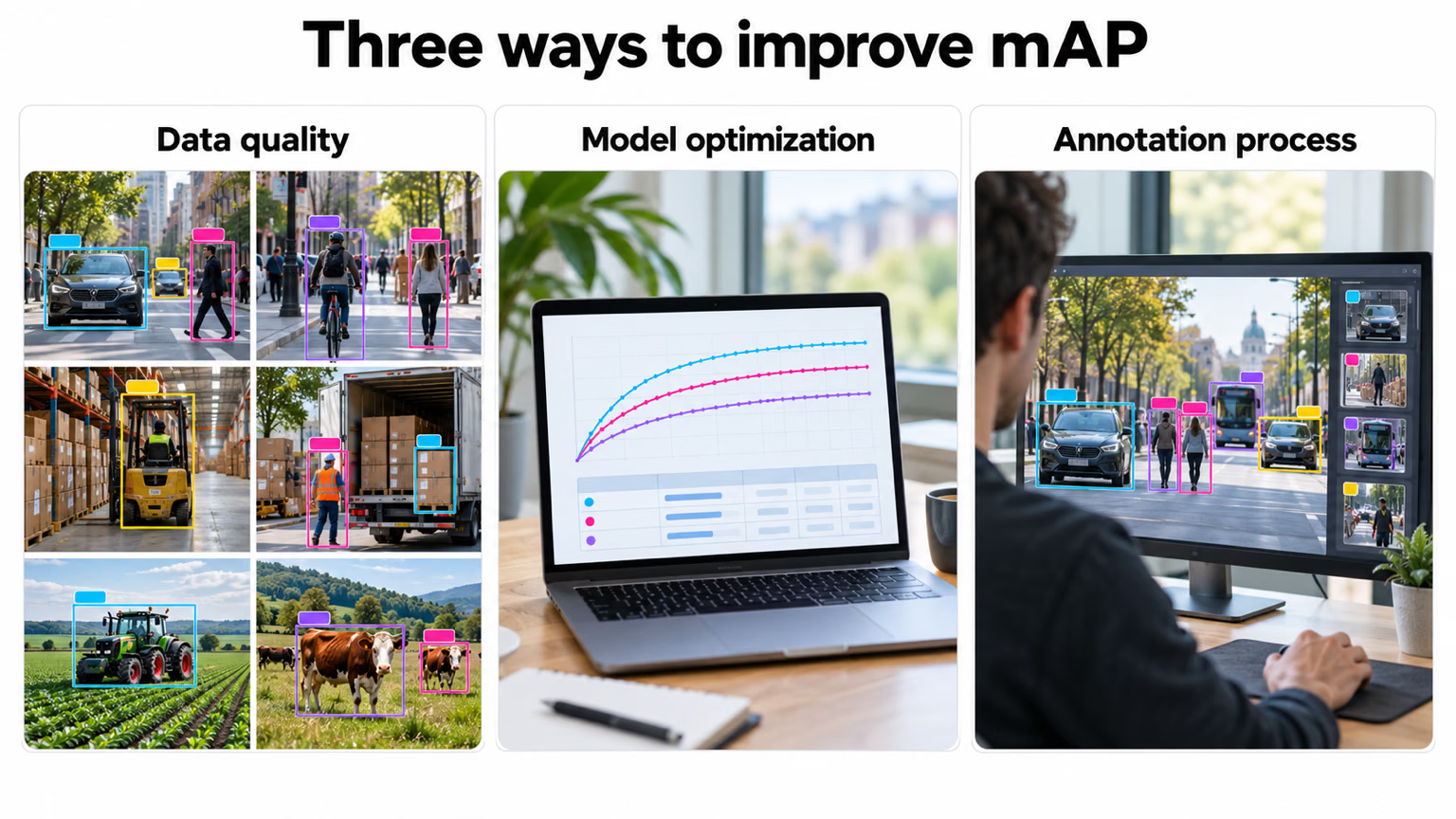
Most fixes land in the first and third panels: better data and better labels for the bottleneck class. Change the model or training settings only after the data checks from the previous three lessons pass.
| Evidence on a frozen test set | Decision |
|---|---|
| Every business-critical class meets its precision and recall target | Ship, and monitor |
| One class or condition misses its target | Iterate: targeted data and labels for that gap |
| Every class is far off, or classes overlap visually | Rethink the task spec, the classes, or the camera setup |
Pitfalls#
A 0.83 mAP can hide a class at 0.40. If that class carries the business value, you don't have a 0.83 model — you have a broken model with a flattering average.
Symptom: a model that "scores 0.94" draws boxes too loose for measurement or cropping. Fix: report mAP50-95, and read the gap to mAP50 as a localization signal.
Symptom: perfect-looking numbers from a few dozen images, or from near-twins of the training set. Fix: grow validation to a few hundred instances per important class and run the near-duplicate check from the previous lesson before reading any metric.
Show solution
Read-out: person counter on yolo26n.pt, COCO8 validation
The bottleneck is person, at AP50-95 0.387 against an overall 0.669. It's also the class with the most instances (10 of 17), so it's both the weakest and the one that matters most for a person counter. Its AP50 is 0.848, so the model finds most people but draws loose boxes — which matters less for counting than for anything that measures position or size.
For precision ≥ 0.95 the lowest qualifying threshold is conf 0.25, where precision is 1.00 but recall is only 0.54: the counter would miss almost half the people. For recall ≥ 0.80 we'd need conf 0.10, where a third of the counts would be false.
Call: iterate. Collect and label people from the deployment camera — especially small, occluded, and edge-of-frame people — then re-validate on a frozen test set of a few hundred people. Four validation images can't support a ship decision either way.