Use Augmentation Carefully
Test every augmentation against the deployment camera, build a justified profile, train with it, and check the result in training batches.
Picture a sorting line that separates red capsules from orange ones, trained with the default hue jitter. Every epoch shows the model red capsules tinted orange, so it learns that color doesn't matter, which is the one thing it had to learn. Augmentation makes a model sturdier only when each transform is something the deployment camera could really produce. This lesson gives you the test that decides which transforms stay.
Hands-on
What augmentation does#
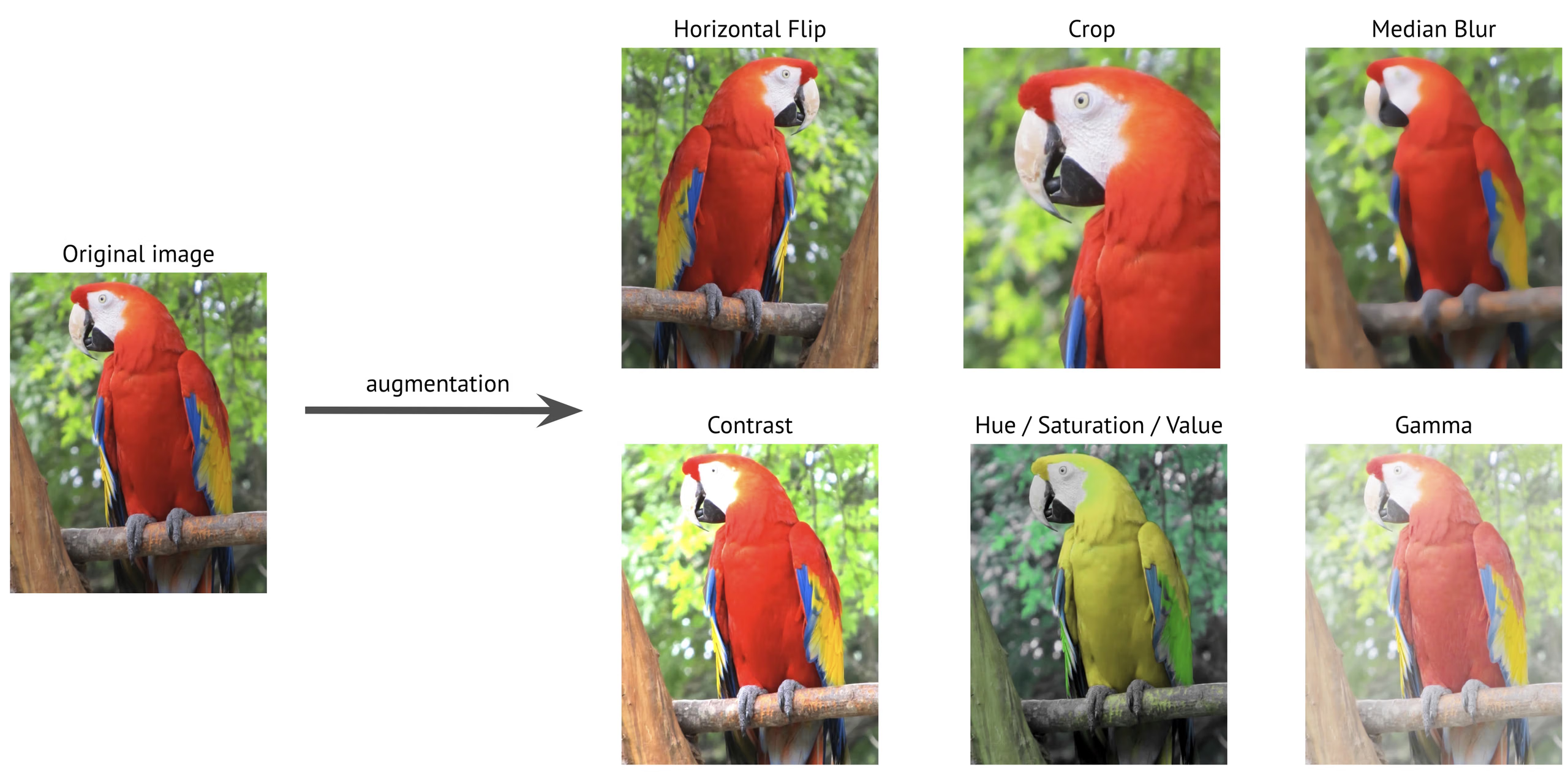
Data augmentation transforms training images on the fly, so the model sees a slightly different version of each image every epoch. Done well, it improves robustness to lighting, scale, and orientation and reduces overfitting, because the model can't memorize images that keep changing. Done badly, it teaches physically impossible scenes and hides dataset gaps you should be fixing.
Look at the hue panel above: the red macaw turns yellow. That's harmless for "macaw vs. not macaw" and destructive if color is what separates two of your classes.
The defaults that matter#
These are the defaults in Ultralytics 8.4; the augmentation settings reference lists every argument:
| Argument | Default | What it does | Change it when |
|---|---|---|---|
hsv_h | 0.015 | Hue jitter | Set to 0 when color defines a class |
hsv_s / hsv_v | 0.7 / 0.4 | Saturation and brightness jitter | Lower if lighting is fixed and controlled |
degrees | 0.0 | Random rotation (±degrees) | Raise when objects appear at any angle |
translate / scale | 0.1 / 0.5 | Shift and zoom | Lower if crops can cut off class-defining parts |
fliplr | 0.5 | Horizontal flip probability | Set to 0 when left and right matter, as with text |
flipud | 0.0 | Vertical flip probability | Raise for top-down, aerial, or microscope views |
mosaic | 1.0 | Stitches four images into one | Rarely; see close_mosaic |
close_mosaic | 10 | Turns mosaic off for the final N epochs | Lower for very short runs |
mixup / cutmix | 0.0 / 0.0 | Blend two images / paste a patch of one onto another | Try on small datasets, after a baseline |
copy_paste | 0.0 | Pastes object instances between images | Segment, semantic, and OBB datasets with rare classes |
Depth datasets are the exception: mosaic, mixup, cutmix, and copy_paste would produce invalid paired depth maps, so the depth loader sets them to 0 automatically.
The deployment test#
Every enabled transform must pass one question, then a second:
| Transform | Realistic? | Verdict |
|---|---|---|
| Brightness ±30% on an outdoor camera | Yes: time of day | Keep |
| Horizontal flip on a security camera | Yes: people walk both ways | Keep |
| Vertical flip on a wall-mounted camera | No: the floor stays at the bottom | Disable |
| Vertical flip on a top-down conveyor camera | Yes: there's no "up" in the frame | Enable |
| 90° rotation on a fixed road camera | No: the camera never rotates | Disable |
| Hue shift when red and green parts are different classes | No: destroys the signal | Disable |
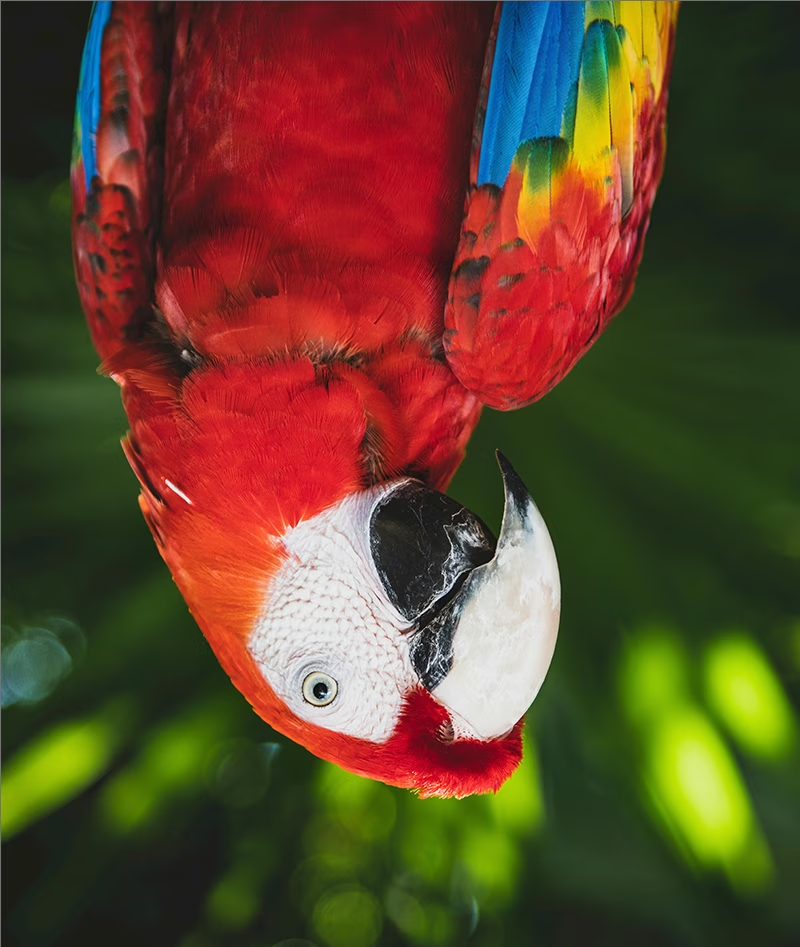
An upside-down macaw is a fine training image for a drone looking straight down, and a wasted one for a camera bolted to a wall. Transforms that fail the test produce negative training signal: the model learns to recognize images it will never see, at the cost of capacity for the ones it will.
A worked profile#
A top-down camera over a conveyor sorts parts whose classes differ only by color. Hue jitter must go, while vertical flips and small rotations become realistic. This runs as shown on the COCO8 demo set; swap in your data YAML and a real epoch count:
from ultralytics import YOLO

model = YOLO("yolo26n.pt")
model.train(
    data="coco8.yaml",
    epochs=1,
    imgsz=320,
    hsv_h=0.0,  # color is the class signal: keep hues true
    flipud=0.5,  # top-down view: no "up" in the frame
    degrees=10.0,  # parts land at any small angle
)
Open train_batch0.jpg in the run folder and check three things: boxes stay tight after the transform, class-defining cues (color, shape, text) survive, and nothing looks physically impossible. Scale back any transform that breaks one of them. Train Your First Model covers the training run itself.
Mosaic and close_mosaic#
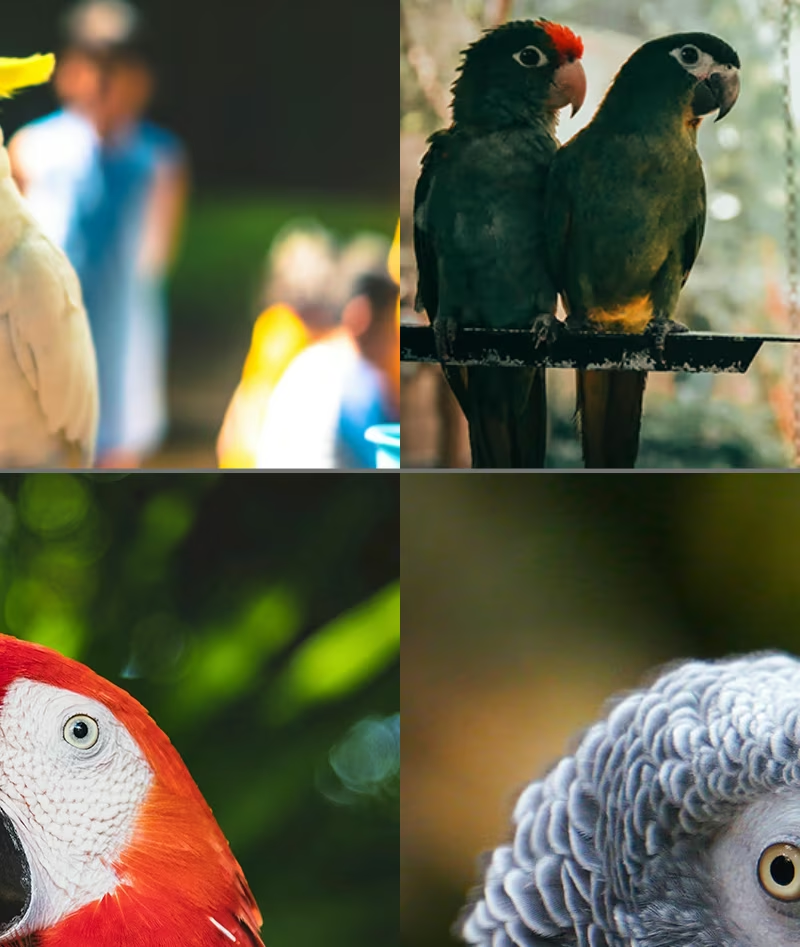
Mosaic stitches four images into one and is on by default. It's the highest-leverage augmentation for detection: every training image packs several scenes, scales, and object contexts. The catch is that mosaic images don't look like deployment frames, so close_mosaic=10 turns it off for the final 10 epochs and the model finishes on realistic inputs. Closing mosaic also switches off mixup, cutmix, and copy_paste, while flips, HSV, and the geometric transforms keep running.
In runs no longer than close_mosaic epochs, including the one-epoch profile above, mosaic is off from the first epoch. Judge mosaic from train_batch0.jpg of a full-length run, not a smoke test.
What augmentation cannot fix#
Augmentation is a multiplier on what's already there. If the dataset has no nighttime images, no setting produces night: it produces brighter and darker versions of day. If a class only works with aggressive augmentation, you don't have enough of that class. Go back to Collect High-Quality, Representative Data.
A small dataset with every augmentation at its maximum trains on images further and further from deployment, and val mAP often falls. Change one argument at a time, with a reason, and compare against the default baseline on the same split.
If a class is defined by a small part of the object, such as the corner symbol on a playing card, mosaic, translate, and scale can crop that part away and create a training image that looks exactly like a different class. Lower those values for that dataset, and confirm the fix in train_batch0.jpg.
Show solution
A drone surveys a port from straight above, detecting ships with oriented boxes. From that viewpoint there's no "up", ships point in every direction, and color doesn't define the class:
| Argument | Choice | Justification |
|---|---|---|
flipud | 0.5 | A top-down view looks the same flipped vertically |
degrees | 180 | Ships appear at every heading |
hsv_h | default | Hull color varies and isn't a class signal |
mosaic | default | Many small objects per image; mosaic helps |
On the DOTA8 aerial demo set:
yolo obb train data=dota8.yaml model=yolo26n-obb.pt epochs=1 imgsz=320 flipud=0.5 degrees=180For a fixed street camera, the same two changes would fail the deployment test: cars are never upside down on a wall-mounted feed.